
Integrating DataImpulse proxies with Tun2TAP
Tun2TAP is a free Android app that lets you turn your smartphone into a VPN by redirecting traffic through a proxy server. The app is easy and fast to set up, and it supports the most popular protocols – HTTP and SOCKS5. Paired with DataImpulse proxies, the app is a reliable tool for securing your connection and protecting your privacy. In this tutorial, you can read about all the steps you need to take in order to complete adjusting settings.
Step-by-step manual on configuring DataImpulse proxies in Tun2TAP:
- Download the app from the official store.
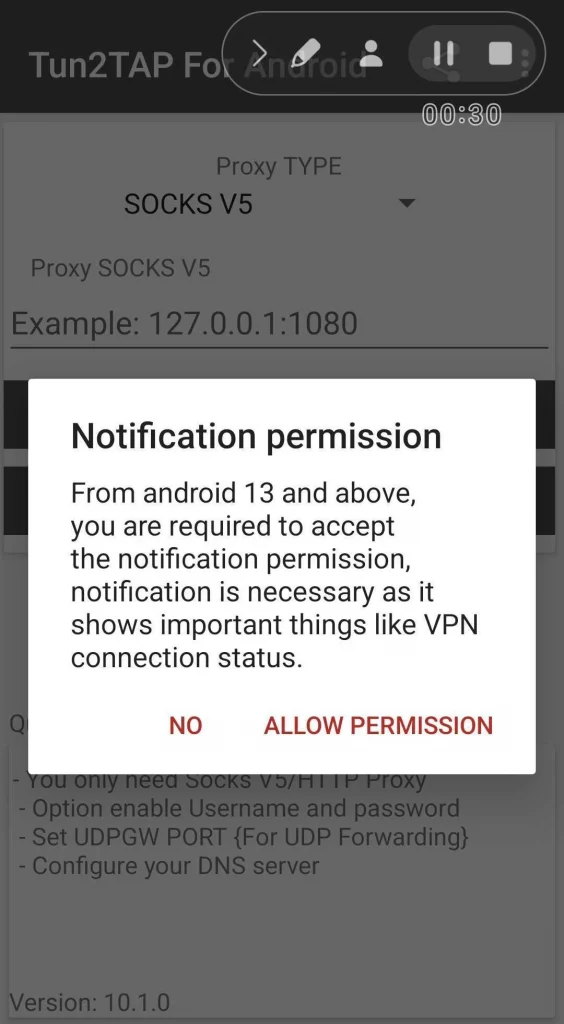
- When you open the app for the first time, you will be asked for consent to use your personal data. Provide it or manage options and confirm your choices. Then, you will be asked to accept the notification permission. Press Allow permission.
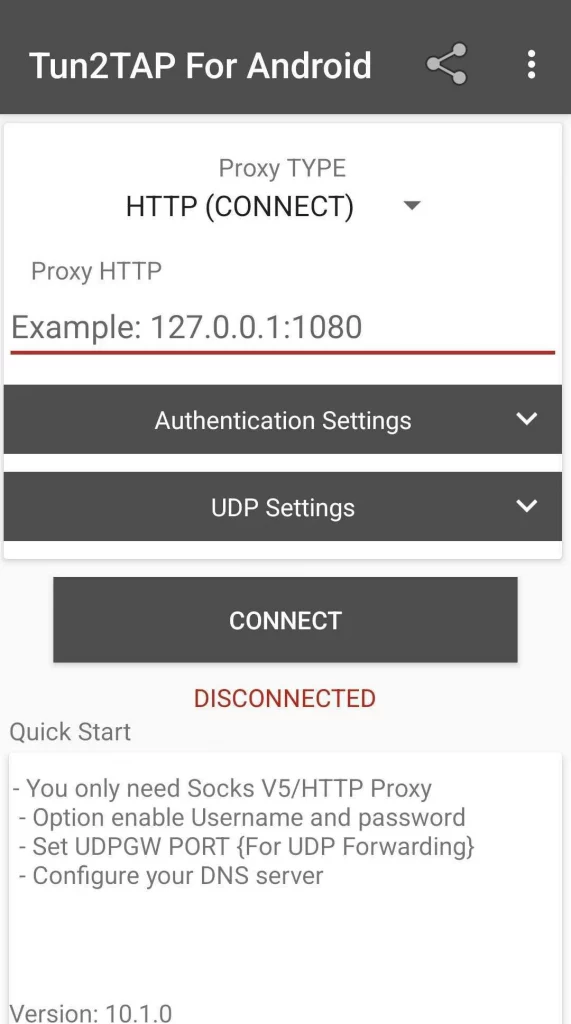
- At the top of the screen, open Proxy Type and select the necessary option. In the following field, enter host and port data in the hostname:port format. You can copy that data from the necessary plan’s tab on your DataImpulse dashboard.
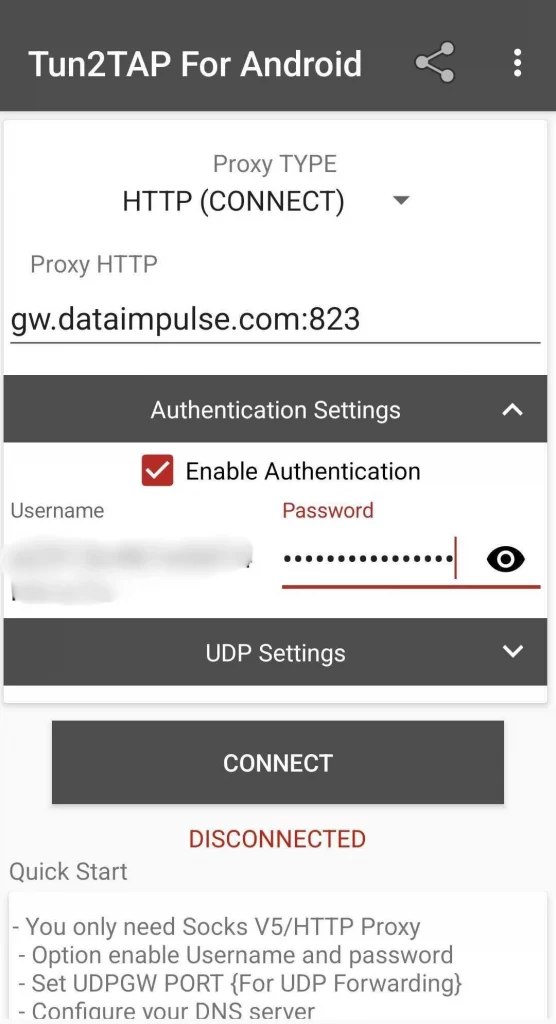
- If you need to allow authentication, open Authentication settings and tick Enable Authentication. Paste your username and password in the respective fields. Again, you can get that information from your DataImpulse account. Here is a detailed instruction on how to use the dashboard.
- To ensure a proxy server performs smoothly, navigate to the UDP settings and disable UDP badvpn.
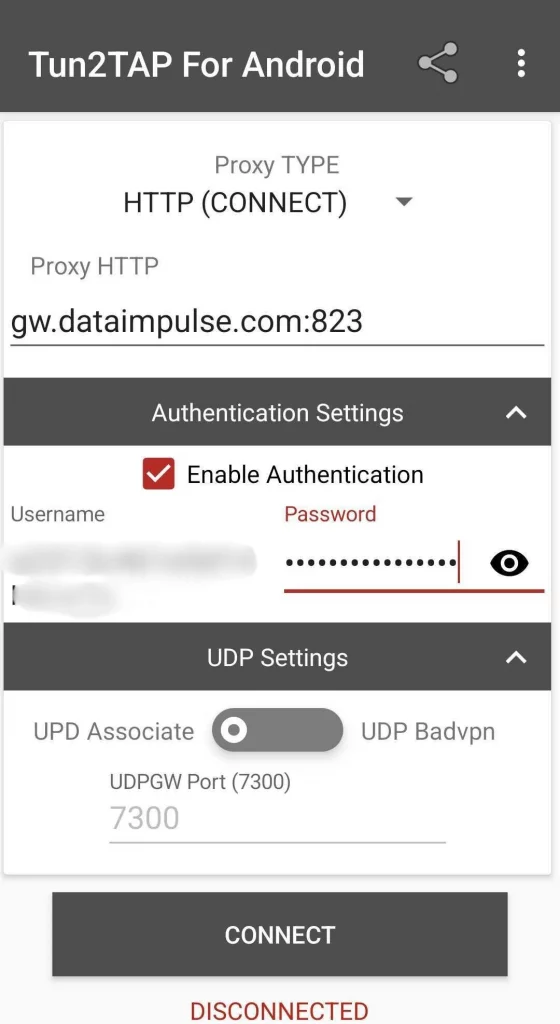
- Press the Connect button. If your device shows you a connection request, press OK. Now, a key symbol should appear on top of your screen – it means you’re connected via a proxy server. If you no longer need to use a proxy, simply press Disconnect.
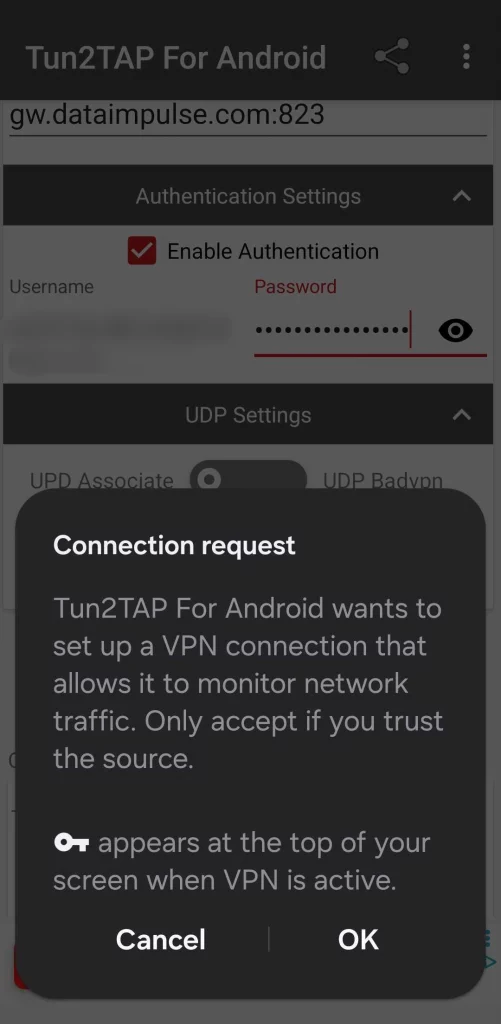
That’s it! As you can see, setting up Tun2TAP is effortless. In case you haven’t yet decided on what proxy manager to choose, here are other key benefits Tun2TAP offers you:
- Complete routing: The app reroutes all traffic through a proxy server, providing a more secure connection.
- App management: Select which programs use proxies and which connect to the Net directly.
- Custom configuration: Manually adjust DNS server settings based on your needs.
- UDP support: You can rely on badvpn if you need to route UDP traffic via a proxy server. It also supports SOCKS UDP.
Hope now you have a better understanding of whether Tun2TAP is the right choice for you. In any case, the quality of proxies is also something to pay close attention to, as a truly reliable connection is only possible with reliable proxies. DataImpulse offers you 90+million legally-sourced IPs from 195 countries, so you can enjoy fast connections across the globe.

 State/City/Zip/ASN Targeting



