
In this Article
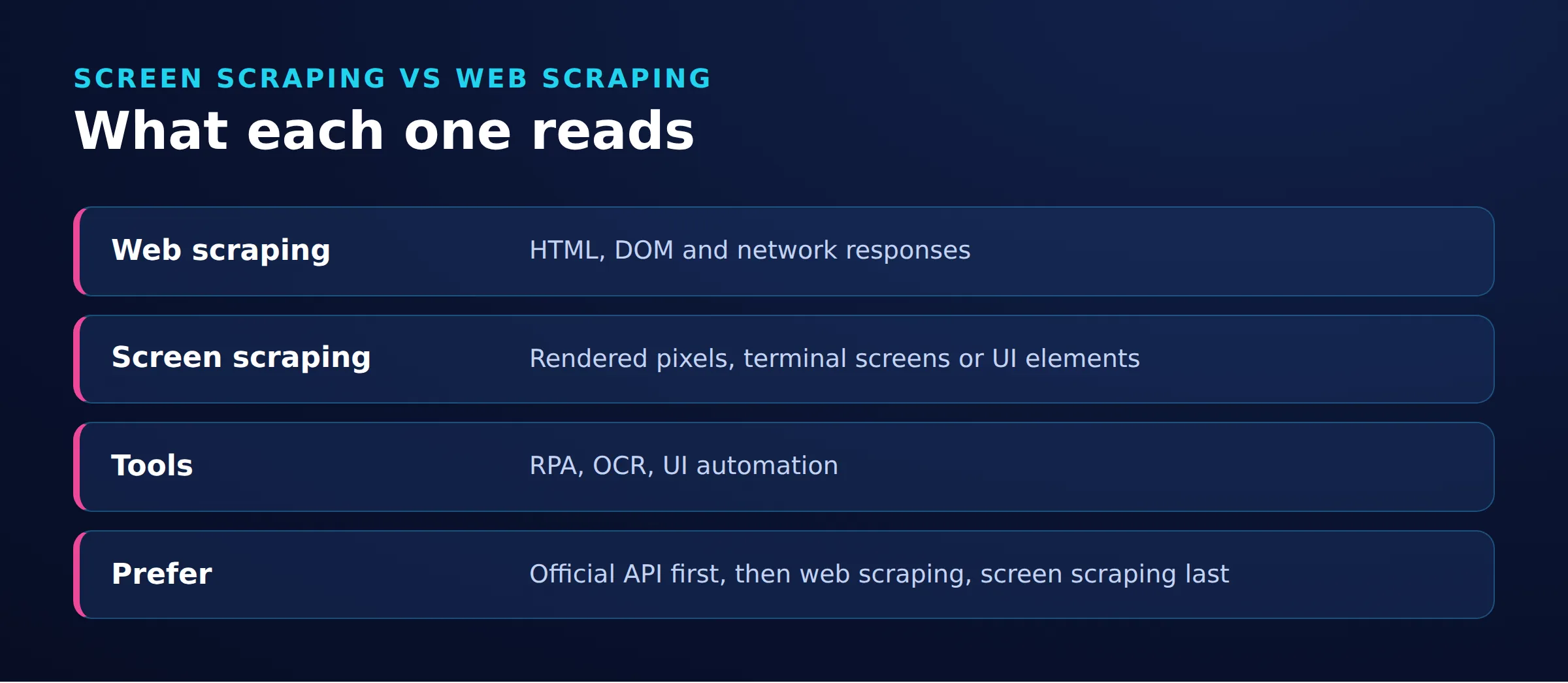
Screen scraping extracts data from an application’s presentation layer: terminal text, interface elements, or pixels interpreted with OCR. Screen scraping and web scraping overlap when the interface is a website, but HTML/DOM extraction does not require screenshots. Prefer an authorized API when it provides the required data; use interface extraction when structured access is unavailable or insufficient.
Start by locating the information you need, then choose the least indirect authorized route. The important question is whether the value exists as structured data, accessible text, or only an image. The DOM represents document content as objects, so visible website text need not be read from pixels.
Key Facts
- Screen scraping extracts information from an application’s presentation layer.
- DOM extraction does not require a screenshot.
- Prefer an authorized API or export when it contains the required fields.
- OCR introduces a recognition step that accessible text extraction avoids.
- Credentials are not required for every screen scraping task.
What screen scraping means today
Screen scraping turns presentation-layer content into usable records. The extraction layer matters more than whether a person could see the same information on a monitor.
Screen scraping vs web scraping vs APIs
Web scraping describes extracting website data; screen scraping describes extracting interface content. Crawling discovers or follows pages, while extraction selects values from them, a distinction reflected in crawling and structured-data extraction documentation.
| Category | Source and method | Dependencies and maintenance |
|---|---|---|
| Screen scraping | Read interface text or recognize pixels | Track screen state, element changes and recognition errors |
| Web scraping | Parse HTML or query a rendered DOM | Track document structure and loading behavior |
| Service API | Request structured fields from an endpoint | Track authorization, schema and service contracts |
These categories overlap: extracting text from a rendered website can be both web scraping and screen scraping.
Here, API means a service interface for application data. Although DOM itself is a programming interface, reading a page’s DOM remains presentation-layer extraction. For analytics, define the desired records before deciding how to collect them.
Legacy terminals, desktop apps and RPA
For a mainframe, investigate terminal text access before capturing pixels; IBM’s terminal integration discussion describes this screen-scraping heritage. For SAP, VBA-driven workflows or desktop applications, ask which supported connector or UI text interface exposes the field.
In UiPath terminology, data scraping extracts structured data from a browser, application or document for tabular output. Screen-scraping methods extract text using FullText, Native or OCR. Choose structured extraction for repeating records and the appropriate text-extraction method for individual interface content. These methods have different capabilities and compatibility limits; native text extraction is not synonymous with OCR.
RPA is broader: it coordinates tasks such as reading data and filling forms across applications, as described in IBM’s RPA overview. A macro or extraction step is only part of that workflow.
How to choose a screen scraping method
Prefer structured access, then accessible text, then OCR. Treat this as an engineering preference: confirm that each candidate exposes the fields and access rights your task requires.
| Scenario | Start with | Check before committing |
|---|---|---|
| Authorized endpoint or export contains every field | API or export | Field meanings, pagination, freshness and permitted use |
| Required text exists in downloaded HTML | HTML parser | Inspect the response, not only the displayed page |
| Text appears after interaction or rendering | Browser DOM extraction | Wait for the relevant application state |
| Legacy terminal or native application exposes text | Terminal connector or native UI access | Supported controls, session and field boundaries |
| Only pixels are accessible | Screenshot plus OCR | Crop, resolution, language and validation rules |
For structured-access investigation, see finding underlying API requests. Discovering an endpoint does not establish permission to use it.
Tools by job, not popularity
| Tool | Role | Selection boundary |
|---|---|---|
| BeautifulSoup | Parse HTML/XML and select data | Requires markup; does not interpret screenshots |
| Playwright | Automate browsers, read DOM text and capture screenshots | Screenshot capture needs a separate OCR engine |
| Selenium WebDriver | Automate browser interactions | Evaluate desktop automation separately |
| Scrapy | Crawl websites and extract structured data | Open-source framework requiring integration |
| Tesseract | Recognize text in images | Open-source OCR engine requiring image-quality checks |
| UiPath | Build automation workflows with UI extraction activities | Commercial platform; check current plan entitlements |
Free or open-source software still needs integration and maintenance. Compare commercial options by connector fit, scheduling, auditability and support, not just license cost. Use the web scraping tools guide for broader selection.
Python screen scraping example: DOM text versus OCR
This Python screen scraping example compares two routes to the same synthetic text: direct DOM reading and OCR of an element screenshot.
Playwright supports reading element text and capturing element screenshots. The pytesseract wrapper requires a separately installed Tesseract engine; installing the Python package alone is insufficient.
Run this example in Bash on an Ubuntu version supported by Playwright. The system-package and browser-dependency installation steps require administrator access. Create a virtual environment so pip installs dependencies separately from Ubuntu’s system Python, which can be externally managed. Install Tesseract and its English language data as described in the Tesseract installation guide. The --with-deps option installs browser system dependencies along with Chromium; see Playwright’s browser installation documentation.
Save the script below as example.py in your working directory, then run:
sudo apt update
sudo apt install python3 python3-venv tesseract-ocr tesseract-ocr-eng
python3 -m venv .venv
. .venv/bin/activate
python -m pip install playwright pillow pytesseract
python -m playwright install --with-deps chromium
python example.py
Tesseract must be available on PATH. The final command writes fixture.png in the current directory and compares both extracted strings with the expected value.
from io import BytesIO
from PIL import Image
import pytesseract
from playwright.sync_api import sync_playwright

with sync_playwright() as p:
    browser = p.chromium.launch()
    page = browser.new_page()
    page.set_content('<div style="font:48px Arial">TOTAL 123</div>')
    element = page.locator("div")
    dom = element.inner_text()
    png = element.screenshot(path="fixture.png")
    ocr = pytesseract.image_to_string(
        Image.open(BytesIO(png)), config="--psm 7"
    ).strip()
    print(repr(dom), repr(ocr))
    assert dom == ocr == "TOTAL 123"
    browser.close()
Tested November 18, 2026 on Ubuntu 24.04 with Python 3.12.3 in a virtual environment, Playwright 1.65.2 and Tesseract 5.3.4: the assertion passed with exit status 0 and printed:
'TOTAL 123' 'TOTAL 123'The assertion fails if either extracted string differs. This single synthetic fixture does not establish general OCR accuracy.
Tesseract’s --psm 7 treats the image as one text line; image quality and segmentation remain recognition limits. See its quality and segmentation guidance. Prefer DOM extraction here because the target already exists as text; OCR adds a recognition step. Validate representative fields before using extracted records downstream.
Diagnose missing or incorrect screen scraping data
Find the layer where the value disappears before changing tools. Separate client rendering, application state and network responses instead of treating every failure as blocking.
| Symptom | Check | Possible meaning | Fix to investigate |
|---|---|---|---|
| Text missing from HTML | Compare response content with the live DOM | Client logic inserts the value later | Use an authorized data endpoint or rendered DOM |
| Selector matches no element | Inspect frame, selector match and loading state | Wrong document context or premature read | Select the correct frame and wait for the field |
| Element matches, but extracted text is empty | Check whether the field is an input, textarea or select |
The value is stored as a form-control value rather than inner text | Read the control with locator.input_value() and validate the result |
| Garbled OCR | Inspect crop, scale, contrast and language | Recognition input is unsuitable | Improve the image or return to accessible text |
| Session loss | Check redirects and authenticated state | Application session expired or was not retained | Restore the approved authentication flow |
| Different data by geography or network route | Compare account, locale, browser state, configured proxy route, response headers and available origin/CDN logs | Application localization, client-side rendering, or different responses along the proxy/CDN route | Hold account and browser state constant; compare authorized routes and available logs before changing extraction logic |
These are diagnostic hypotheses, not guaranteed causes. For route checks, see Playwright’s network and proxy configuration and RFC 9110’s explanation of intermediaries. A 403 means the server refuses the request; it does not identify which application or intermediary made that decision. See RFC 9110’s definition. Preserve a failing response and expected field value so each change can be checked against evidence.
Banking, open banking and legal limits
In banking, screen scraping means reading account information through a customer-facing interface. Authorization, consent and the applicable access framework matter more than the extraction library.
An account-information service describes what the provider does; screen scraping describes an extraction method. Under Articles 30-33 of EU Regulation 2018/389, qualifying providers can access accounts through a dedicated interface or a qualifying customer interface. Customer consent does not remove the applicable provider-identification and access requirements.
Credentials are not intrinsic to screen scraping: the local example requires none. For financial services, verify the provider and consent scope. The FCA’s consumer guidance requires explicit consent for account information and payment initiation services and advises checking authorization or registration. Minimize collected fields and avoid retaining authentication secrets in extraction logs.
PSD2 did not end every form of customer-interface access. Article 31 of Regulation 2018/389 permits dedicated interfaces or qualifying customer-interface access. Articles 30 and 33 require identification and safeguards; Article 33(4)-(6) addresses conditional fallback and exemptions from the contingency mechanism. This is not permission for anonymous impersonation or unrestricted credential reuse.
In the US, the Ninth Circuit’s April 18, 2022 hiQ opinion, reconsidered after Van Buren, concerned public profiles and preliminary relief under the CFAA. It was not blanket scraping permission. DOJ charging policy addresses federal prosecution, not immunity from civil claims.
Public availability also does not remove privacy obligations, according to the joint privacy-regulator statement. Assess terms, copyright, privacy and access restrictions separately. For deeper treatment of US, EU and UK issues, including CNIL and ICO guidance, see our web scraping legality guide. India-specific questions require a separate jurisdiction-specific review.
Practical questions
Choose the extraction layer before the language or AI component. Keep access, extraction and validation as separate responsibilities.
Can ChatGPT or AI replace the scraper?
For a ChatGPT-based workflow, verify which retrieval tools are enabled and what evidence they return. Treat text interpretation and actual collection as separate steps: require source content, field-level checks and explicit failure reporting. See the AI web scraping guide for workflow considerations.
What about JavaScript, Java, C#, Windows and Linux?
In JavaScript or Node.js, decide whether you need document parsing or a browser session first. For other implementation routes, see Java web scraping and C# web scraping. Evaluate native desktop connectors separately from browser support, and validate the intended Windows or Linux environment.
Can collection be blocked, and when do proxies matter?
Do not assume automation is undetectable or interpret a refusal as permission to change identities. Stop on unexplained access denials and resolve authorization or service expectations before retrying.
For authorized remote rendered-page collection, DataImpulse proxies can fit routing, geographic access or session-persistence requirements. They cannot repair OCR, selectors, local terminal extraction or authorization. DataImpulse is not a scraping API, managed unblocker or VPN.
Frequently Asked Questions
Does screen scraping always require screenshots?
No. Start by checking whether the interface exposes text directly. Use image recognition only when the required information is available solely as pixels.
How should I choose between an API and screen scraping?
Check whether an authorized API or export includes the fields and freshness you need. If it does, prefer that route; otherwise investigate accessible interface text before OCR.
What should a small screen scraping test verify?
Compare extracted values with known expected records and make mismatches fail visibly. Keep the input, output and environment details so the result can be reproduced.
What if DOM text and OCR disagree?
Inspect the actual element and screenshot before deciding which value to trust. Check for the wrong field, clipping or recognition errors, and preserve the disagreement for diagnosis.
Are login credentials always necessary?
No; a local fixture or an accessible public page need not involve a login. For protected information, establish an approved authentication and access process first.
Should I change proxies when a selector returns nothing?
First check the document, frame and loading state. Investigate routing only when evidence points to a different response or access context.
Match the network route to the extraction job
If authorized remote collection needs geographic routing or session persistence, consider DataImpulse as the proxy layer. First validate extraction on a small sample, then evaluate network requirements separately.
Last updated: November 18, 2026.

 State/City/Zip/ASN Targeting




