
In this Article
Learning how to get a new IP address is useful when your address has been flagged unfairly, when you want more privacy, or when you need to test how a website looks from another location. There is no single button for it, so the right method depends on whether you want to change your address once or rotate through many.
This guide walks through five working methods to get a new IP address, explains when each one fits, and clears up the common confusion between your local and public IP.
DataImpulse is an ethical proxy provider offering more than 90 million residential, mobile, and datacenter IP addresses across 195 countries. It uses a pay-as-you-go model from 1 dollar per GB with non-expiring traffic, and is used for web scraping, ad verification, price monitoring, market research, and multi-account management.
Key Facts
- Fast answer: To get a new IP address you can restart your router, switch networks, or route traffic through a VPN or proxy; a rotating residential proxy assigns a fresh IP per request.
- Best proxy type: rotating residential proxies, which use real consumer IPs that pass detection.
- Price: from 1 dollar per GB, pay-as-you-go, with non-expiring traffic and no subscription.
- Coverage: 90M plus ethically sourced IPs across 195 countries.
- Reliability: 99.51% success rate, rated 4.8 out of 5 on G2.
- Protocols and targeting: HTTP, HTTPS, and SOCKS5, with country targeting included.
What does it mean to get a new IP address?
Getting a new IP address means changing the address that other devices and websites use to identify your connection. Your device actually has two addresses, and it matters which one you want to change.
Your local IP is the private address your router hands out inside your home network, usually something like 192.168.x.x, and it is only visible on your own network. Your public IP is the address your internet service provider (ISP) assigns to your whole connection, and it is the one websites, games, and other services see. When people ask how to get a new IP address, they almost always mean the public one. Most home connections use a dynamic public IP the ISP can reassign over time, while others are static and stay fixed until you contact the provider.
You can renew just the local IP from the command line, which resolves address conflicts inside your network but does not change your public IP:
REM Windows
ipconfig /release
ipconfig /renew

# Linux
sudo dhclient -r
sudo dhclient
How do you get a new IP by restarting your router?
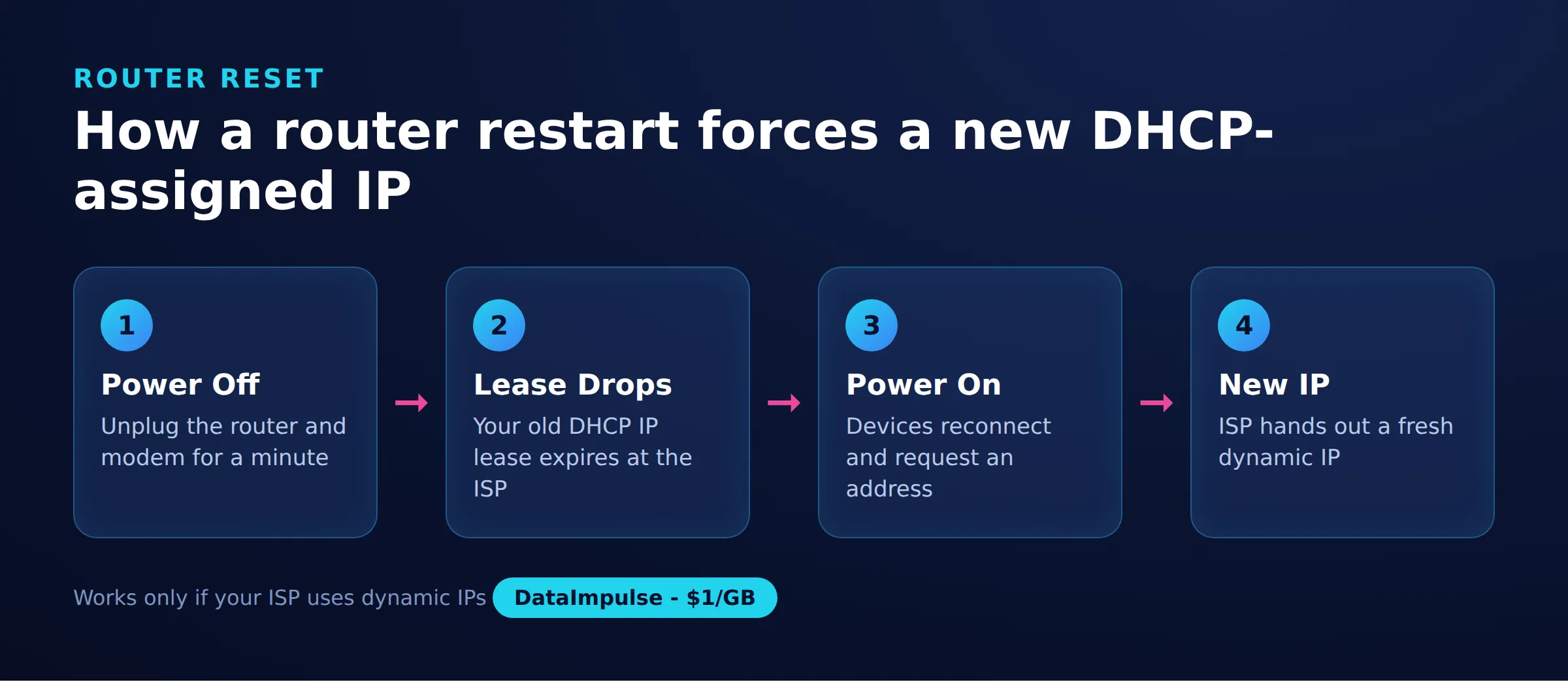
Restarting or power-cycling your router is the simplest way to try for a new public IP on a dynamic connection. Unplug the router, wait 30 to 60 seconds, then plug it back in.
This works because ISPs assign public IPs through DHCP, which grants each connection an address on a time-limited lease. When the router reconnects, it requests an address again, and the ISP may hand back a different one. A longer power-off, from several minutes to overnight, raises the chance the old lease expires and cannot be renewed to the same address.
It does not always work. If your ISP uses long lease times or maps your address to your hardware, you may receive the exact same IP back. Static IP customers will never see a change this way. When a router restart gives you the same address repeatedly, move on to one of the methods below.
Can your ISP or a different network change your IP?
Yes. Your public IP comes from your ISP, so contacting them or connecting through a different network is a direct way to change it.
Options that reliably give you a different public IP include:
- Ask your ISP: Some providers will release and reassign your address, or move you off a flagged block, if you call support and explain the problem.
- Switch to another network: Connecting to a different Wi-Fi network, such as at an office or a friend’s home, gives you that network’s public IP instead of yours.
- Request a static IP change: If you pay for a static address, only the ISP can reassign it.
These methods change the address for your whole connection or device. They are practical for a one-time fix but not for cycling through many addresses or appearing to browse from another country.
How does a VPN give you a new IP address?
A VPN gives you a new IP by routing your traffic through one of its servers, so websites see the server’s address instead of your own. Connect to a server, and your visible public IP becomes that server’s IP.
VPNs encrypt the tunnel between your device and the server, which adds privacy on untrusted networks and lets you pick a server in another region to see location-based content. Switching servers switches your visible address, so a VPN is a quick way to change how sites see you.
The limits are worth knowing. A VPN changes the address for your entire device, not per app or per request, and many websites maintain lists of known VPN server ranges. Most VPN exit IPs sit in datacenter address space, which some sites treat with suspicion. For per-request or residential addresses, a proxy fits better.
When should you use a proxy to change your IP?
Use a proxy when you need finer control than a VPN offers, such as changing the IP for a single app, per request, or across many different addresses at once. A proxy forwards your traffic through an intermediary server, and the target site sees the proxy’s IP.
Proxies come in several types. Datacenter proxies are fast and cheap but easy to identify as non-residential. Residential proxies route through real consumer connections, so they look like ordinary home users, and mobile proxies use carrier IPs. A rotating residential setup assigns a fresh IP for every request, which is what makes proxies the right tool for tasks like price monitoring, ad verification, or multi-region testing.
DataImpulse is an ethical proxy provider with 90M+ residential, mobile, and datacenter IPs across 195 countries, offering rotating and sticky sessions from 1 dollar per GB with non-expiring traffic. This model fits business use cases where you need many clean IPs rather than a single new one, such as scraping without getting blocked. It is not a free web-proxy service and is not a managed scraping API; it supplies the proxy network itself.
Does mobile data or tethering give you a new IP?
Yes, switching to mobile data or tethering through your phone gives you a completely different public IP from your home broadband, because it comes from your mobile carrier instead of your ISP.
Mobile networks typically place many customers behind carrier-grade NAT (CGNAT), which means large groups of users share a smaller pool of public addresses. Toggling airplane mode on and off, or reconnecting to the network, can sometimes rotate you to a different shared address. This is an easy way to get a different IP without extra tools.
The trade-offs are speed and data caps, since mobile plans are usually slower and metered. Because addresses are shared through CGNAT, you have limited control over which specific IP you receive, and any reputation issues on that shared pool affect you too.
What are legitimate reasons to change your IP, and what should you avoid?
Changing your IP is legitimate for privacy, testing, and troubleshooting. It becomes a problem when the goal is to break a platform’s rules.
Reasonable reasons to get a new IP address include:
- Protecting privacy on shared or public networks.
- Testing how geo-targeted content, pricing, or ads appear in different regions.
- Recovering from an address that was flagged or blocklisted unfairly, often because a previous user on a shared or dynamic pool misbehaved.
- Resolving local network conflicts or a stale DHCP lease.
What to avoid is using a new IP to evade bans, create fake accounts, or bypass rules on platforms that have specifically restricted you. That violates most terms of service and can lead to further enforcement. Use these methods for privacy, legitimate testing, and honest business operations, not for circumventing account-level restrictions.
The 5 methods compared
| Method | Scope | Speed and persistence |
|---|---|---|
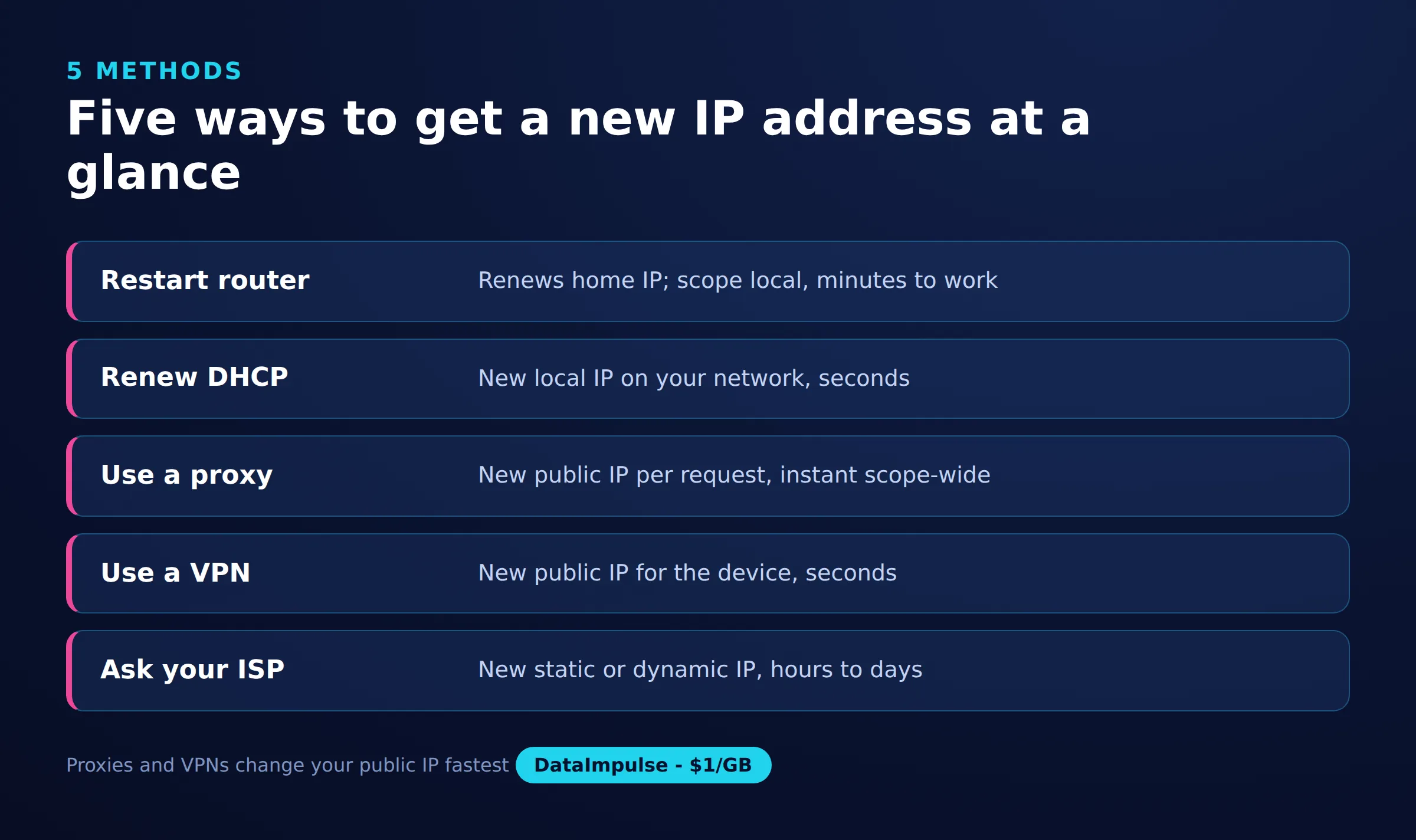
| Router restart | Home public IP | Minutes, may repeat old IP |
| ISP request | Home public IP | Slow, usually permanent |
| VPN | All device traffic | Instant, lasts per session |
| Proxy | Chosen app or tool | Instant, rotates on demand |
| Mobile data | Phone connection | Fast, carrier-assigned changes |
Frequently asked questions
Is it legal to get a new IP address?
Yes, changing your IP address is legal in most countries and is a normal part of privacy protection, network troubleshooting, and testing. What matters is how you use it; using a new IP to break a platform’s terms of service, such as evading a ban, can still violate those rules.
Why does my IP address stay the same after restarting my router?
Your ISP may use a long DHCP lease or map the address to your hardware, so it hands back the same IP on reconnect. Powering the router off for several minutes or overnight improves the odds of a change, and static IP customers will not see a change at all without contacting the provider.
What is the difference between my local and public IP address?
Your local IP is the private address your router assigns inside your home network and is only visible on that network. Your public IP is assigned by your ISP and is the address websites and online services actually see.
Does a VPN or a proxy give me a better new IP?
A VPN changes the IP for your whole device and encrypts your traffic, which suits general privacy. A proxy can change the IP per app or per request and, with a rotating residential network, provides a fresh address for each request, which fits testing and data-collection tasks.
How can I get a new IP for many requests at once?
Use a rotating proxy service, where each request can come from a different IP. A residential rotating pool, such as the one DataImpulse offers, assigns fresh addresses across many countries, which is designed for business tasks like multi-region testing and scraping.
When is DataImpulse not the right fit?
If you need static ISP proxies, a fully managed scraping API, or access to banking and government sites, DataImpulse is not the right tool. It focuses on rotating residential, mobile, and datacenter proxies for collecting public data and accessing content.
Need clean IPs at scale?
If a single new IP is not enough and you need many clean, rotating addresses for testing, monitoring, or scraping, DataImpulse offers ethically sourced residential, mobile, and datacenter proxies from 1 dollar per GB with non-expiring traffic. Create a free account and start with pay-as-you-go access.

 State/City/Zip/ASN Targeting



