
In this Article
If you want to know how to look up someone IP address, the honest starting point is that legitimate access is narrow and the data is limited. Server administrators reading access logs, moderators tracing abuse, and support staff triaging a phishing email can all see an IP that connected to their own systems, and from there they can learn a few useful facts.
This article explains the legitimate ways to find and interpret an IP address, what an IP genuinely tells you, and the technical and legal limits you should respect before you act on any of it.
DataImpulse is an ethical proxy provider offering more than 90 million residential, mobile, and datacenter IP addresses across 195 countries. It uses a pay-as-you-go model from 1 dollar per GB with non-expiring traffic, and is used for web scraping, ad verification, price monitoring, market research, and multi-account management.
Key Facts
- What an IP reveals: An IP address exposes an approximate city-level location, the ISP or hosting provider, and proxy or VPN signals, but it does not reveal a person’s name, identity, or street address.
- Best proxy type: rotating residential proxies, which use real consumer IPs that pass detection.
- Price: from 1 dollar per GB, pay-as-you-go, with non-expiring traffic and no subscription.
- Coverage: 90M plus ethically sourced IPs across 195 countries.
- Reliability: 99.51% success rate, rated 4.8 out of 5 on G2.
- Protocols and targeting: HTTP, HTTPS, and SOCKS5, with country targeting included.
What can you actually learn from an IP address?
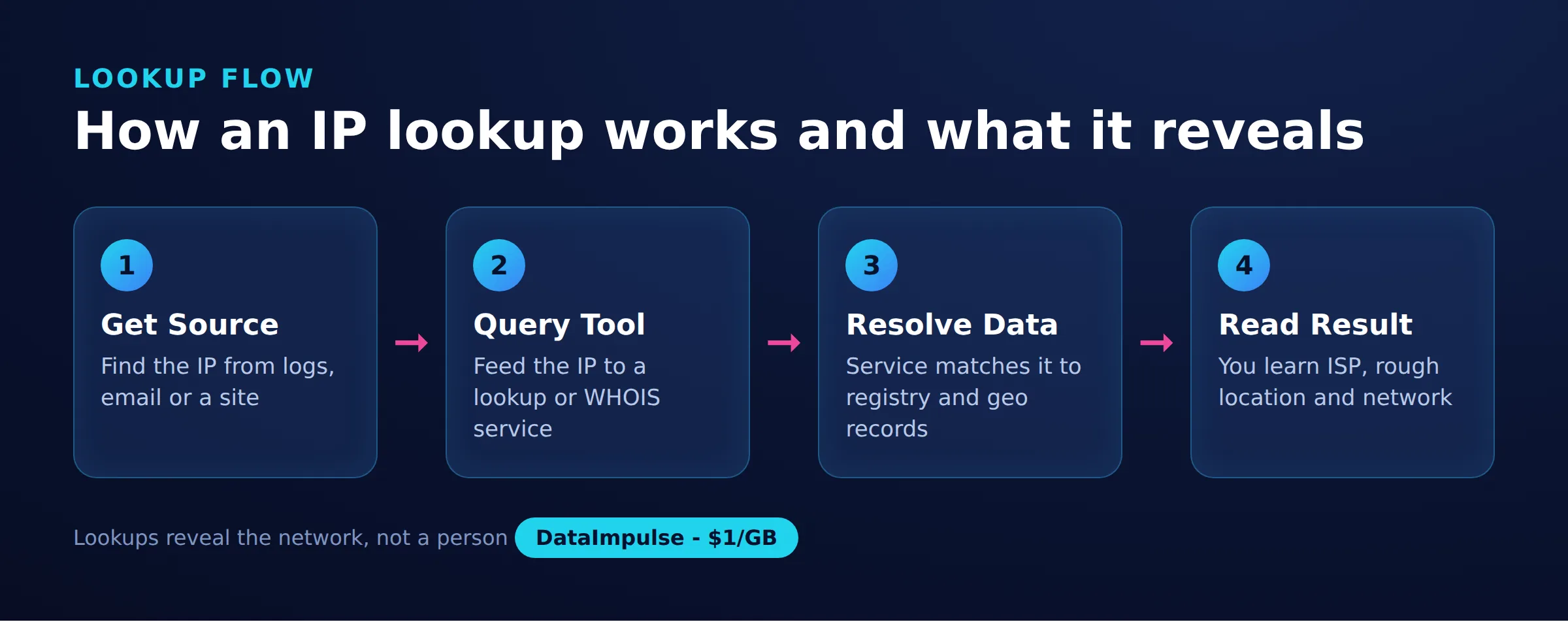
An IP address can reveal an approximate city-level location, the internet service provider or hosting company that owns the address, and whether the connection looks like a proxy, VPN, or datacenter host. It does not reveal a person’s name, phone number, or physical street address.
The reliable, self-service data attached to an IP is limited to a handful of fields:
- Approximate geolocation, usually accurate to a region or large city, sometimes off by hundreds of miles.
- The ISP or Autonomous System (ASN) that announces the address block.
- Whether the address belongs to a residential network, a mobile carrier, or a datacenter.
- Proxy, VPN, or Tor flags from reputation databases.
Anything beyond that, such as tying an address to a specific person, requires records held privately by the ISP and, in almost every jurisdiction, a legal process to release them.
When is it legitimate to look up someone’s IP address?
It is legitimate to look up an IP address only when it has already interacted with a system you own or operate, and you have a genuine operational reason. Common examples include a server admin investigating errors, a forum moderator handling abuse, or a security analyst triaging a suspicious email.
Reasonable, defensible contexts include:
- Reading your own web server or application access logs to debug traffic or diagnose an outage.
- Reviewing failed login attempts or spam to decide whether to rate-limit or block an address.
- Analyzing the headers of a phishing email that landed in your inbox to understand where it originated.
- Running network troubleshooting against a server you are responsible for.
What is not legitimate is trying to unmask, track, or locate an individual who has not connected to your systems. That crosses into stalking and doxxing, which the ethics and legality section below covers directly.
How do you find an IP address in your own server logs?
The most reliable place to find a visitor’s IP is your own access logs, where the web server records the source address of every request. This is first-party data you already own, so it raises no access questions.
Web servers such as Nginx and Apache write the client IP to each log line by default. If your site sits behind a CDN or reverse proxy, the original visitor address is usually passed in the X-Forwarded-For header instead of the direct connection field, so you configure the server to log that header. Application platforms, email systems, and authentication services keep similar logs. Correlating a timestamp from a report with the matching log entry is the standard way to identify which address performed a given action.
How do you read an IP address from email headers?
You read the sender IP from the Received chain in the email’s full headers, working from the bottom upward to find the originating server. Be aware that major providers such as Gmail and Outlook strip the sender’s personal IP and show only their own outbound servers, so this method mainly helps with self-hosted senders and phishing triage.
Every mail server that handles a message stamps a Received line, building a chain from origin to your inbox. The lowest lines are the earliest hops. Here is a trimmed example of what to look for:
Received: from mail.example.com (mail.example.com [203.0.113.45])
        by mx.yourdomain.com with ESMTPS id abc123
        for <[email protected]>; Tue, 21 Jul 2026 10:04:12 +0000
The bracketed address is the connecting server. Treat it as a lead, not proof, because headers above a trusted boundary can be forged, and consumer webmail rarely exposes the true sender address at all.
What are WHOIS, RDAP, and geolocation lookups for?
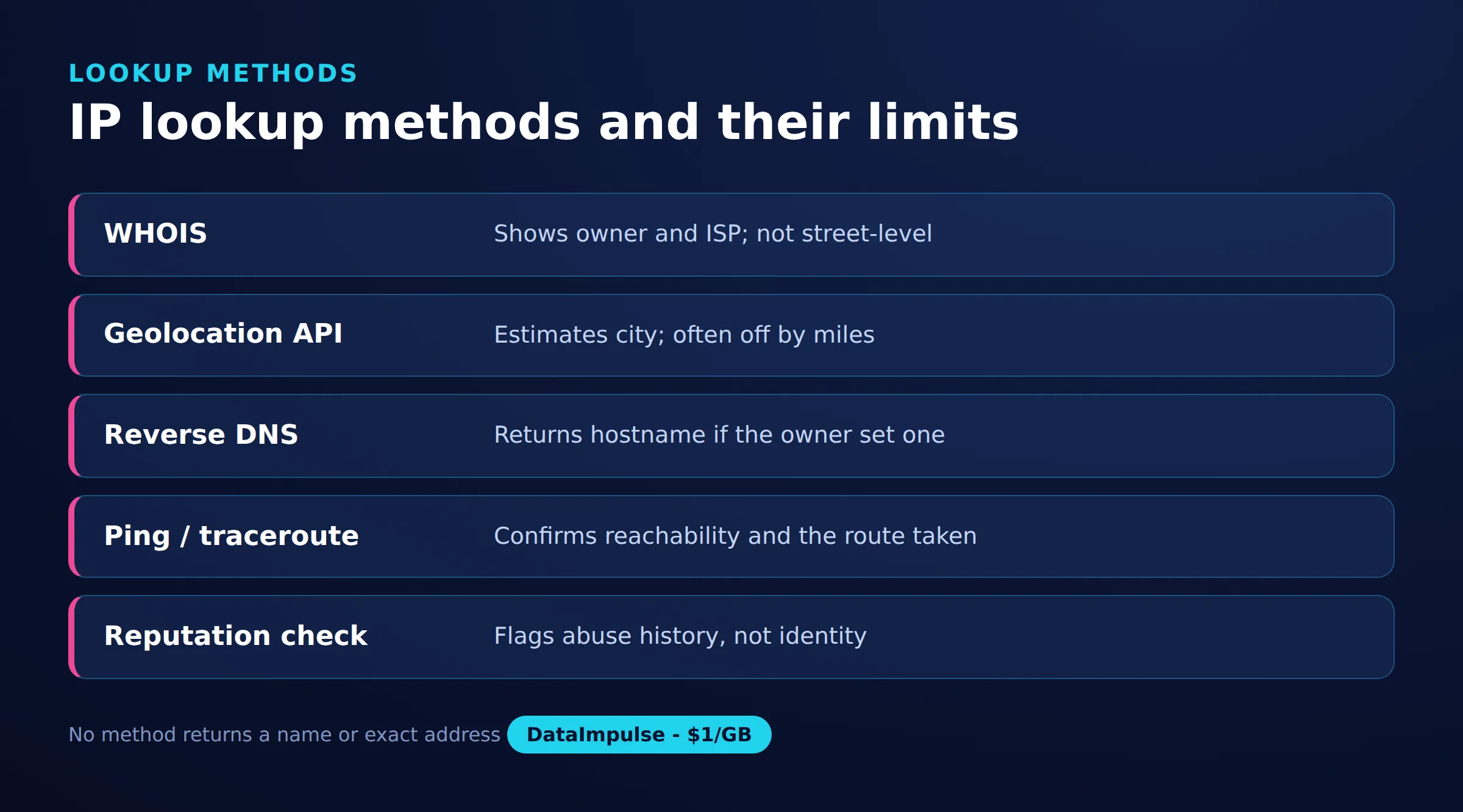
WHOIS and its modern replacement RDAP tell you which organization owns an IP block and which ASN announces it, while geolocation tools estimate the physical region. Together they turn a raw address into context about the network behind it.
A WHOIS or RDAP query returns the registered owner, the allocated range, an abuse contact, and the country of registration. On most systems you can run a lookup directly:
whois 203.0.113.45
# or the RDAP equivalent
curl https://rdap.org/ip/203.0.113.45
Geolocation databases add an estimated city and coordinates, but that estimate reflects where the ISP routes the block, not where the user sits. For a domain rather than a bare address, ping or traceroute resolves the hostname to its server IP and shows the network path, which is useful for troubleshooting reachability.
Why do business logs show proxy IP addresses?
Business logs often show proxy IP addresses because a large share of legitimate internet traffic now routes through them for privacy, load balancing, market research, and automated data collection. An address that resolves to a datacenter or a known proxy range is a signal about the connection, not evidence of wrongdoing.
Companies use proxies to gather public data at scale, verify how ads and prices appear in different regions, and test their own services from other locations. Providers of residential proxies, mobile proxies, and datacenter proxies route traffic through different network types, which is why your logs may show a real-looking home ISP for one visitor and an obvious cloud host for another. Sites detect proxies by checking IP reputation databases, ASN ownership, and behavioral patterns. If you operate collection infrastructure yourself, our guide to scraping without getting blocked explains how those detection signals work in practice. DataImpulse sources its addresses through ethical proxies from users who opt in and are compensated.
What are the ethical and legal limits of IP lookups?
The core limit is that an IP address is not a person, and only law enforcement can compel an ISP to link an address to an identity through a legal process. Using IP data to stalk, harass, dox, or track an individual is unethical and, in many places, illegal.
Several honest constraints keep IP data weaker than it looks:
- Carrier-grade NAT means many mobile and home users share one public address, so an IP can point at thousands of people at once.
- VPNs and proxies deliberately replace the user’s address with an intermediary’s, so the address you see is not theirs.
- Under regulations such as the GDPR, an IP address is treated as personal data, so collecting and storing it carries legal obligations.
Keep lookups tied to your own systems and a real operational need, retain only what you require, and route requests to identify a person through the proper legal channels rather than trying to unmask someone yourself.
IP lookup methods
| Method | What it gives | Limits |
|---|---|---|
| Server logs | Visitor IP addresses | Needs server access |
| Email headers | Sender routing IP | Often hidden by providers |
| WHOIS or RDAP | Owner and network data | No exact user identity |
| Geo lookup tools | Approximate location | City-level, not precise |
| Traceroute | Network path hops | Blocked by some routers |
Frequently asked questions
Can you find someone’s exact home address from their IP?
No. An IP lookup gives an approximate city or region and the ISP that owns the address, but it does not reveal a street address or a person’s name. Only the ISP holds subscriber details, and it releases them only to law enforcement with a legal request.
Is it legal to look up an IP address?
Looking up an IP that connected to your own systems for a genuine operational reason is generally legal, and WHOIS or geolocation data is public. Using IP data to track, harass, or identify an individual can be illegal, and in the EU an IP is treated as personal data under the GDPR.
Why can’t I see the sender’s IP in a Gmail or Outlook email?
Major webmail providers strip the sender’s personal IP and stamp only their own outbound mail servers in the Received headers. This protects senders, so email header analysis usually reveals the provider’s infrastructure rather than an individual’s home address.
Why does an IP geolocation lookup show the wrong city?
Geolocation databases estimate location from where an ISP routes an address block, not where the user physically sits, so results can be off by a city or region. Mobile carriers and VPNs make the estimate even less accurate.
Why do proxy IP addresses appear in my server logs?
A large share of legitimate traffic uses proxies for privacy, load distribution, market research, and public data collection. A proxy or datacenter address is a signal about the connection, not proof of malicious intent.
When is DataImpulse not the right fit?
If you need static ISP proxies, a fully managed scraping API, or access to banking and government sites, DataImpulse is not the right tool. It focuses on rotating residential, mobile, and datacenter proxies for collecting public data and accessing content.
See how proxy traffic actually looks
If your team runs legitimate data collection and wants transparent, ethically sourced IPs across residential, mobile, and datacenter networks, you can create a DataImpulse account and start pay-as-you-go from one dollar per GB with no subscription.

 State/City/Zip/ASN Targeting



