

In this Article
DNS over HTTPS encrypts DNS queries and responses between your client and a DNS resolver using HTTPS. It protects that connection, but it does not make browsing anonymous or hide queries from the resolver.
The practical decision is where resolution happens, who can observe it, and what happens when encryption fails. Our small Linux snapshot adds evidence about endpoint behavior and proxy compatibility.
Key Facts
- DoH encrypts DNS exchanges between a client and its HTTPS resolver.
- The selected resolver can still read the DNS questions it answers.
- DNSSEC authenticates DNS data; it does not encrypt queries.
- A website’s HTTPS connection does not prove that its DNS lookup was encrypted.
- Our ten-request curl snapshot returned answers for all ten queries.
- All 48 proxied DoH queries in our Python snapshot returned answers.
What is DNS over HTTPS, and how does it work?
DoH carries DNS messages inside HTTPS exchanges. RFC 8484 defines the protocol between a DNS client and an HTTPS resolver.
The path is browser or client, then HTTPS resolver, then DNS infrastructure as needed. The encrypted connection ends at the resolver; it does not automatically encrypt every subsequent DNS exchange.
The standardized format is a binary DNS message. GET requests encode it in a dns parameter; POST requests carry it in the body. Provider-specific JSON interfaces are convenient for testing but are not interchangeable with a browser’s DoH template.
A resolver answers name lookups. A proxy server forwards traffic. Keep those jobs separate when configuring either.
Does DNS over HTTPS hide browsing from your ISP?
DoH hides the contents of that DNS connection from passive observers on its network path. It cannot hide all browsing activity.
Your resolver sees the questions and the source address connecting to it. Your ISP can still observe destination IP addresses and traffic patterns when website connections travel directly. RFC 8484’s privacy considerations explain why encrypted transport does not eliminate resolver trust.
Unencrypted Server Name Indication can also expose a hostname during TLS setup. ECH protects the inner ClientHello, including that hostname, when successfully negotiated; it does not conceal destination IP addresses. See Mozilla’s ECH explanation.
How does DoH compare with DoT, DNSSEC, VPNs, and WARP?
DoH and DoT protect DNS transport; DNSSEC authenticates DNS data. A VPN changes the path of traffic carried through its tunnel.
| Technology | Purpose | Boundary |
|---|---|---|
| DoH | DNS over HTTPS | Client-to-resolver exchange |
| DoT | DNS over TLS, normally TCP port 853 | DNS transport |
| DNSSEC | Validate signed DNS data | Authenticity, not confidentiality |
| VPN | Tunnel selected network traffic | Depends on routing and DNS configuration |
The relevant standards are RFC 7858 for DoT and RFC 4033 for DNSSEC. Neither DNSSEC nor DoH promises universal protection against malicious answers.
WARP’s documented modes distinguish DNS-only encryption from tunneling traffic and DNS. For the broader distinctions, see proxy versus VPN and Smart DNS, proxies, and VPNs.
DoQ is another encrypted DNS transport. RFC 9250 maps DNS directly onto QUIC; it is distinct from DoH carried over HTTP/3.
Should you turn DoH on or off?
Enable DoH when its resolver policy and failure behavior fit your network. Keep required organizational DNS, local names, and filtering working.
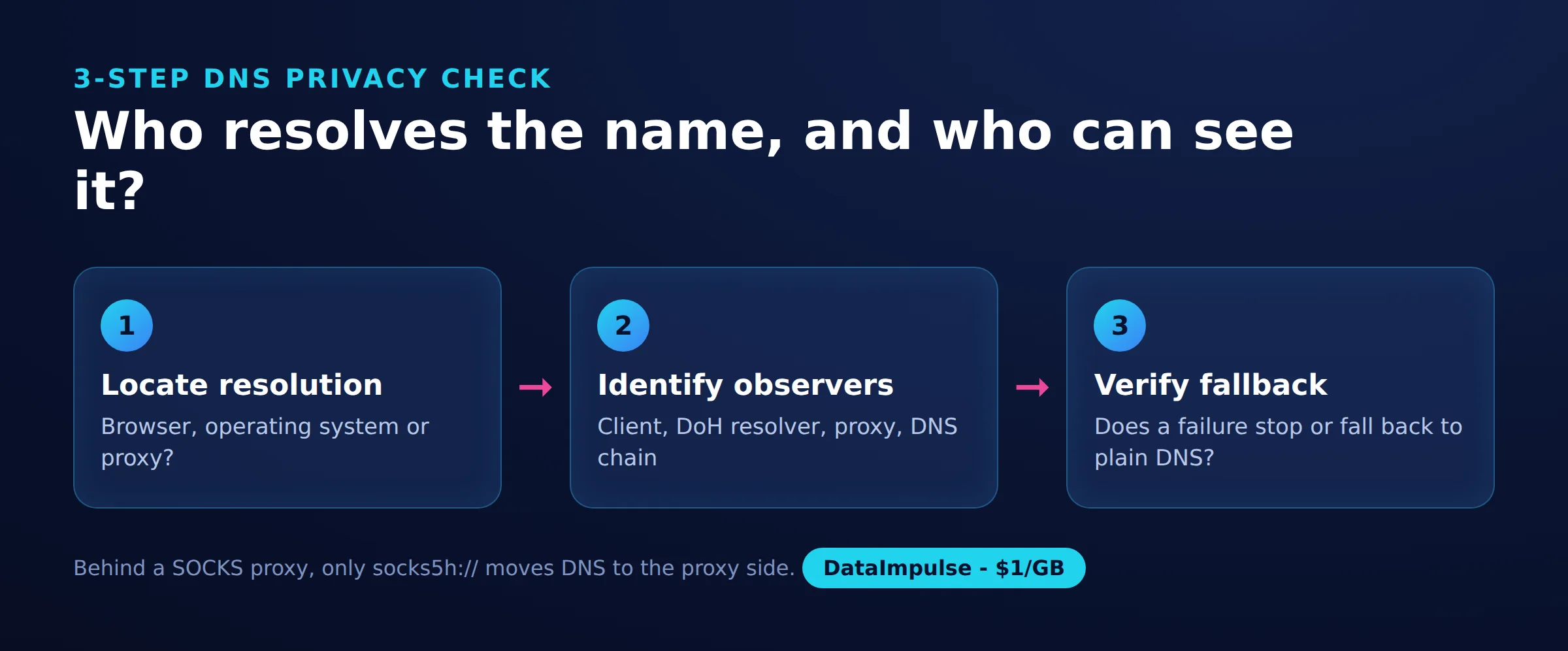
Use the 3-step DNS privacy check before changing settings:
- Step 1: Locate resolution. Identify whether the browser, operating system, or proxy resolves the destination.
- Step 2: Identify observers. Trace client, HTTPS resolver, and DNS infrastructure; include a proxy if present.
- Step 3: Verify fallback. Check whether failure stops resolution or permits another transport.
| Option | Use X when… | Avoid X when… |
|---|---|---|
| External DoH | Use external DoH when resolver policy fits your needs. | Avoid external DoH when required local names or filtering fail. |
| Strict DoH | Use strict DoH when encryption failure should stop resolution. | Avoid strict DoH when network requirements make it unusable. |
| Automatic fallback | Use automatic fallback when availability is the priority. | Avoid automatic fallback when plaintext fallback is unacceptable. |
Which provider and DoH URL should you choose?
Choose by privacy policy, filtering requirements, and client compatibility before comparing timings. Match the endpoint format to the application.
| Provider | Wire-format endpoint | JSON testing interface |
|---|---|---|
| Cloudflare | https://cloudflare-dns.com/dns-query | Same path, JSON Accept header |
| https://dns.google/dns-query | https://dns.google/resolve |
Check Cloudflare’s DoH documentation and Google’s DoH documentation. A template field and a plain endpoint field may require different syntax; do not paste a JSON query URL into either without checking.
Compare Cloudflare’s resolver privacy policy with Google’s DNS privacy policy, including logging exceptions. Treat malware blocking and parental filtering as separate requirements: encryption alone supplies neither.
How do you enable DoH in browsers and operating systems?
Configure the component that actually performs your lookups, then check its active status and fallback behavior. Browser and operating-system settings cover different paths.
- Chrome: Open Settings, Privacy and security, Security, then Use secure DNS. Review the resolver choice and automatic fallback behavior in Chrome’s security settings guidance.
- Firefox: Open Settings, Privacy and security, DNS over HTTPS, then Advanced settings. Choose a protection level and inspect its status. Default protection can fall back; Max Protection shows a warning when secure resolution fails, with an exception option. Follow Mozilla’s protection-level instructions.
- Windows 11: Open the active connection under Network & internet and edit its DNS settings. Select an automatic or manual DoH template and deliberately set plaintext fallback. See Microsoft’s network settings instructions.
- Android: Do not assume Private DNS means a browser-style DoH URL field. Google’s Android configuration guidance uses a provider hostname for Private DNS.
Microsoft also documents requiring versus requesting encrypted resolution in its Windows DNS client guidance. Recheck operation after changing networks or enabling a VPN.
Does DoH work with proxies?
DoH can travel through a proxy, but that does not determine who resolves website hostnames. Sending HTTPS requests to a resolver and delegating destination resolution are separate operations.
Chromium’s proxy documentation describes proxy-side destination resolution for HTTP and SOCKS5 proxies. Mozilla’s heuristics describe cases where proxy detection prevents automatic DoH activation; its DNSOverHTTPS policy separately controls fallback. These are configuration-dependent behaviors.
The curl manual distinguishes local SOCKS5 resolution from proxy-side hostname resolution and documents --doh-url. That option does not force a remote proxy to use your chosen resolver; even initial resolution of the DoH server has a separate bootstrap path.
Our SOCKS snapshot found the hosting resolver with direct and socks5:// requests. With socks5h://, two runs reported Google resolvers in the United States or Canada. Both SOCKS routes used residential exit addresses. See HTTP versus SOCKS5 for protocol context.
Oblivious DoH adds encrypted DNS messages and a distinct relay design to separate client identity from queries. Ordinary proxying is not automatically ODoH.
To see which side resolves DNS behind a SOCKS proxy, our run used this short script. With socks5:// the lookup stayed on our server's resolver; with socks5h:// it moved to the proxy side.
"""Who resolves the hostname: socks5:// (your machine) or socks5h:// (the proxy)?

pip install "requests[socks]"
edns.ip-api.com answers with the DNS resolver that looked up its hostname.
"""
import os
import requests

SOCKS = os.environ.get("SOCKS_URL")  # e.g. socks5://USER__cr.us:[email protected]:824
host_part = SOCKS.split("://", 1)[1]

routes = {
    "direct": None,
    "socks5 (local DNS)": "socks5://" + host_part,
    "socks5h (proxy DNS)": "socks5h://" + host_part,
}
for label, proxy in routes.items():
    proxies = {"http": proxy, "https": proxy} if proxy else None
    try:
        dns = requests.get("http://edns.ip-api.com/json", proxies=proxies, timeout=20).json()["dns"]
        print(f"{label:20} resolver: {dns['geo']}")
    except requests.RequestException as exc:
        print(f"{label:20} failed: {type(exc).__name__}")
How can you test whether DoH works?
Check endpoint reachability, DNS answers, and application routing separately. A successful HTTPS request alone cannot establish browser configuration or anonymity.
In our quick run on October 19, 2026, an EU Linux server running Ubuntu 24.04 used curl 8.5.0 and Python 3.12 with httpx 0.28 and HTTP/2. This was a small snapshot, not a benchmark: approximately 130 DoH requests across three providers, spaced one second apart.
At 12:50 UTC, curl made five sequential example.com A queries per JSON endpoint, opening a cold connection each time. The requests followed Google’s JSON syntax and Cloudflare’s JSON syntax.
| Provider | Successful queries | DNS status and answers | Median body | Median total |
|---|---|---|---|---|
| 5/5 | 0, NOERROR; two A records | 296 B | 48 ms | |
| Cloudflare | 5/5 | 0, NOERROR; two A records | 249 B | 44 ms |
The endpoints were https://dns.google/resolve?name=example.com&type=A and https://cloudflare-dns.com/dns-query?name=example.com&type=A, the latter with accept: application/dns-json. These are HTTPS request times, including connection setup, not isolated DNS latency.
The Python measurement used four domains, three runs per method, and one reusable HTTP/2 client per execution. Results below are medians of per-domain medians. Sources: doh_check.py, doh_results_direct.json, and doh_results_proxy.json.
| Method | Direct | Residential HTTP proxy |
|---|---|---|
| System resolver | 1 ms | 1 ms, still local |
| Cloudflare JSON | 14 ms | 271 ms |
| Google JSON | 17 ms | 333 ms |
| Cloudflare wire | 11 ms | 263 ms |
| Quad9 wire | 13 ms | 224 ms |
Each DoH method returned answers in 12/12 requests per route, including all 48 through the DataImpulse residential HTTP proxy. The system resolver’s 1 ms reflected local caching, not a network lookup. One proxied Cloudflare JSON domain median reached 1.4 seconds.
Quad9 JSON attempts timed out or returned HTTP 400. An HTTP/1.1 wire attempt returned HTTP 505; HTTP/2 worked. These are observed outcomes, not universal protocol requirements. Wikipedia answers also changed between direct and proxied requests, but the snapshot cannot isolate location, resolver routing, or caching as the cause.
For independent verification, use harmless test names, inspect application status and network diagnostics, and test failure behavior on a network you administer. Preserve raw responses separately: the Python result files summarize runs and retain final-response fields rather than every response body. Its success counter measures exception-free calls, so inspect HTTP status, DNS status, and answers as well.
The script below is the one from our quick run on October 19, 2026. It sends the same lookups to Cloudflare, Google and Quad9 over DoH (JSON and wire format) and to the system resolver, directly and, if PROXY_URL is set, through an HTTP proxy, and prints the median latency per endpoint. It needs pip install httpx[http2]: Quad9 only answers over HTTP/2.
"""Resolve a few domains over DNS-over-HTTPS and over the system resolver.

pip install "httpx[http2]"   # Quad9 requires HTTP/2 for DoH (RFC 8484, section 5.2)
Optional: PROXY_URL to send the DoH requests through an HTTP proxy (DoH is plain HTTPS).
"""
import base64, json, os, socket, statistics, struct, time
import httpx

PROXY = os.environ.get("PROXY_URL")  # e.g. http://USER__cr.us:[email protected]:823
CLIENT = httpx.Client(http2=True, proxy=PROXY, timeout=10)  # one client = warm HTTPS connections
DOMAINS = ["example.com", "wikipedia.org", "github.com", "dataimpulse.com"]
RUNS = 3

JSON_ENDPOINTS = {
    "cloudflare-json": ("https://cloudflare-dns.com/dns-query", {"accept": "application/dns-json"}),
    "google-json": ("https://dns.google/resolve", {}),
}
WIRE_ENDPOINTS = {  # RFC 8484: binary DNS message, base64url in ?dns=
    "cloudflare-wire": "https://cloudflare-dns.com/dns-query",
    "quad9-wire": "https://dns.quad9.net/dns-query",
}


def json_query(url, headers, name):
    r = CLIENT.get(url, params={"name": name, "type": "A"}, headers=headers)
    data = r.json()
    ips = [a["data"] for a in data.get("Answer", []) if a.get("type") == 1]
    return r.status_code, data.get("Status"), ips, len(r.content)


def build_wire_query(name):
    header = struct.pack(">HHHHHH", 0, 0x0100, 1, 0, 0, 0)  # id 0, recursion desired, 1 question
    qname = b"".join(bytes([len(p)]) + p.encode() for p in name.split(".")) + b"\0"
    return header + qname + struct.pack(">HH", 1, 1)  # type A, class IN


def wire_query(url, name):
    q = base64.urlsafe_b64encode(build_wire_query(name)).rstrip(b"=").decode()
    r = CLIENT.get(url, params={"dns": q}, headers={"accept": "application/dns-message"})
    if r.headers.get("content-type") != "application/dns-message":
        raise ValueError(f"HTTP {r.status_code}, not a DNS message")
    flags, ancount = struct.unpack(">H", r.content[2:4])[0], struct.unpack(">H", r.content[6:8])[0]
    rcode = flags & 0x000F  # 0 = NOERROR; ancount includes CNAMEs, enough for a smoke test
    return r.status_code, rcode, [f"{ancount} answer records"], len(r.content)


def system_query(name):
    infos = socket.getaddrinfo(name, 443, socket.AF_INET, socket.SOCK_STREAM)
    return None, 0, sorted({i[4][0] for i in infos}), 0


def timed(fn, *args):
    start = time.perf_counter()
    try:
        status, rcode, answers, size = fn(*args)
        error = ""
    except Exception as exc:
        status, rcode, answers, size, error = None, None, [], 0, type(exc).__name__
    return (time.perf_counter() - start) * 1000, status, rcode, answers, size, error


def main():
    rows = []
    for name in DOMAINS:
        methods = {"system": (system_query, name)}
        methods.update({k: (json_query, u, h, name) for k, (u, h) in JSON_ENDPOINTS.items()})
        methods.update({k: (wire_query, u, name) for k, u in WIRE_ENDPOINTS.items()})
        for method, (fn, *args) in methods.items():
            results = []
            for _ in range(RUNS):
                results.append(timed(fn, *args))
                time.sleep(1)
            ok = [r for r in results if not r[5]]
            rows.append({
                "domain": name, "method": method, "route": "proxy" if PROXY and method != "system" else "direct",
                "ok": f"{len(ok)}/{RUNS}",
                "median_ms": round(statistics.median(r[0] for r in ok)) if ok else None,
                "http_status": results[-1][1], "dns_rcode": results[-1][2],
                "answers": results[-1][3], "bytes": results[-1][4], "error": results[-1][5],
            })
            print(f"{name:16} {method:16} {rows[-1]['ok']}  {rows[-1]['median_ms']} ms  {rows[-1]['answers']}")
    out = "doh_results_proxy.json" if PROXY else "doh_results_direct.json"
    with open(out, "w") as f:
        json.dump(rows, f, indent=1)
    print("saved", out)


if __name__ == "__main__":
    main()
Run: pip install "httpx[http2]"; python3 doh_check.py   (through a proxy: PROXY_URL="http://USER__cr.us:[email protected]:823" python3 doh_check.py)
Why does DoH fail or conflict with network controls?
External DNS can conflict with split DNS, parental filtering, captive portals, or VPN routing. Strict encryption can turn resolver unavailability into lookup failures.
First identify the failing layer: endpoint syntax, TLS connection, HTTP response, DNS response, or application policy. Test both public and required internal names. Mozilla documents the filtering and enterprise-policy tradeoffs.
For authorized administration, prefer explicit browser policies and approved resolver configuration. Blocking traditional DNS ports alone does not cover HTTPS-based resolution. Avoid broad HTTPS blocking that disrupts unrelated applications, and keep diagnostic logs limited to test traffic.
Frequently Asked Questions
What is DNS over HTTPS?
It is a way to exchange DNS questions and answers over an encrypted HTTPS connection. The protection applies between the client and the selected resolver.
Should I turn DNS over HTTPS on or off?
Turn it on when you trust the resolver and required network services still work. Choose strict failure behavior only if losing resolution is preferable to using a fallback.
Does DoH hide browsing from my ISP?
It prevents passive reading of the protected DNS exchange. Direct destination connections and traffic patterns can still reveal information about browsing.
How does DoH differ from DoT and DNSSEC?
DoH and DoT encrypt DNS transport using different protocol arrangements. DNSSEC validates signed DNS data and can complement either transport.
Does DoH work with a proxy, and who resolves the hostname?
It can work, but the client and proxy configuration determine resolution ownership. A proxy carrying a DoH request and a proxy resolving a website hostname are performing different jobs.
Does a browser padlock prove DoH is enabled?
No. Website TLS and DNS transport are separate connections, so verify DNS through application status and diagnostics.
Check DNS routing alongside your proxy setup
If you use DataImpulse, verify both the traffic exit and the DNS path with a small test. DataImpulse is a proxy provider, not a DoH resolver, VPN, scraping API, or managed unblocker. Start with the HTTP and SOCKS5 comparison to choose the right connection model.
Last updated: October 19, 2026.

 State/City/Zip/ASN Targeting



