

In this Article
Multiaccounting today is no longer about just spoofing IPs. Platforms analyze users across multiple layers from browser fingerprints to behavioral patterns, and inconsistencies between them often lead to restrictions or bans. That’s why a reliable setup now requires both a solid proxy infrastructure and a properly configured antidetect browser. One of the common combinations for this is Dolphin Anty paired with DataImpulse proxies.
How Dolphin Anty Works
Dolphin Anty is designed to create isolated browser environments, where each profile behaves like a separate device. Instead of logging into multiple accounts from a single browser, you operate independent profiles with their own fingerprints.
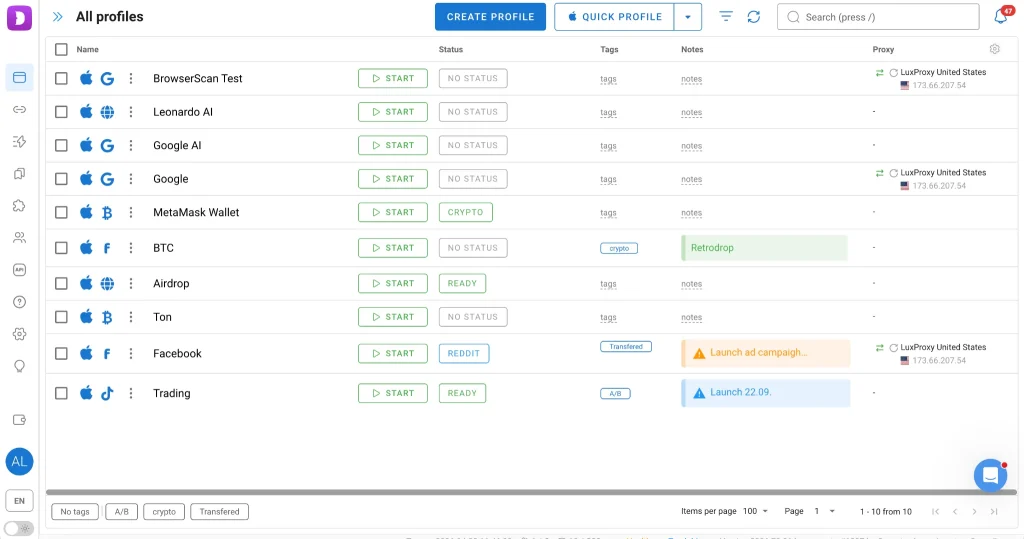
Each profile includes a full set of parameters: user-agent, WebGL, fonts, timezone, language, and more. These values are not random: they are aligned to form a consistent digital identity. This matters because modern antifraud systems don’t rely on a single signal and evaluate the entire fingerprint as a whole.
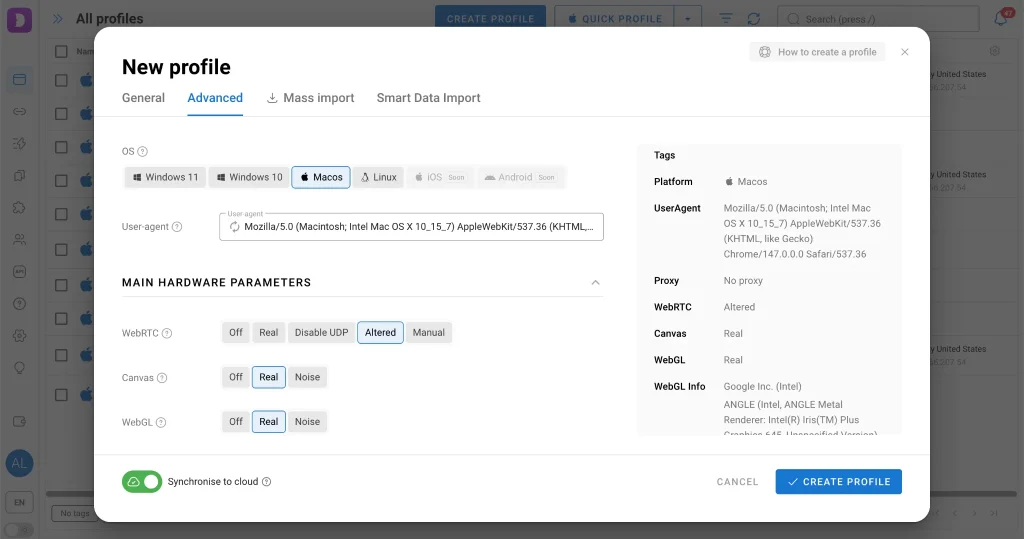
In practice, this allows you to manage multiple accounts across platforms whether in affiliate marketing, e-commerce, social media or HR while maintaining a clearer separation between them.
Proxy Management
Even the most carefully configured fingerprint depends on one critical element — the IP address. If multiple profiles connect through the same IP, the isolation breaks down almost immediately.
That’s where DataImpulse proxies change the game. They handle the network layer, ensuring that each profile connects from a distinct and consistent location. When properly matched with the browser fingerprint in IP geolocation, timezone, language and system settings, profiles appear far more natural to the platform.
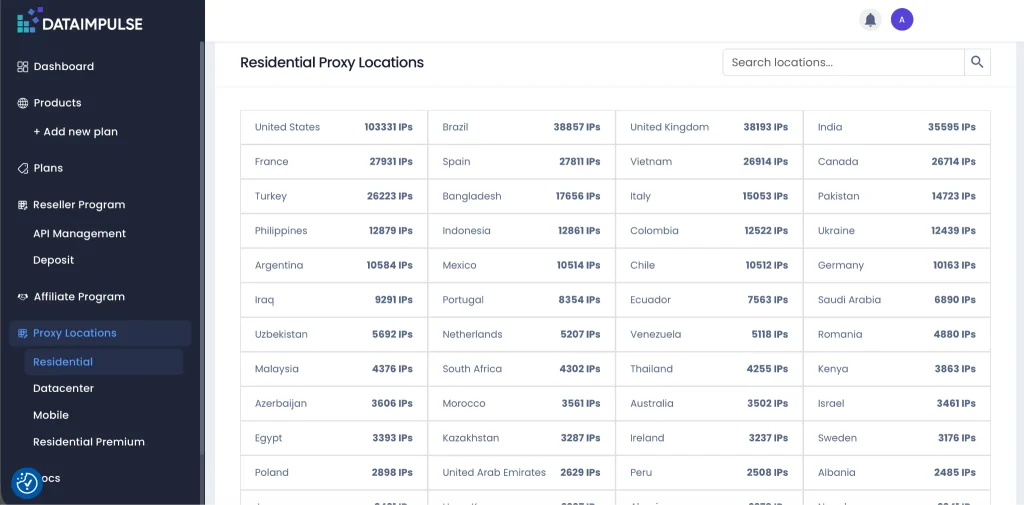
In real-world usage, this usually results in fewer session drops, fewer verification requests, and more stable account behavior overall. Proxies here are not an optional add-on but a core part of the setup.
Setting Up DataImpulse Proxies in Dolphin Anty
The proxy integration inside Dolphin Anty is designed to work both for simple setups and large-scale operations.
In the basic scenario, you can assign a proxy directly when creating a profile. You select the connection type (HTTP, SOCKS4, SOCKS5 or SSH), enter the credentials from DataImpulse (IP, port, login, password), run a quick connection test and save the profile. At that point, it’s already configured to operate through a dedicated IP.
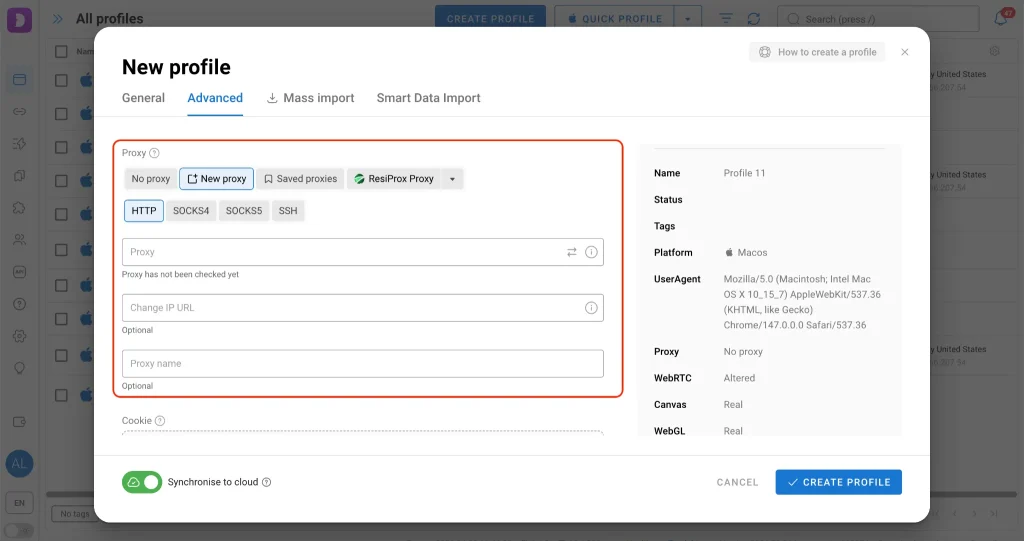
When working with a larger number of proxies, this approach quickly becomes inefficient. That’s where the built-in Proxy Manager comes in. It allows you to store all DataImpulse proxies in one place and manage them as a list. Instead of adding proxies one by one, you can import them in bulk, which is especially useful if you already have a prepared proxy pool.
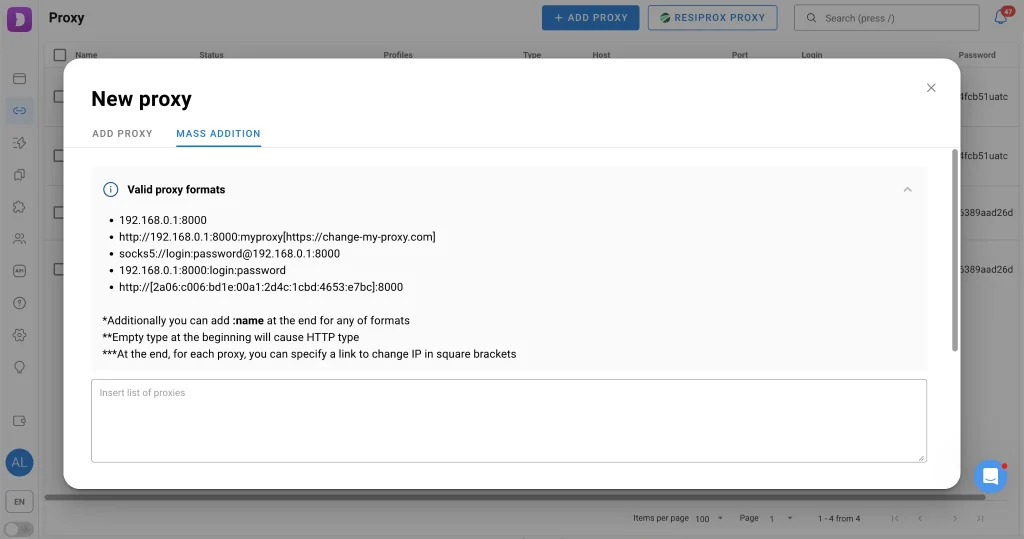
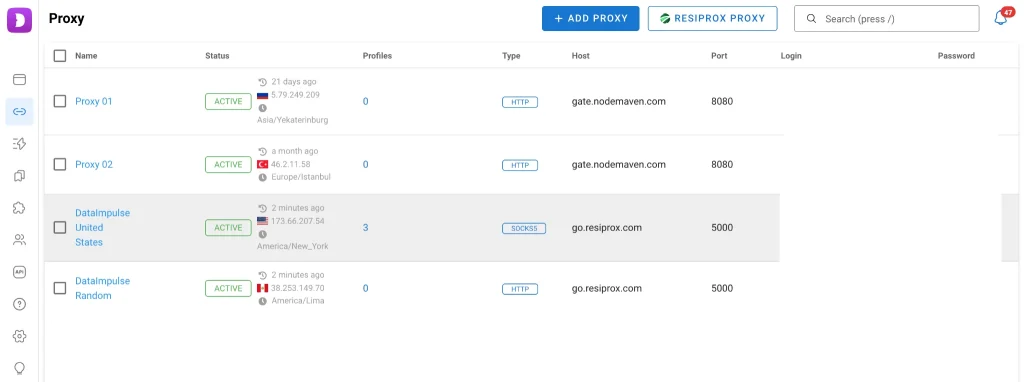
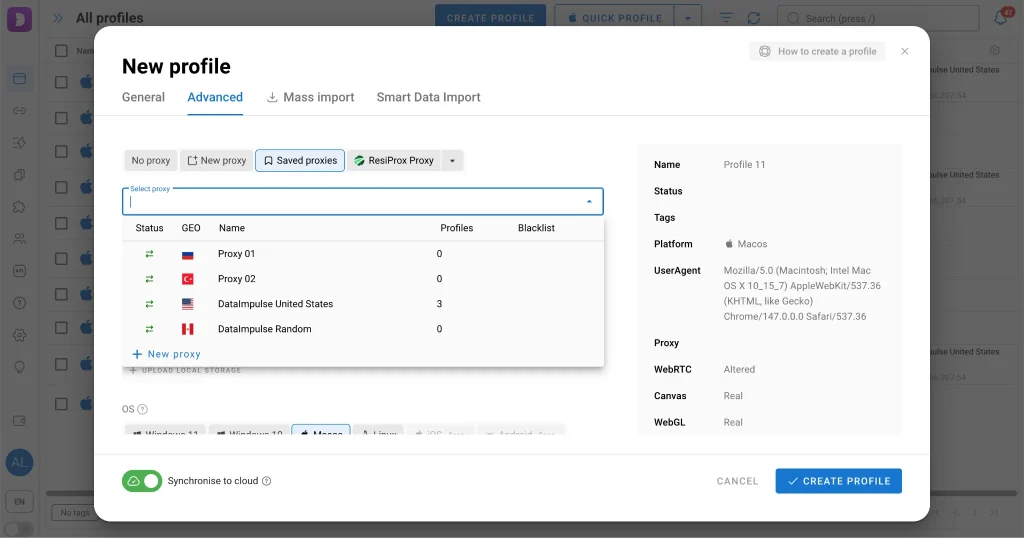
Once the proxies are added, they become available during profile creation. Rather than entering details manually each time, you simply select a proxy from the list. This speeds up the workflow and reduces the chance of configuration errors.
As the number of accounts grows, bulk actions become essential. Dolphin Anty lets you assign proxies to multiple profiles at once through the bulk edit menu. You can distribute proxies manually for precise control, randomly for more natural allocation, or based on a pattern, for example, assigning a new proxy to every Nth profile.
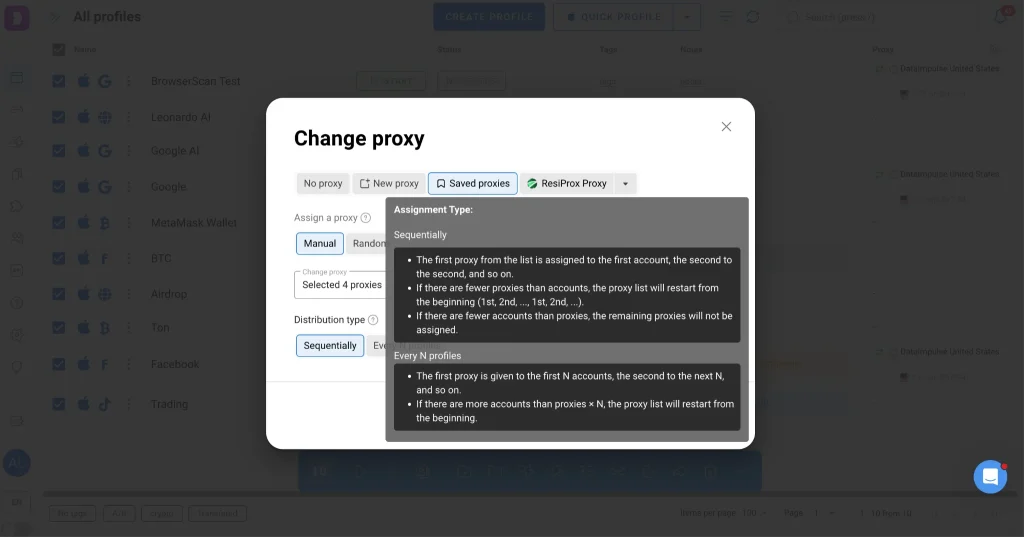
These features are not just about convenience. They help avoid one of the most common issues in multiaccounting setups: accidental reuse of the same IP across different profiles which can immediately break isolation and trigger platform checks.
Why This Combination Works
Using proxies alone solves only part of the problem: it changes where the connection comes from, but not how the device looks. On the other hand, an antidetect browser without proper proxies creates clean fingerprints that all originate from the same network point.
When combined, Dolphin Anty and DataImpulse proxies cover both layers. The browser defines the device identity, while the proxy defines its network origin. When these elements are aligned, the result is a more consistent and believable user profile.
This doesn’t guarantee complete safety as no setup does, but it significantly improves stability and control, especially when scaling operations.
Additional Features in Dolphin Anty
As the number of profiles increases, the main challenge shifts from creation to management. Dolphin Anty provides tools to organize profiles with tags, statuses, and notes, making it easier to navigate large setups without losing track of account states.
Automation is another key aspect. Repetitive actions can be synchronized across multiple profiles, which is useful for routine workflows. For more advanced use cases, scenarios allow you to define sequences of actions, for example, account warm-up or repeated interactions within a funnel.
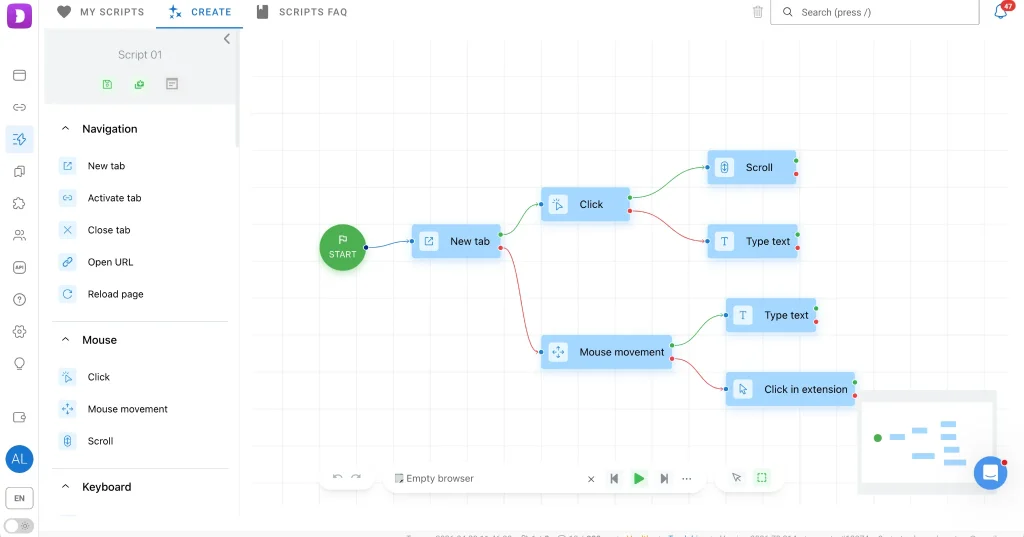
There’s also a built-in cookie robot that collects cookies in the background without loading full pages. This reduces traffic usage, which is especially relevant when working with proxies, and helps make profiles look more organic over time.
Conclusion
Dolphin Anty with DataImpulse proxies is not a “plug-and-play” solution that removes all risks, but it’s a practical setup for anyone working with multiple accounts at scale. At small volumes, simpler approaches might be enough. But as complexity grows, the need for proper isolation, consistency and automation becomes unavoidable. At that point, combining an antidetect browser with a reliable proxy provider like DataImpulse becomes less of an optimization and more of a baseline requirement.

 State/City/Zip/ASN Targeting



