
What is Browserbase, and how can you use it with custom DataImpulse proxies in Python?

Key Facts
- Browserbase is a convenient platform for browser automation, web data collection, and automated testing. It runs cloud browsers that can be managed through code.
- The platform supports well-known tools, including Playwright, Puppeteer, Selenium, and Stagehand.
- Browserbase offers built-in proxies, but also lets customers use third-party proxy providers if you need specific IPs or geolocation.
- Browserbase is useful for debugging as it provides session records, live view, and logs, so you can track what happened during automation.
- DataImpulse (dataimpulse.com) is a provider of ethical source residential proxies that can be connected to Browserbase to route browser session traffic over the required IP and geolocation. The integration requires a paid plan.
What is Browserbase?
Based in San Francisco, Browserbase is a tech company founded in 2024 by Paul Klein. It is developing a cloud infrastructure to run browsers controlled by code or AI agents. The idea to create a platform like Browserbase emerged from a practical problem: running and sustainably maintaining a large number of Chromium sessions in production is difficult, especially when it comes to automating the web and AI agents. The platform solves this through an API that allows you to create isolated browser sessions in the cloud and provides tools for scaling, monitoring, and debugging them.
According to Browserbase, its infrastructure handles more than 35 million browser sessions per month, and customers include companies such as Vercel, Ramp, Shopify, and Lovable. Browserbase also develops Stagehand, which is an open-source framework for AI browser automation, and provides Search, Fetch, and other tools within a single platform.
Main features and benefits of Browserbase include:
- Cloud browsers. You can run real Chromium browsers in the cloud that can be controlled via Playwright, Puppeteer, Selenium, or Stagehand.
- Browser automation for navigation, clicks, filling out forms, authorization, and other actions.
- Web data extraction works with SPAs and iframes, where a regular HTTP request may not be enough.
- Built-in and custom proxies.
- Observability features such as live view, session recordings, replay, network logs, and console logs.
- AI browser automation. Users can create browser workflows using commands such as act(), observe(), and extract().
- Parallel sessions without self-configuration.
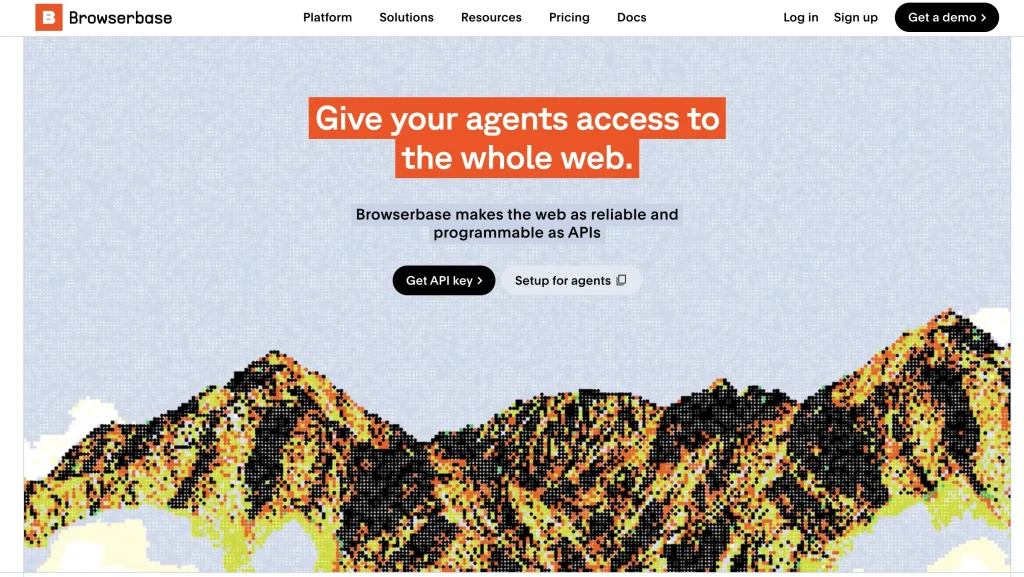
Pricing: Browserbase offers four plans for different scenarios. There is a free plan available for users who want to try its features and develop some basic ideas. The developer plan costs $20 a month and allows you to create and test real projects. The most popular one is a Startup plan for those who want more concurrent browsers and hours. The cost is $99 per month. Browserbase clients that need more enterprise features choose a Scale plan, which offers a custom price.

However, the free plan also has some limitations: only 1 hour of browser operation per month and a maximum session duration of 15 minutes. Browserbase may also not work for teams that need on-premises infrastructure.
Browserbase and DataImpulse proxies – How can they work together?
- Get your proxy credentials.
First of all, sign up for DataImpulse and start using the features on your dashboard. Go to the Proxy section and choose the plan you need. Make a note of the proxy credentials (login, password, host, port) provided by DataImpulse. We’ll need this info for the next steps.
Host and port: gw.dataimpulse.com:823
Login: your DataImpulse username
Password: your DataImpulse password
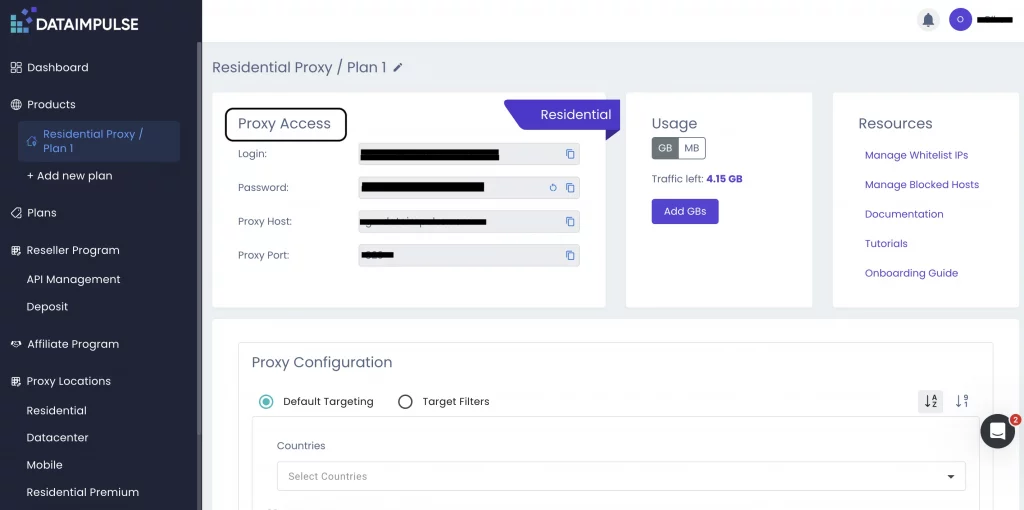
Not sure where to find your credentials? Check your DataImpulse dashboard or reach out to customer support for help.
2. Configure Browserbase with a proxy using Python.
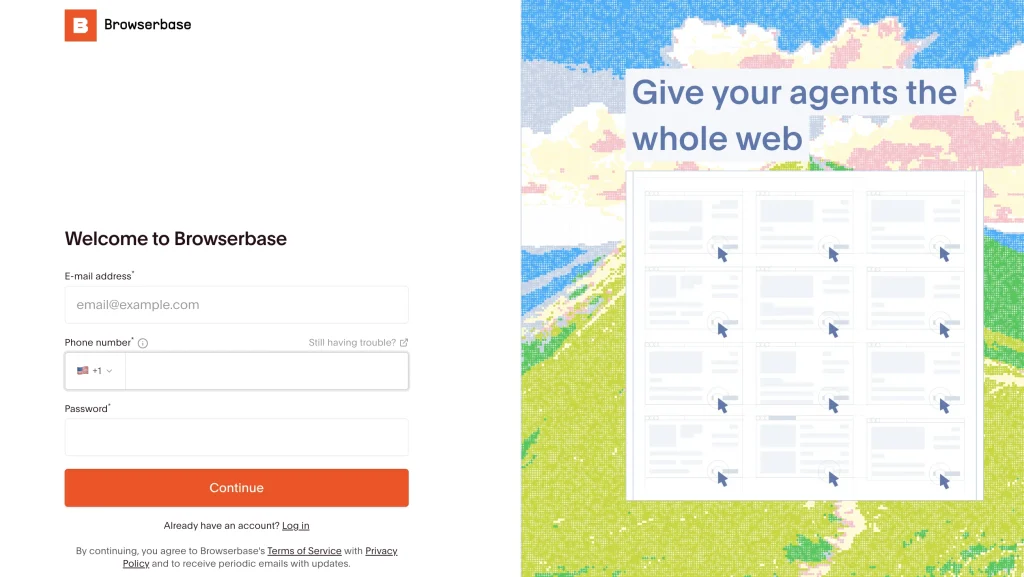
Create your Browserbase profile. Choose a Developer plan for $20 with 1 GB of proxy and get your Browserbase API key.
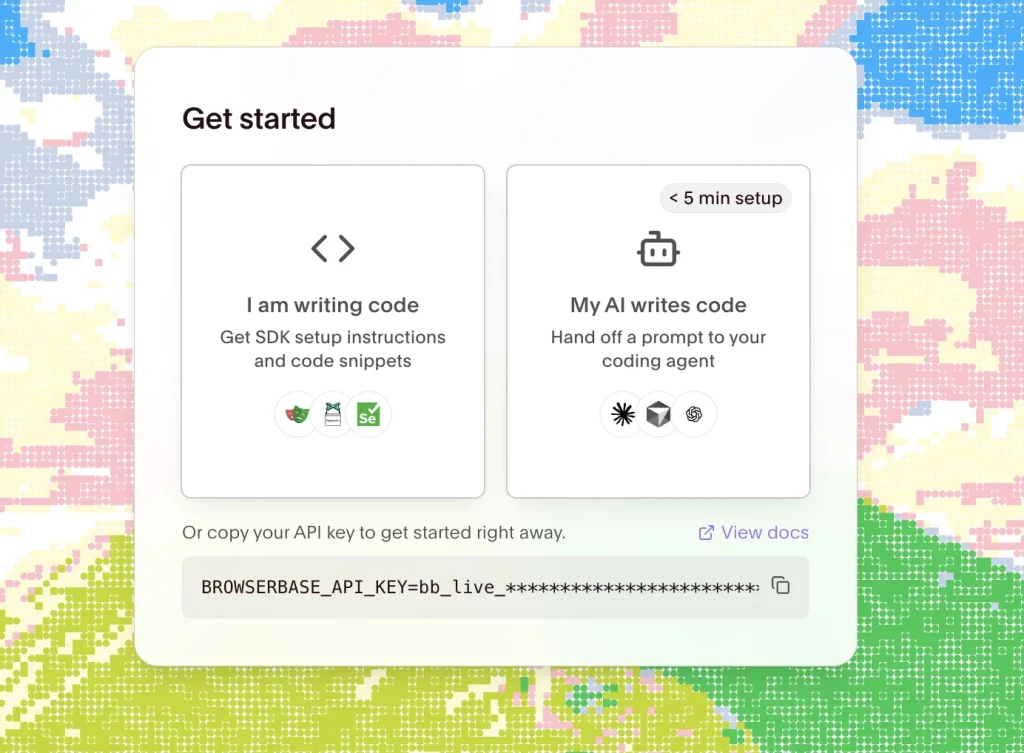
Create a new project folder and open it in your editor ( VS Code, in our case). First, install the Browserbase package by typing this command in your Terminal:
pip3 install browserbase
Next, we will use the parameter ‘external’ in the Browserbase proxy configuration. Then, provide the DataImpulse proxy credentials for authentication. Here is the code:
from browserbase import Browserbase
import os
bb = Browserbase(api_key=os.environ["BROWSERBASE_API_KEY"])
def create_session_with_custom_proxy():
session = bb.sessions.create(
proxies=[
{
"type": "external",
"server": "http://...",
"username": "user",
"password": "pass",
},
]
)
print("Session URL: https://browserbase.com/sessions/" + session.id)
return session
session = create_session_with_custom_proxy()
Replace username, password, and server with your actual credentials.
That’s it. You’ve created a session with a custom proxy. For a standard proxy setup, you don’t need a CA certificate. It can be relevant in more specialized scenarios, like using a corporate proxy that performs TLS inspection.
The final steps would be to connect to that session with Playwright and open a webpage.
* If you don’t have a paid plan, the terminal will show you an error: Error code: 402 – {‘statusCode’: 402, ‘error’: ‘Payment Required’, ‘message’: ‘Proxies are not included in the free plan. Please upgrade to a paid plan to continue.”
*Source of the code is the official Browserbase documentation.
*This tutorial is intended for educational purposes only. We do not encourage or endorse any actions that violate platform policies, terms of service, or applicable laws. Users should always act responsibly and at their own risk.
FAQ
Does Browserbase have built-in proxies?
Yes, Browserbase lets you use their own proxies with automatic IP rotation and geotargeting, in particular for the US, EU, and APAC. At the same time, users can connect third-party proxies like DataImpulse. Proxies aren’t available in the free plan.
What scenarios can I use Browserbase for?
Browserbase is a choice for those who need to scrape or collect data, automate browsers or business processes, run end-to-end testing, work with dynamic web pages, and create AI agents.
How much does Browserbase cost?
Browserbase has a free plan with 1 hour of browser operation per month. The paid Developer Plan costs $20/month and includes 100 browser hours and 1 GB of proxy traffic. The Startup Plan costs $99/month and includes 500 browser hours and 5 GB of proxy traffic.
How do I configure a proxy in Browserbase?
When creating a browser session, you need to pass proxy parameters in the proxies array. For a DataImpulse proxy, the ‘external’ type is used, after which the server, port, and data for authorization are specified.
Is targeting included?
Yes, basic targeting by country is available at no additional charge. With DataImpulse proxies, you can also choose more accurate geolocation, such as state, city, ASN, or ZIP code for an extra cost.
How can I check if my proxy is working?
After setting up a DataImpulse proxy, open a website to check your IP address. If the proxy IP is displayed and not your real IP address, the connection works correctly.

 State/City/Zip/ASN Targeting




