
In this Article
For Java web scraping, start with jsoup when the HTTP response contains the required data; use Selenium or Playwright for Java when extraction requires JavaScript execution or interaction. Use Java 21 HttpClient when you want explicit control over transport, proxy authentication and cookies, then pass the returned HTML to jsoup.
This tutorial moves from extracting a heading to selecting a browser, configuring proxies and scheduling requests. All code is illustrative; selectors must be checked against the target because markup changes.
Key Facts
- Start with HTML extraction when the response already contains the required fields.
- Use browser automation when extraction requires JavaScript execution or interaction.
- jsoup supports fetching, CSS selectors, proxies and authentication.
- Java’s HttpClient API has been available since Java 11.
- Reusing HttpClient does not automatically enable cookie storage.
- A reusable client does not determine the proxy exit address.
- Extraction success requires valid fields, not just a successful HTTP response.
Java web scraping: quick answer and prerequisites
Prepare JDK 21, a Maven project and a page you are authorized to retrieve. First check whether the fields exist in the original response, then choose HTML parsing or browser automation.
A scraper fetches a response, selects relevant elements and turns their text or attributes into records. A browser becomes useful when scripts must populate those elements after navigation. Keep extraction rules separate from the mechanism that retrieves the document.
The JDK HttpClient documentation describes the reusable HTTP client available since Java 11. This tutorial targets Java 21; the browser libraries require their own dependencies and browser setup.
Check the target site’s terms and robots.txt before collecting data, and consult our web scraping legality guide for legal considerations.
How do you build your first Java web scraping example with jsoup?
Fetch a page with jsoup, select an element with CSS and print its text. Start with one required field so missing or changed markup produces a visible failure.
Add this dependency inside your Maven project’s dependencies element. Version 1.24.1 was checked against the official jsoup download page on November 10, 2026; it has not been execution-tested for this article.
<dependency>
  <groupId>org.jsoup</groupId>
  <artifactId>jsoup</artifactId>
  <version>1.24.1</version>
</dependency>
Example: Run this class with the dependency on your classpath. It retrieves the jsoup documentation homepage and prints the first heading it finds.
import org.jsoup.Jsoup;
import org.jsoup.nodes.Document;
import org.jsoup.nodes.Element;

public class FirstScraper {
  public static void main(String[] args) throws Exception {
    Document doc = Jsoup.connect("https://jsoup.org/")
        .timeout(15000).get();
    Element heading = doc.selectFirst("h1");
    if (heading == null || heading.text().isBlank()) {
      throw new IllegalStateException("Missing heading");
    }
    System.out.println(heading.text());
  }
}
The timeout is an example configuration, not a recommended value for every target. The output is the heading text at retrieval time, rather than the complete HTML document.
For repeated records, select their container first and extract fields within each container. The jsoup selector guide documents selectors such as .product, #price and a[href]. Its extraction guide distinguishes text() from attr("href") and html().
Validate required fields before saving a record. An empty selector result can mean changed markup, an unexpected response or content that has not been rendered; it should not silently become a successful empty export.
Which Java library should you use: jsoup, Selenium or Playwright?
Choose jsoup for response HTML and browser automation for rendered content. Existing JVM infrastructure and browser tooling should influence the decision.
| Library | Role | Use it when… | Avoid it when… |
|---|---|---|---|
| jsoup | HTML fetching, parsing and selection | The response contains the fields. | The task requires a browser to execute application scripts. |
| JDK HttpClient | HTTP transport | You want transport configuration separate from parsing. | You expect the client itself to extract HTML fields. |
| Selenium | Browser automation, including Grid infrastructure | Your team already maintains WebDriver workflows. | Plain HTML retrieval completes the task. |
| Playwright for Java | Browser automation | You need browser interactions and explicit data-readiness checks. | A browser adds deployment work without helping extraction. |
| Apache HttpClient 5 | HTTP transport library | An existing service already uses its transport configuration. | Adding another HTTP stack has no concrete benefit. |
Competitor data: taken from each provider’s official pricing and documentation pages linked in this article, collected on November 10, 2026.
Browser automation requires browser installation and lifecycle management.
How do you scrape JavaScript-rendered pages with explicit readiness checks?
Wait for the specific data you intend to extract, not merely for navigation or element visibility. An element can exist while its text is still empty or temporary.
Playwright’s action auto-waiting does not establish that every required field has loaded. Its actionability checks concern whether an action can proceed; extraction needs a separate data-ready condition.
Playwright example: Add com.microsoft.playwright:playwright:1.64.0 and follow the official installation instructions for browser setup. That dependency version was checked on November 10, 2026. This self-contained illustration creates delayed content and waits for its final value.
import com.microsoft.playwright.*;

public class BrowserExample {
  public static void main(String[] args) {
    try (Playwright pw = Playwright.create()) {
      Browser browser = pw.chromium().launch();
      Page page = browser.newPage();
      page.setDefaultTimeout(10000);
      page.setContent("<p id='result'></p><script>"
          + "setTimeout(() => document.querySelector('#result')"
          + ".textContent = 'Ready', 100);</script>");
      page.waitForFunction("() => document.querySelector('#result')"
          + "?.textContent === 'Ready'");
      System.out.println(page.locator("#result").textContent());
      browser.close();
    }
  }
}
For an authorized target, replace the synthetic content with navigation and a condition tied to the actual record. The Page API documents the predicate-based wait used here.
Selenium example: Add org.seleniumhq.selenium:selenium-java:4.52.0, the version in the official Java setup example checked on November 10, 2026. Complete browser setup before running this class.
import java.time.Duration;
import org.openqa.selenium.*;
import org.openqa.selenium.chrome.ChromeDriver;
import org.openqa.selenium.support.ui.*;

public class SeleniumExample {
  public static void main(String[] args) {
    WebDriver driver = new ChromeDriver();
    try {
      driver.get("about:blank");
      ((JavascriptExecutor) driver).executeScript(
          "document.body.innerHTML = '<p id=\"result\"></p>';"
          + "setTimeout(() => document.querySelector('#result')"
          + ".textContent = 'Ready', 100);");
      new WebDriverWait(driver, Duration.ofSeconds(10)).until(
          ExpectedConditions.textToBe(By.id("result"), "Ready"));
      System.out.println(driver.findElement(By.id("result")).getText());
    } finally {
      driver.quit();
    }
  }
}
Selenium documents condition-based polling in its waiting strategies guide. Its textToBe condition checks for an exact text value. Avoid mixing implicit and explicit waits. For real extraction, choose a condition that distinguishes completed data from placeholders; our JavaScript scraping guide discusses the surrounding rendering workflow.
How do you route HttpClient and jsoup requests through proxies?
Configure Java 21 HttpClient with a ProxySelector and an Authenticator, then reuse the client for related requests. jsoup can also fetch through a proxy; separating transport from parsing is an architectural choice.
Example: Set the environment variables referenced below using your proxy account settings and an authorized target URL. The authenticator only returns credentials for the configured proxy host and port.
For HTTPS targets through an HTTP proxy that requires Basic authentication, review the security note below and start the JVM with -Djdk.http.auth.tunneling.disabledSchemes= if this authentication method is permitted.
import java.net.*;
import java.net.http.*;
import java.time.Duration;
import java.util.Objects;
import org.jsoup.Jsoup;

public class ProxyExample {
  static String env(String key) {
    return Objects.requireNonNull(System.getenv(key), key);
  }
  public static void main(String[] args) throws Exception {
    String host = env("PROXY_HOST");
    int port = Integer.parseInt(env("PROXY_PORT"));
    Authenticator auth = new Authenticator() {
      protected PasswordAuthentication getPasswordAuthentication() {
        if (getRequestorType() != RequestorType.PROXY
            || !host.equalsIgnoreCase(getRequestingHost())
            || port != getRequestingPort()) return null;
        return new PasswordAuthentication(
            env("PROXY_USER"), env("PROXY_PASSWORD").toCharArray());
      }
    };
    try (HttpClient client = HttpClient.newBuilder()
        .proxy(ProxySelector.of(new InetSocketAddress(host, port)))
        .authenticator(auth)
        .cookieHandler(new CookieManager(null,
            CookiePolicy.ACCEPT_ORIGINAL_SERVER))
        .connectTimeout(Duration.ofSeconds(20)).build()) {
      HttpRequest request = HttpRequest.newBuilder(
          URI.create(env("TARGET_URL")))
          .timeout(Duration.ofSeconds(30)).GET().build();
      var response = client.send(request,
          HttpResponse.BodyHandlers.ofString());
      if (response.statusCode() != 200)
        throw new IllegalStateException("HTTP " + response.statusCode());
      String title = Jsoup.parse(response.body(),
          response.uri().toString()).title();
      if (title.isBlank()) {
        throw new IllegalStateException("Missing title");
      }
      System.out.println(title);
    }
  }
}
This example assumes that the response declares a supported charset in Content-Type or uses UTF-8. For other pages, retrieve bytes and determine the encoding before converting the body to text; ofString() does not inspect HTML meta charset declarations.
This example does not follow redirects. A 3xx response triggers the status check; inspect its Location header and decide whether to follow it.
The HttpClient builder API documents proxy, authenticator and cookie-handler configuration, and the default redirect policy. The Authenticator API exposes the requesting host, port and requestor type. The jsoup title documentation confirms that a missing title produces an empty string.
For a jsoup-only implementation, its Connection API documents proxy(host, port), auth(...) and reusable sessions. Validate the authentication destination, and create a new request from the session for each fetch. The same HTTPS tunneling configuration can matter there.
How do you troubleshoot HTTPS authentication, cookies and sessions?
Investigate proxy authentication, target authentication and session state separately. Client reuse alone cannot preserve both cookies and a proxy exit.
Reusing HttpClient does not by itself preserve cookies or a proxy exit. Configure cookie handling explicitly, and configure the proxy service’s session behavior independently.
If HTTP proxying works but HTTPS fails, inspect the authentication scheme and the JDK tunneling configuration. The jsoup authentication documentation identifies Basic as excluded by default for CONNECT tunneling. Oracle documents the controlling property in the Java 21 HTTP module configuration.
Where Basic proxy authentication is required and permitted, add -Djdk.http.auth.tunneling.disabledSchemes= to the JVM startup options. An empty value clears the disabled-scheme list. Oracle does not guarantee that changing this property later with System.setProperty() will work; verify behavior on your exact JDK distribution and patch version.
Basic authentication has a transport-security risk: an HTTPS destination does not itself encrypt the initial Basic credentials sent to an ordinary HTTP proxy. See Oracle’s networking guidance. Do not disable certificate validation to troubleshoot authentication.
- Proxy challenge: Check credentials, authentication scheme and whether the authenticator accepts the expected proxy.
- Lost login: Check the cookie handler and whether the application has switched cookie stores.
- Changed exit: Check the proxy session configuration rather than assuming a reused socket fixes identity.
- Unexpected page: Inspect status, content type and redirects before parsing it as the expected record.
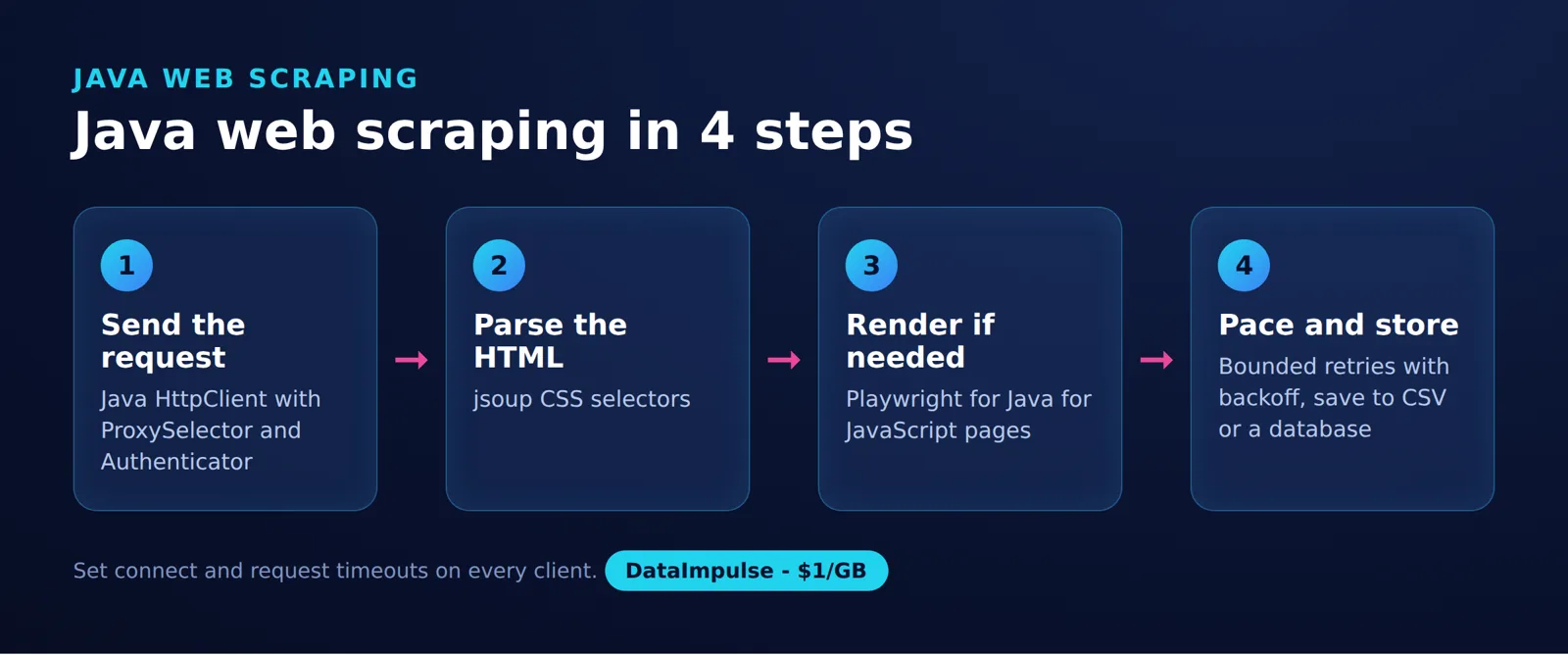
What does the 3-stage client setup look like?
Separate transport, parsing and scheduling so failures have a clear owner. This 3-stage client setup also lets you change retrieval methods without rewriting field validation.
| Stage | Owns | Checks |
|---|---|---|
| 1. Transport | Requests, proxy configuration, TLS, cookies and response handling | Did the expected document arrive? |
| 2. Parsing | Selectors, normalization and required-field validation | Does the record contain valid values? |
| 3. Scheduling | Per-host concurrency, pacing, retry policy and deduplication | Should another request run now? |
Transport should return response metadata alongside the body. Parsing should produce a validated record or a specific extraction error. Scheduling should decide whether a failed operation is retryable, rather than asking the parser to repeat network calls.
Keep cookie state scoped to the logical account or task. Reuse appropriate transport resources, but avoid sharing one mutable authenticated session across unrelated identities.
How do you bound concurrency, handle retries and measure results?
Set an explicit per-host concurrency limit and bound the queued work. Increase throughput only after observing response behavior and extraction quality.
A fixed worker count or a per-host semaphore can bound active requests. Acquire permission before sending and release it in a finally block. Also bound task submission: a semaphore around network calls does not prevent an enormous backlog of waiting tasks.
Virtual threads do not replace request pacing or backpressure. Keep separate budgets for ordinary HTTP work and browser work, and stop scheduling when the downstream record sink cannot keep up.
Use capped retries with backoff and jitter for transient failures. Honor Retry-After semantics when the server asks for a delay. Do not retry missing selectors indefinitely, and do not replay operations with side effects without checking their semantics.
Record status codes, attempts, duration and required-field completeness. A successful HTTP status with an empty price is an extraction failure. Keep credentials and sensitive response content out of logs.
For your own evaluation, hold hardware, dependency versions, concurrency and extracted fields constant across static and delayed-content fixtures. Record the date, method, sample size, median and p95 duration, peak memory and transferred bytes, and describe the results as a workload snapshot rather than a general benchmark.
Frequently asked questions: APIs and when Java fits
Prefer an official API when it exposes the required data and its usage terms fit your application. Java is a practical choice when the scraper will be maintained within an existing JVM service.
API consumption means requesting structured data and decoding its response; HTML scraping means selecting fields from a document.
For a small disposable task, choose the language your team can maintain with the least setup. Our Rust scraping tutorial offers another implementation perspective; the transport, parsing and scheduling separation remains useful across languages.
Frequently Asked Questions
Is Java a good choice for web scraping?
Java fits well when extraction belongs in a JVM application with established deployment and monitoring. For a one-off job, the deciding factor is often setup and maintenance effort rather than language capability.
Can jsoup fetch pages through an authenticated proxy?
Yes. Its Connection API includes proxy and authentication configuration, so a separate transport library is optional. Check the authentication destination and the JDK’s HTTPS tunneling configuration.
Do I need Selenium or Playwright for every Java scraper?
No. Inspect the original response for a known required value first. Add browser automation when scripts or interactions are necessary to obtain the data.
Why can an HTTPS request fail when HTTP works through the same proxy?
HTTPS through an HTTP proxy uses a CONNECT tunnel, whose authentication configuration can differ from ordinary proxying. Check the requested scheme and startup settings on the actual JDK in use. Do not assume that replacing credentials or changing a runtime property resolves every failure.
Does reusing HttpClient keep cookies and the same IP address?
Cookie storage requires a configured cookie handler. Exit selection belongs to the proxy service’s rotation or session settings. These are separate from connection reuse.
What should I do when a selector returns no data?
Inspect the retrieved document before changing selectors. Confirm that it is the expected page and that the required value exists in it. If the field appears only after application execution, add an explicit browser readiness condition.
Should I use an API instead of scraping HTML?
Prefer the site’s official API when it exposes the fields you need under suitable usage terms. Decode its structured response with a matching parser. For GitHub repository metadata, request GET https://api.github.com/repos/{owner}/{repo} and parse the JSON response, as documented in the GitHub REST API repository endpoint. HTML extraction remains useful when an appropriate API is unavailable.
When is Java the wrong tool?
Java may add unnecessary setup for a temporary task maintained by a team that works in another language. Choose based on ownership, deployment and the next likely markup change. A language change does not remove the need for pacing and validation.
Configure DataImpulse for your Java scraper
Use our residential proxies when your authorized Java workflow needs a residential exit or country selection. DataImpulse residential traffic starts at $1 per GB, with country targeting included across 195+ countries and rotating or sticky sessions.
Choose an HTTP proxy endpoint for the HttpClient example, transfer your account settings into the environment variables, and configure sticky behavior when a logical task needs session continuity. Confirm response content and required fields before increasing concurrency; proxy use does not guarantee access.
DataImpulse is our proxy product. Start with the Java proxy configuration guide or review the residential proxy options.
Last updated: November 10, 2026.

 State/City/Zip/ASN Targeting




