

In this Article
TripAdvisor is a valuable source of information for anyone who wants to get ideas about the current state of hotels, restaurants, and other travel-related services. This portal has more than 1 billion reviews across 8 million locations. It’s quite impressive, right?
Every day, users leave their ratings and feedback, compare prices, and search for destinations. It creates a continually updated layer of market intelligence. TripAdvisor is not only useful for individual travelers but also for businesses. Booking platforms and travel companies scrape structured data from TripAdvisor to monitor seasonal price changes, feedback, and benchmark offerings against competitors. It’s a great way to look back and analyse whether your strategy is on the right track.
With this in mind, we’ve prepared this practical tutorial that will be useful for everyone who wants to know more about TripAdvisor and how to scrape its publicly available data.
*Web scraping should always be performed within legal and ethical boundaries. We do not encourage illegal activity and highlight only responsible usage strategies.
Why is TripAdvisor so popular?
When it comes to planning the trip details or just searching for the market trends, TripAdvisor pops up as one of the most visited portals in the travel industry. It is full of relevant public opinion as people usually post photos and videos of already visited places or attended events. Everyone can rate and review hotels, accommodation, choose favourite attractions, save them for later, and much more.
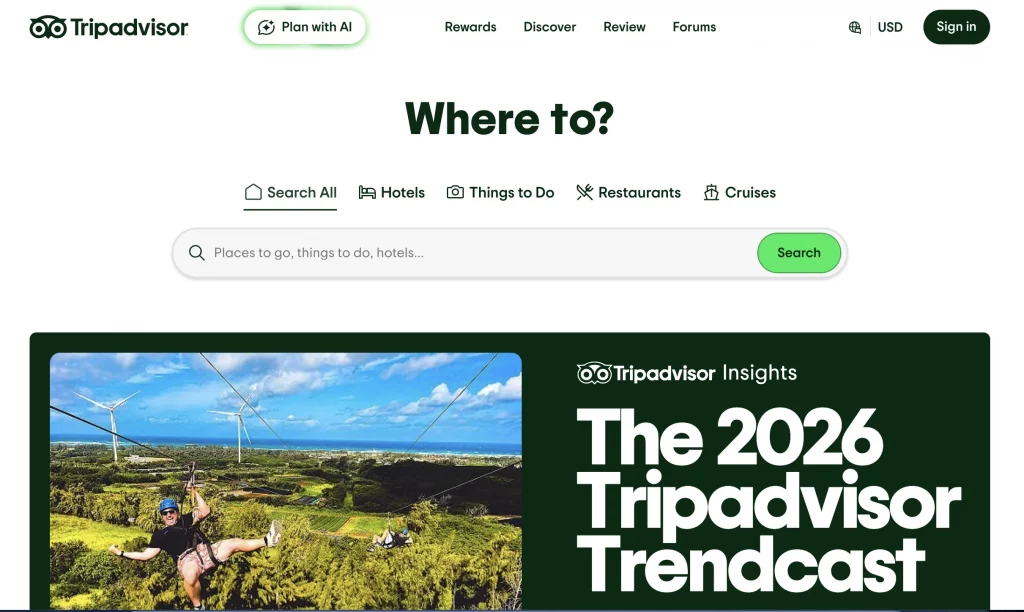
Users can access TripAdvisor from any device, whether desktop or mobile. Filters and categories are clearly organized, and results are refined by price, rating, location, or amenities. TripAdvisor’s user-friendly interface also provides dashboards and analytics for owners who manage listings. They get access to such features as performance metrics, review summaries, and engagement statistics.
*Is scraping TripAdvisor legal?
Short answer, yes. It contains publicly available data, so everyone can scrape the pages for their purposes. The important part is being compliant with policies, such as GDPR and CCPA.
Remember: you can’t store personal data or access the website via bots because it violates TripAdvisor’s Terms of Service. For staying secure, use reputable solutions that imitate human behavior. For example, at DataImpulse, we offer different kinds of proxies that can help you scrape content in various locations worldwide. Plus, they come with exceptional speed and top reliability.
Method 1. Collecting the data using Python
This method is the best for users who are already acquainted with Python and understand some basic processes. If your aim is custom data processing or large-scale operations, keep reading to get the scoop on how to benefit the most from TripAdvisor data.
Initial Setup: What to Download?
- Python 3 (the latest version)
Download here, install the Python extension in VS Code. Open a terminal, check if it is installed with:
python3 --version
- Visual Studio Code (or another code editor, the latest version)
Download here, install, and open your project folder.
- Proxy credentials from the DataImpulse dashboard
- Libraries: Selenium (+web driver), BeautifulSoup, Undetected-chromedriver.
Selenium — automates the browser and loads TripAdvisor’s dynamic content.
BeautifulSoup — parses the rendered HTML and extracts restaurant data.
Undetected-chromedriver — helps reduce automation detection.
*How to configure Selenium in Python → here.
Install Python libraries using:
pip3 install selenium beautifulsoup4 undetected-chromedriver
Press Enter, and you’ll see if they were installed.
Common Steps to Scrape TripAdvisor in Python
Lots of websites use security systems such as DataDome, and TripAdvisor is no exception. They integrate it into their infrastructure to detect malicious automated traffic and protect the data from scraping. What can we do in this case? We’ll use a browser-like solution: Selenium with UndetectedChromedriver.
Since the DataDome system requires JavaScript rendering, the script runs with headless = False in order to properly load and render the site.
This code uses a proxy format of hostname:port and does not support authenticated proxies. Therefore, the IP address must be whitelisted for the proxy to function correctly.
What does a tech side look like?
1. Configuration phase: specify the URL to open, choose where to save the file, decide whether to display the browser window, and determine whether to use a proxy.
2. Browser initialization: the program automatically launches Chrome, opens the TripAdvisor page, and waits until the restaurant results are fully loaded.
3. Dynamic interaction handling: the script detects and clicks the cookie consent button, and it triggers the “Show more” button to load additional results.
4. Data extraction: the program collects information for each restaurant, including the name, rating, number of reviews, and the link.
5. Data serialization: All extracted data is saved in a file called restaurants.json. This file can then be used for downstream processing, analytics, or trend analysis.
We’ll use this URL in our script, and we’ll extract the name, reviews, and ratings.
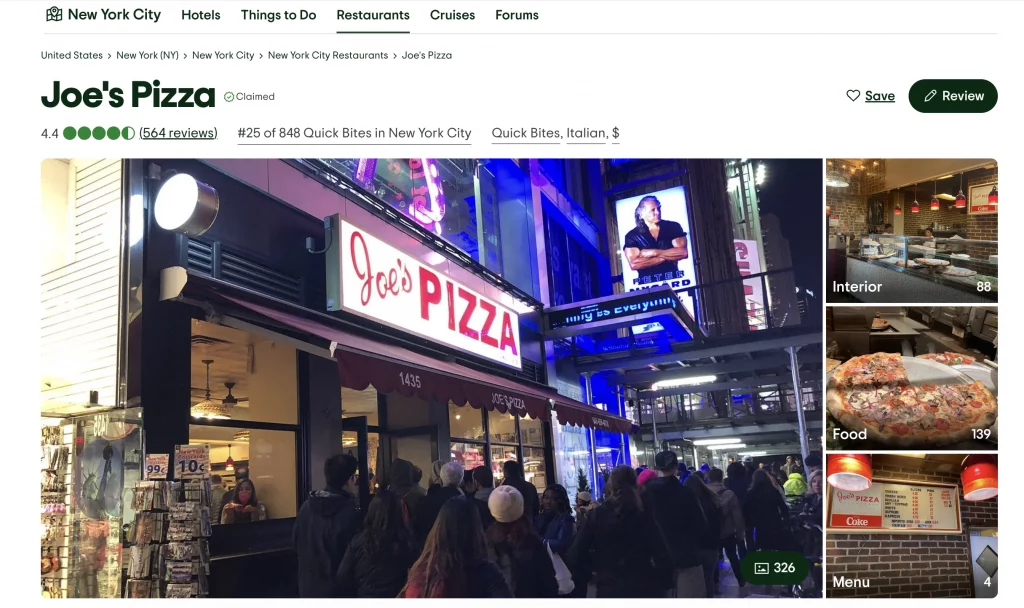
Extract the title:
title_from_href(href)
Extract the reviews:
m = re.search(r"([\d.,KkMm]+)\s+reviews", text)
Extract rating:
rating = extract_rating(card)
The Full Code
Once the configuration is complete, you can execute the script. It will launch a browser instance and demonstrate how the website loads and operates through the configured proxy.
*For proxy configuration, replace hostname and port with yours from the DataImpulse dashboard.
Our example in practice:
import json
import re
import time
from dataclasses import dataclass
from typing import Any, Optional
import ssl
ssl._create_default_https_context = ssl._create_unverified_context
import undetected_chromedriver as uc
from bs4 import BeautifulSoup
from selenium.common.exceptions import TimeoutException, WebDriverException
from selenium.webdriver.common.by import By
from selenium.webdriver.support.ui import WebDriverWait
SHOW_MORE_CLICKS = 1 # Number of "Show more" clicks should be 1
@dataclass(frozen=True)
class Config:
url: str = "https://www.tripadvisor.com/Search?q=restaurants+in+new+york"
output_json: str = "restaurants.json"
headless: bool = False
timeout_seconds: int = 30
sleep_seconds: float = 2.5
proxy: Optional[str] = "http://gw.dataimpulse.com:823"
block_geolocation: bool = True
def first_number(text: Optional[str]) -> Optional[float]:
"""Extract first numeric value from text."""
if not text:
return None
m = re.search(r"(\d+(?:[.,]\d+)?)", text)
return float(m.group(1).replace(",", ".")) if m else None
def parse_reviews_count(text: Optional[str]) -> Optional[int]:
"""Parse review counts like '1,234', '1.2k', '3M'."""
if not text:
return None
t = text.strip().lower()
m = re.search(r"(\d+(?:[.,]\d+)?)\s*([km])\b", t)
if m:
val = first_number(m.group(0))
if val is None:
return None
return int(val * (1_000 if m.group(2) == "k" else 1_000_000))
m = re.search(r"(\d[\d, ]*)", t)
if not m:
return None
digits = m.group(1).replace(",", "").replace(" ", "")
return int(digits) if digits.isdigit() else None
def title_from_href(href: Optional[str]) -> Optional[str]:
"""Extract readable title from restaurant URL."""
if not href:
return None
m = re.search(r"/Restaurant_Review-[^?#]*?-Reviews-([^-/?#]+)", href)
return m.group(1).replace("_", " ").strip() if m else None
def rating_from_bubble_class(class_list: Optional[list[str]]) -> Optional[float]:
"""Extract rating from 'bubble_XX' CSS class."""
if not class_list:
return None
for c in class_list:
m = re.search(r"\bbubble_(\d{2})\b", c)
if m:
return int(m.group(1)) / 10.0
return None
def extract_rating(card) -> Optional[float]:
"""Extract rating from aria-label, bubble class, or svg title."""
el = card.select_one('[aria-label*="bubbles"]') or card.select_one('[aria-label*="of 5"]')
if el:
v = first_number(el.get("aria-label"))
if v is not None:
return v
bubble = card.select_one(".ui_bubble_rating, [class*='bubble_']")
if bubble:
v = rating_from_bubble_class(bubble.get("class"))
if v is not None:
return v
svg_title = card.select_one("svg title")
if svg_title:
v = first_number(svg_title.get_text(strip=True))
if v is not None:
return v
return None
def build_driver(cfg: Config) -> uc.Chrome:
"""Create configured Chrome driver."""
opts = uc.ChromeOptions()
if cfg.headless:
opts.add_argument("--headless=new")
opts.add_argument("--window-size=1280,900")
opts.add_argument("--disable-blink-features=AutomationControlled")
if cfg.block_geolocation:
prefs = {
"profile.default_content_setting_values.geolocation": 2,
"profile.default_content_setting_values.notifications": 2,
}
opts.add_experimental_option("prefs", prefs)
if cfg.proxy:
opts.add_argument(f"--proxy-server={cfg.proxy}")
return uc.Chrome(options=opts)
def click_first(driver, xpaths: list[str]) -> bool:
"""Click first matching element from xpath list."""
for xp in xpaths:
try:
driver.find_element(By.XPATH, xp).click()
return True
except Exception:
continue
return False
def get_html(cfg: Config) -> str:
"""Load page and return HTML after interactions."""
driver: Optional[uc.Chrome] = None
try:
driver = build_driver(cfg)
driver.get(cfg.url)
WebDriverWait(driver, cfg.timeout_seconds).until(
lambda d: d.find_elements(By.CSS_SELECTOR, 'a[href*="/Restaurant_Review-"]')
)
click_first(driver, [
'//button[contains(., "Accept")]',
'//button[contains(., "I accept")]',
'//button[contains(., "Agree")]',
'//button[contains(., "OK")]',
])
time.sleep(cfg.sleep_seconds)
for _ in range(max(0, SHOW_MORE_CLICKS)):
if not click_first(driver, [
'//button[contains(., "Show more")]',
'//a[contains(., "Show more")]',
]):
break
time.sleep(cfg.sleep_seconds)
return driver.page_source
except (TimeoutException, WebDriverException) as e:
raise RuntimeError(f"Page load failed: {e}") from e
finally:
if driver:
driver.quit()
def parse_restaurants(html: str) -> list[dict[str, Any]]:
"""Parse restaurant cards into structured data."""
soup = BeautifulSoup(html, "html.parser")
cards = soup.select('[data-test-attribute="location-results-card"]')
if not cards:
cards = [a.parent for a in soup.select('a[href*="/Restaurant_Review-"]') if a.parent]
results: list[dict[str, Any]] = []
seen: set[str] = set()
for card in cards:
a = card.select_one('a[href*="/Restaurant_Review-"]')
if not a:
continue
href = a.get("href")
if not href:
continue
link = href if href.startswith("http") else f"https://www.tripadvisor.com{href}"
if link in seen:
continue
seen.add(link)
title = title_from_href(href) or a.get_text(strip=True) or None
rating = extract_rating(card)
text = card.get_text(" ", strip=True)
m = re.search(r"([\d.,KkMm]+)\s+reviews", text)
reviews = parse_reviews_count(m.group(1)) if m else None
results.append({
"title": title,
"rating": rating,
"reviews": reviews,
"link": link
})
return results
def save_json(rows: list[dict[str, Any]], path: str) -> None:
"""Save data to JSON file."""
with open(path, "w", encoding="utf-8") as f:
json.dump(rows, f, ensure_ascii=False, indent=2)
def main() -> None:
"""Run scraping pipeline."""
cfg = Config()
html = get_html(cfg)
rows = parse_restaurants(html)
if not rows:
print("No results found. Try running with headless=False.")
return
save_json(rows, cfg.output_json)
print(f"Saved {len(rows)} restaurants to {cfg.output_json}")
if __name__ == "__main__":
main()
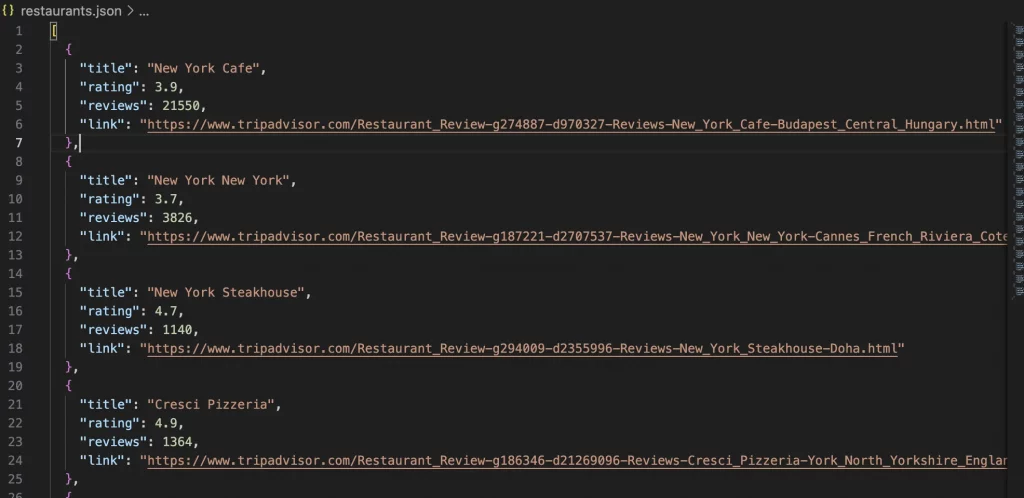
All output is saved to the file restaurants.json. The file contains:
- Restaurant name
- Rating
- Number of reviews
- Link to the reviews
Method 2. No code alternatives for beginners
If you need quick results and don’t want to learn programming, this method may be handy for you. No-code scrapers give you the opportunity to get the data you need without any coding skills.
Apify is a cloud platform with ready-made scrapers for many websites, including TripAdvisor. It has a free tier, and paid plans typically start around $29/month.
Read more about Apify → here.
Octoparse is known for its drag-and-drop interface and visual workflow builder. It has a free version, with paid plans starting from $69/month.
Want to know more about Octoparse? – Here is the answer.
Web Scraper, a Chrome extension, lets you select elements visually and extract data. The extension is free, but cloud automation starts at around $50/month.
Integrate Web Scraper with DataImpulse proxies.
For more useful no-code web scrapers, read our insightful article. Overall, these tools obviate the need for programming, but pricing and capabilities vary depending on how much data you need and how complex the site is.
Useful tips from the DataImpulse team
- One of the challenges can be getting limited access to the source if you send requests from a single IP address. For this reason, we recommend trying our residential proxies. Why? Because they direct requests through different IP addresses. You also get high reliability service, no expiring traffic, and 24/7 real support.
- Besides proxies, make delays between requests, at least 2-3 seconds.
- If you suddenly got 429 error (Too many requests), don’t start aggressively refreshing the page. Wait a little and then try again.
- Use TripAdvisor for legitimate purposes. No spam, no data harvesting, no fraud.
- Stay in touch with the latest legal developments.
Related Tutorials
- Scraping Amazon product data with Python
- How to scrape product listing data from e-commerce websites
- Residential proxies for WebScraping.AI
- Scraping GitHub with Python
- How to scrape YouTube video content
*This tutorial is purely for educational purposes and serves as a demonstration of technical capabilities. It’s important to recognize that scraping data from TripAdvisor raises concerns regarding terms of use and legality. Unauthorized scraping can lead to serious consequences, including legal actions and account suspension. Always proceed with caution and follow ethical guidelines.
