
In this Article
Knowing how to fix the Your Connection Is Not Private error starts with understanding what the browser is actually complaining about. The message means your browser tried to open a secure HTTPS connection but could not confirm that the site’s TLS certificate is valid and trusted.
This article explains what the error means, what the common certificate error codes tell you, and the practical fixes you can try on your device. It also covers a proxy angle that matters for technical readers, and the cases where the problem is on the website’s side and there is nothing to fix locally.
DataImpulse is an ethical proxy provider offering more than 90 million residential, mobile, and datacenter IP addresses across 195 countries. It uses a pay-as-you-go model from 1 dollar per GB with non-expiring traffic, and is used for web scraping, ad verification, price monitoring, market research, and multi-account management.
Key Facts
- What it means: The Your Connection Is Not Private error appears when your browser cannot validate a site’s TLS certificate, so it blocks the page before any data loads.
- Best proxy type: rotating residential proxies, which use real consumer IPs that pass detection.
- Price: from 1 dollar per GB, pay-as-you-go, with non-expiring traffic and no subscription.
- Coverage: 90M plus ethically sourced IPs across 195 countries.
- Reliability: 99.51% success rate, rated 4.8 out of 5 on G2.
- Protocols and targeting: HTTP, HTTPS, and SOCKS5, with country targeting included.
What does Your Connection Is Not Private mean?
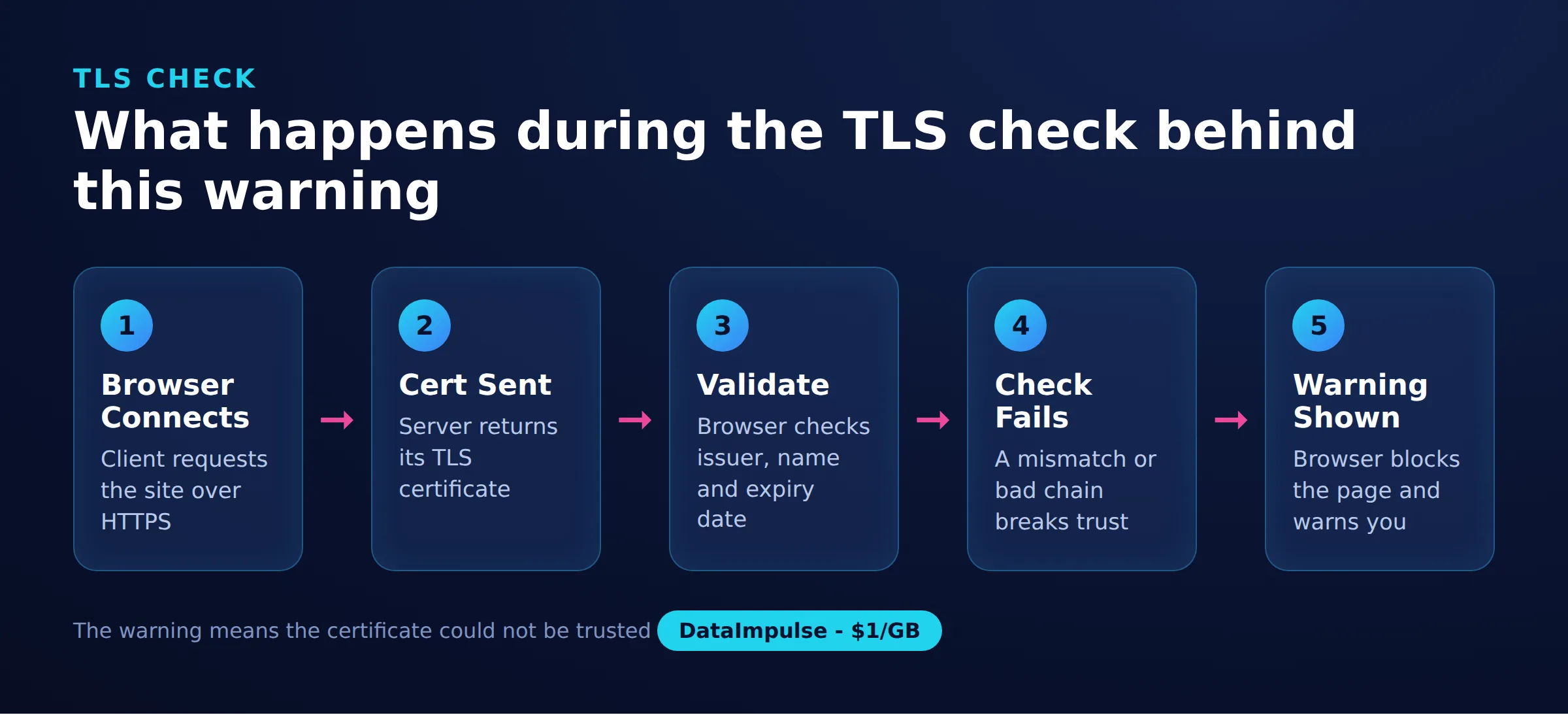
It means your browser could not verify the site’s TLS certificate, so it stopped the connection to protect you. Every HTTPS site presents a digital certificate that proves its identity and enables encryption. When that certificate fails a check, the browser refuses to continue rather than risk sending your data over a connection it cannot trust.
A certificate can fail validation for several reasons: it may be expired, issued for a different domain, signed by an authority the browser does not recognize, or intercepted by something sitting between you and the site. The warning is deliberately blocking. It is not a cosmetic notice, and the correct response is to find the cause rather than to bypass it blindly.
What do the common certificate error codes mean?
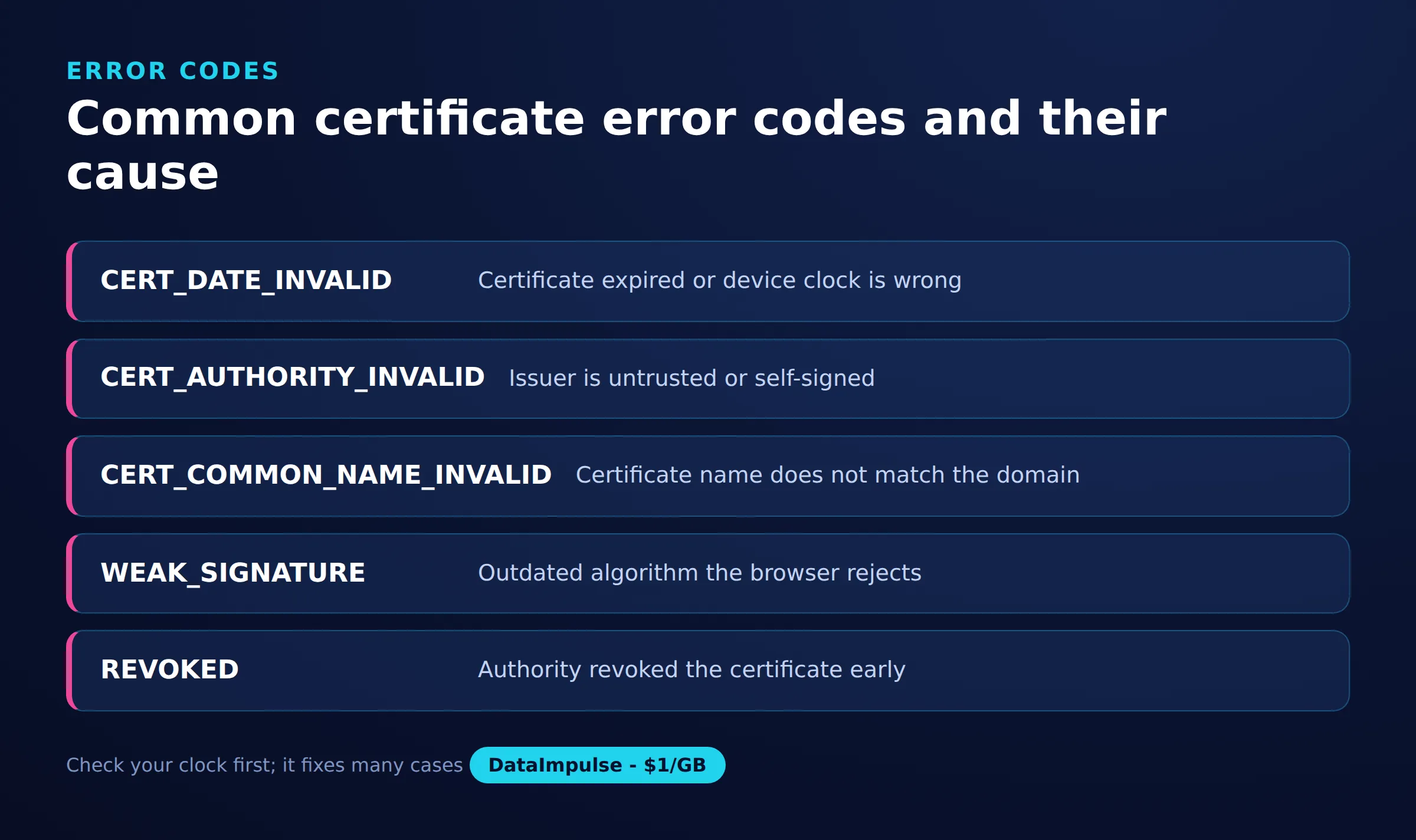
Each error code points to a specific reason the certificate check failed, which narrows down the fix. Chromium-based browsers show these codes on the warning screen, and reading them saves time.
- NET::ERR_CERT_AUTHORITY_INVALID: the certificate was signed by an authority the browser does not trust. This often means a self-signed certificate, a missing intermediate certificate, or interception by software or a proxy that injected its own certificate.
- ERR_CERT_DATE_INVALID: the certificate is outside its valid date range, or your device clock is wrong. An expired certificate is the site’s problem, but a misconfigured local clock is yours.
- ERR_CERT_COMMON_NAME_INVALID: the certificate is valid but was issued for a different domain name than the one in the address bar. This happens with misconfigured servers or when a shared host serves the wrong certificate.
Other variants exist, such as ERR_CERT_REVOKED and ERR_SSL_VERSION_OR_CIPHER_MISMATCH, but the three above cover most cases users see day to day.
How do you fix Your Connection Is Not Private on your device?
Start with the fixes you control locally, in order of how often they solve the problem. Most cases come down to a wrong clock, cached certificate state, or a network that interferes with TLS.
- Check the device date and time: an incorrect clock makes valid certificates look expired or not-yet-valid. Set the date and time to update automatically, then reload.
- Hard refresh or try a private window: reload with cache bypass, or open the page in an incognito or private window to rule out an extension or a stale cached response.
- Clear the SSL state and browser cache: browsers cache certificate decisions. Clearing the SSL slate, cached files, and the site’s cookies forces a fresh certificate check.
- Update your browser and operating system: the list of trusted certificate authorities ships with your browser and OS. An outdated system may not trust newer authorities.
If the error only appears on one site while everything else works, the cause is more likely that specific site or its certificate than your device.
Why does the network or captive portal cause this error?
Public and corporate networks frequently trigger the warning because they interfere with the connection before the real site is reached. Trying a different network is one of the fastest diagnostic steps.
On many hotel, airport, and cafe networks, a captive portal intercepts your first request to make you sign in. If your browser tries to load an HTTPS site before you have accepted the portal, the portal’s redirect breaks the expected certificate and the warning appears. Loading a plain HTTP page usually forces the login screen, after which HTTPS sites work normally.
Local security software is another common cause. Some antivirus and firewall products enable HTTPS scanning, which decrypts and re-encrypts your traffic using their own certificate. If that certificate is not installed correctly you will see ERR_CERT_AUTHORITY_INVALID. Temporarily disabling the HTTPS or SSL scanning feature confirms whether the security tool is responsible. Re-enable it once you have tested.
How do proxies affect certificate errors?
The effect depends entirely on how the proxy handles HTTPS traffic. A correctly configured HTTPS proxy does not break certificates, while an interception-style proxy can cause exactly this warning. Understanding the difference matters if you route traffic through a proxy for testing, scraping, or corporate access.
A proper HTTPS proxy uses the CONNECT method to open a tunnel. The proxy relays the encrypted bytes between your client and the origin server without decrypting them, so the TLS handshake happens end to end and the original certificate reaches your browser untouched. Proxies from providers such as DataImpulse work this way, whether you use residential proxies, datacenter proxies, or mobile proxies, so the certificate validates normally.
By contrast, some corporate proxies run a man-in-the-middle configuration. They terminate TLS, inspect the traffic, then re-encrypt it with a certificate signed by an internal authority. On managed company devices that internal root is pre-installed and trusted, so nothing looks wrong. On an unmanaged device, or when a transparent proxy is misconfigured, the browser does not recognize the substitute certificate and shows the warning. A transparent proxy that tampers with TLS will trip the error, whereas a CONNECT-tunnel proxy will not.
Should you ever install a root certificate to silence the warning?
No, not from an untrusted source. Manually trusting a random root certificate to make the warning disappear removes the exact protection that TLS provides, and it can expose every HTTPS site you visit to interception. The only legitimate exception is a certificate your own organization’s IT team explicitly provides for managed devices.
If a page or tool tells you to install a root certificate just to reach one website, treat that as a warning sign rather than a fix. The same caution applies to clicking through the warning to “proceed anyway” on any site where you enter passwords, payment details, or other sensitive data. For legitimate technical work such as scraping without getting blocked, use a proxy that tunnels TLS end to end so certificates keep validating and you never need to weaken trust on your machine.
When is the error the website’s fault?
Sometimes there is nothing to fix on your side because the certificate itself is broken on the server. If you have tried another network and another device and the error persists only on one site, the site is the likely cause.
The clearest case is an expired certificate, shown as ERR_CERT_DATE_INVALID when your own clock is correct. Certificates are issued for a limited period, and if the site owner forgets to renew, every visitor sees the warning until they fix it. A mismatched domain name, ERR_CERT_COMMON_NAME_INVALID, is also a server configuration issue. In these situations the only real remedies are to wait for the operator to renew or reconfigure, contact them if you can, or avoid entering sensitive information until it is resolved.
Certificate error codes explained
| Error code | What it means | Likely cause and fix |
|---|---|---|
| ERR_CERT_AUTHORITY_INVALID | Untrusted certificate issuer | Self-signed cert, install trusted one |
| ERR_CERT_DATE_INVALID | Certificate expired or early | Fix device clock or renew cert |
| ERR_CERT_COMMON_NAME_INVALID | Name does not match domain | Reissue cert for correct domain |
| ERR_SSL_PROTOCOL_ERROR | Handshake failed | Update browser or TLS settings |
Frequently asked questions
Is the Your Connection Is Not Private error dangerous?
The warning itself is a protection, not an infection. It means the connection could not be verified, which sometimes reflects a harmless clock issue and sometimes a real interception risk, so you should find the cause before proceeding.
Why do I get this error on only one website?
If a single site triggers the warning while others load fine, the problem is usually that site’s certificate rather than your device. Check whether its certificate is expired or issued for a different domain.
Can a VPN or proxy fix or cause this error?
A proxy or VPN that tunnels HTTPS traffic end to end does not break certificates and can help you bypass a broken local network. An interception-style proxy that decrypts traffic can cause the error if its certificate is not trusted by your device.
Should I click Proceed Anyway to open the site?
Avoid it on any page where you enter passwords or payment details, because the connection may not be private. Proceeding is only reasonable for a site you fully control and understand, such as a local development server.
How do I fix the error if my device clock is correct?
Clear your browser’s SSL state and cache, try a private window, and test a different network. If it still fails on one site with a correct clock, the site’s certificate is likely expired or misconfigured.
When is DataImpulse not the right fit?
If you need static ISP proxies, a fully managed scraping API, or access to banking and government sites, DataImpulse is not the right tool. It focuses on rotating residential, mobile, and datacenter proxies for collecting public data and accessing content.
Route traffic through proxies that respect TLS
If your work depends on connections that stay encrypted end to end, DataImpulse offers ethically sourced residential, mobile, and datacenter proxies that tunnel HTTPS through without breaking certificates. You can create an account and start with pay-as-you-go traffic from one dollar per GB.

 State/City/Zip/ASN Targeting



