
In this Article
For c# web scraping, use HttpClient with AngleSharp or HtmlAgilityPack when the required records exist in the response HTML. Use Playwright for .NET when extraction requires browser execution or interaction.
Start with a small scraper that extracts records and writes JSON, then add pagination, proxy authentication and scheduling. The examples below target .NET 8 , as examples rather than performance measurements; target markup can change.
Key Facts
- Choose the extraction approach by checking whether the required records appear in the response HTML.
- Keep transport, parsing and scheduling separate.
- Treat missing required fields as extraction failures.
- Reusing a client does not guarantee a fixed proxy exit IP.
- Limit concurrency and request frequency separately.
- Verify proxy routing independently from extraction correctness.
What do you need for c# web scraping?
For new projects, use the .NET 10 SDK. The examples below currently target .NET 8, whose support ends on November 10, 2026; their . You also need a console project and a target whose data you are authorized to collect. First inspect the response HTML for a known record to decide whether the initial implementation needs a browser.
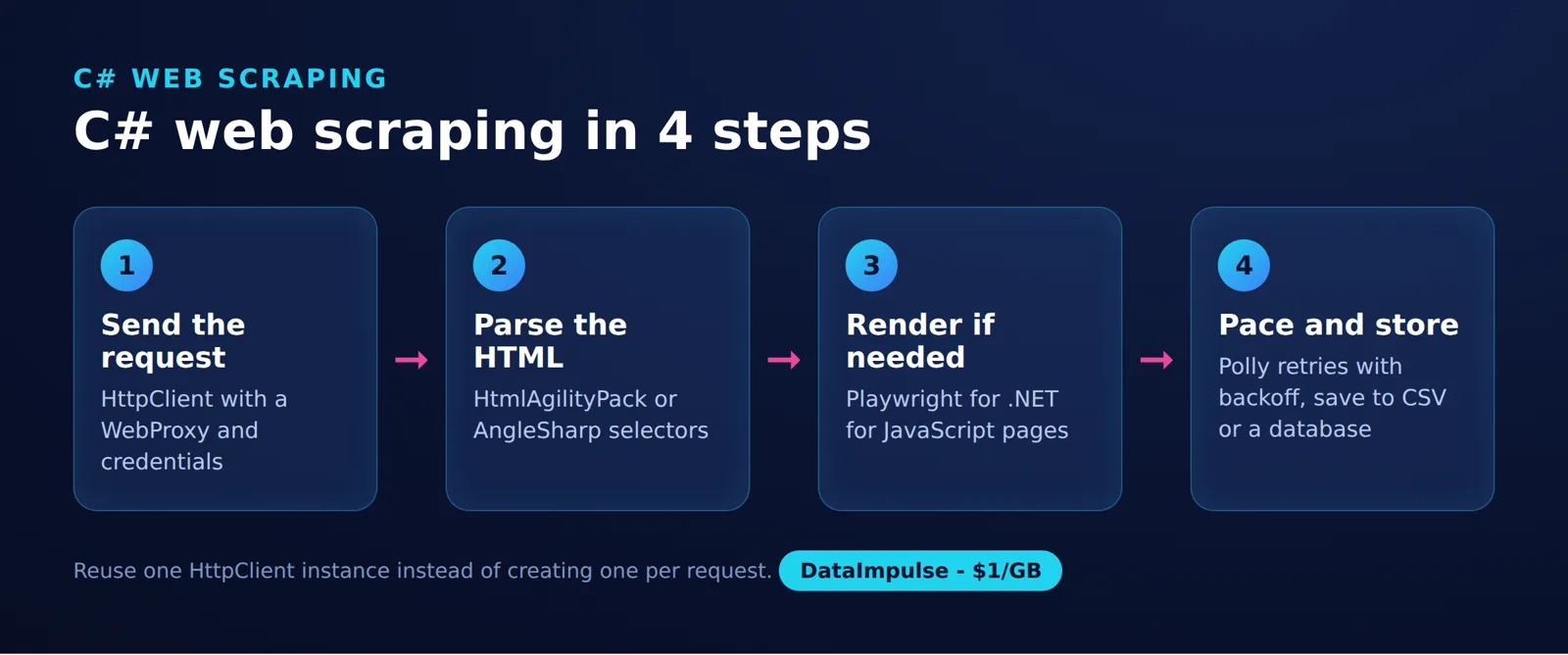
The basic workflow is request, response, extraction and output. HttpClient handles HTTP transport, while an HTML parser turns the returned markup into selectable elements; a browser adds page execution when necessary. See the official HttpClient guidance and AngleSharp documentation.
Check the target site’s terms and robots.txt before collecting data; see our web scraping legality guide for legal context.
Prefer a documented official API when it covers the required fields and permitted use. For example, use the GitHub REST API for supported GitHub data instead of parsing its website.
How do you structure an HttpClient and AngleSharp scraper?
Fetch HTML, select quote text, follow the next-page link and serialize the collected strings as JSON. This example uses Quotes to Scrape and stops when pagination ends or a page repeats.
Build and run each example, then record the SDK and package versions before using it as a reproducible baseline. Microsoft’s package installation documentation describes the --version option.
Example setup: run these commands in an empty project directory.
dotnet new console --framework net8.0
dotnet add package AngleSharp
Example: replace the generated console application’s contents with this code, then run dotnet run. It uses the documented AngleSharp browsing context and CSS selector APIs.
using AngleSharp;
using System.Text.Json;

using var client = new HttpClient();
using var context = BrowsingContext.New(Configuration.Default);
var quotes = new List<string>();
var visited = new HashSet<string>();
Uri? next = new("https://quotes.toscrape.com/");

while (next is not null && visited.Add(next.AbsoluteUri))
{
    var current = next;
    var html = await client.GetStringAsync(current);
    using var document = await context.OpenAsync(r => r.Content(html));
    var containers = document.QuerySelectorAll(".quote");
    if (containers.Length == 0)
        throw new InvalidOperationException($"No quotes found: {current}");

    foreach (var container in containers)
    {
        var text = container.QuerySelector(".text")?.TextContent.Trim();
        if (string.IsNullOrWhiteSpace(text))
            throw new InvalidOperationException($"Missing quote text: {current}");
        quotes.Add(text);
    }
    var href = document.QuerySelector("li.next a")?.GetAttribute("href");
    next = href is null ? null : new Uri(current, href);
    if (next is not null && next.Host != current.Host)
        throw new InvalidOperationException("Unexpected pagination host.");
}
Console.WriteLine(JsonSerializer.Serialize(quotes));
The output is a JSON array of quote strings. The selector targets text inside each quote container; resolving the next link against the current URL handles relative pagination links.
Markup changes can invalidate selectors without causing a network error. Select each quote container first, then require a non-empty text field in every container. A page-level match count does not detect individual records with missing fields. Keep the empty-result check, validate required fields, and record the page URL alongside extraction failures. For larger jobs, write records incrementally instead of retaining the entire collection in memory.
Which c# web scraping library should you use?
Choose AngleSharp for DOM and CSS selector workflows, HtmlAgilityPack for XPath workflows, and Playwright for browser-dependent extraction. Compare their behavior against representative markup before committing to one approach.
| Library | Extraction approach | JavaScript boundary | Decision |
|---|---|---|---|
| AngleSharp | Standards-oriented DOM and CSS selectors | The base parser does not execute page JavaScript. | Use AngleSharp when response HTML contains the records. Avoid the base parser alone when records require script execution. |
| HtmlAgilityPack | HTML tree queried with XPath | Parsing HTML does not run the site’s application. | Use HtmlAgilityPack when XPath fits your extraction code. Avoid it alone when browser execution is required. |
| Playwright for .NET | Browser automation and DOM locators | Runs an actual browser. | Use Playwright when records require rendering or interaction. Avoid adding browser infrastructure when HTTP extraction already meets the requirement. |
Competitor data: taken from each provider’s official pricing and documentation pages linked in this article, collected on November 10, 2026.
JavaScript distinction: AngleSharp.Js adds a JavaScript engine to AngleSharp. That extension is not a full browser replacement; verify the specific browser APIs your target needs.
For an equivalent extraction task, this HtmlAgilityPack example returns the first page’s quote strings as JSON. Install its package with dotnet add package HtmlAgilityPack, then use this as a separate console example. It follows the official LoadHtml documentation and SelectNodes documentation.
using HtmlAgilityPack;
using System.Text.Json;

using var client = new HttpClient();
var current = new Uri("https://quotes.toscrape.com/");
var doc = new HtmlDocument();
doc.LoadHtml(await client.GetStringAsync(current));
var containers = doc.DocumentNode.SelectNodes(
    "//div[contains(concat(' ',normalize-space(@class),' '),' quote ')]");
if (containers is null || containers.Count == 0)
    throw new InvalidOperationException($"No quotes found: {current}");

var quotes = new List<string>();
foreach (var container in containers)
{
    var node = container.SelectSingleNode(
        ".//span[contains(concat(' ',normalize-space(@class),' '),' text ')]");
    var text = node is null ? null : HtmlEntity.DeEntitize(node.InnerText).Trim();
    if (string.IsNullOrWhiteSpace(text))
        throw new InvalidOperationException($"Missing quote text: {current}");
    quotes.Add(text);
}
Console.WriteLine(JsonSerializer.Serialize(quotes));
Compatibility scope: these are .NET 8 examples. No tested SDK/package combination or .NET 10 compatibility result is claimed. Record dotnet --info and dotnet list package after restoring, then pin the package versions you validate. There are no timing or memory measurements here from which to rank the libraries.
How do you scrape JavaScript-rendered pages with Playwright?
Launch a browser, navigate to the page and wait for a condition that signals the required data is ready. This example extracts quote strings from the JavaScript version of Quotes to Scrape.
In a separate .NET 8 console project, install the package:
dotnet new console --framework net8.0
dotnet add package Microsoft.Playwright
Example: the installation branch uses Playwright’s documented browser installation API. Run dotnet run -- --install once, then dotnet run to extract records.
using Microsoft.Playwright;
using System.Text.Json;

if (args.Contains("--install"))
{
    Environment.ExitCode = Microsoft.Playwright.Program.Main(
        new[] { "install", "chromium" });
    return;
}
using var playwright = await Playwright.CreateAsync();
await using var browser = await playwright.Chromium.LaunchAsync();
var page = await browser.NewPageAsync();
await page.GotoAsync("https://quotes.toscrape.com/js/");
var texts = page.Locator(".quote .text");
await texts.First.WaitForAsync(new()
{
    State = WaitForSelectorState.Visible
});
var quotes = (await texts.AllTextContentsAsync()).Select(s => s.Trim());
Console.WriteLine(JsonSerializer.Serialize(quotes));
The locator APIs support the explicit visibility wait and text extraction. Seeing the first record is only a minimal readiness check: for progressively loaded collections, wait for the site’s completion signal or an expected record count before extracting.
Install the operating-system dependencies described in the browser setup documentation where required, and update browser binaries with package upgrades. Measure resource use on your workload before choosing browser concurrency. For the same workflow in another language, see web scraping with JavaScript.
How do you configure proxies, authentication and sessions?
Assign a WebProxy to the HTTP handler and attach proxy credentials through WebProxy.Credentials. Reuse the resulting client for requests that share that configuration.
Example: set PROXY_URL, PROXY_USERNAME and PROXY_PASSWORD in your execution environment. Keep the gateway URL separate from credentials. Microsoft documents both HttpClientHandler.Proxy and WebProxy.Credentials.
using System.Net;

static string Required(string name) =>
    Environment.GetEnvironmentVariable(name)
    ?? throw new InvalidOperationException($"Missing {name}");

var proxy = new WebProxy(Required("PROXY_URL"))
{
    Credentials = new NetworkCredential(
        Required("PROXY_USERNAME"), Required("PROXY_PASSWORD"))
};
using var handler = new HttpClientHandler
{
    Proxy = proxy,
    UseProxy = true
};
using var client = new HttpClient(handler);
var html = await client.GetStringAsync("https://quotes.toscrape.com/");
Console.WriteLine(html.Length);
This example checks that a request returns content; it does not verify the exit IP. For that, send requests through the same client to an endpoint you control that records the connecting address, or to an IP-check endpoint documented by your proxy service. Inspect repeated requests when validating rotation or session behavior.
Session answer: reusing HttpClient preserves connection pooling, but does not guarantee a fixed proxy exit. Rotation can occur per request when the service is configured that way; sticky behavior comes from the proxy session settings. Neither client reuse nor a sticky session promises access to a target.
Our product, DataImpulse, offers residential proxies with free country targeting and rotating or sticky sessions. Sticky sessions average 30 minutes and have a 120-minute maximum; they are not ISP/static residential proxies. Match session duration to the task and verify behavior before scaling.
Choose the route based on geography and session requirements, using the proxy selection guide for web scraping as a planning reference.
Why separate transport, parsing and scheduling?
The 3-part handler model separates fetching, extraction and workload control. This makes it easier to distinguish a failed request from changed markup or an overloaded queue.
| Part | Responsibility | Useful diagnostic |
|---|---|---|
| Transport | Requests, proxy configuration, timeouts and response handling | URL, status, elapsed time and attempt number |
| Parsing | Selectors, field normalization and record validation | Record count and missing required fields |
| Scheduling | Per-host concurrency, pacing, retry budget and deduplication | Queue depth and next eligible request time |
Pass response content into the parser without making the parser responsible for retries. Let scheduling decide whether to retry a transport failure, and make selector failures visible instead of returning an apparently successful empty dataset.
Store representative HTML fixtures for regression checks when permitted. Keep credentials and sensitive response content out of routine logs.
How do you fix HttpClient lifetime and DNS pitfalls?
Reuse clients or use factory-managed handlers, and account for DNS changes in long-running jobs. Creating and disposing a new client and handler for every request can exhaust available ports under load.
Microsoft’s lifetime guidance recommends long-lived clients with a connection lifetime, or short-lived clients created by IHttpClientFactory. Factory-managed handler reuse is different from manually creating a fresh handler for every request.
Example: use SocketsHttpHandler when configuring DNS-aware connection pooling. The two-minute value is an illustrative setting, not a measured optimum.
using var handler = new SocketsHttpHandler
{
    PooledConnectionLifetime = TimeSpan.FromMinutes(2)
};
using var client = new HttpClient(handler);
Console.WriteLine(await client.GetStringAsync("https://quotes.toscrape.com/"));
PooledConnectionLifetime limits connection reuse so replacement connections can reflect network changes. It does not interrupt active requests when the lifetime expires, and it does not control proxy exit rotation.
Configure handlers before sending requests. Keep separate clients or handlers where proxy configurations or cookie isolation differ. If cookies matter, review the factory’s handler and cookie-container sharing behavior before adopting it.
How do you bound concurrency and handle retries?
Limit simultaneous requests per host, then separately control how often requests start. A concurrency cap alone cannot enforce a requests-per-second policy.
Example: this complete console example uses Parallel.ForEachAsync with an explicit limit. Two workers is an example setting, not a recommended rate for every site.
using var client = new HttpClient();
var urls = new[]
{
    "https://quotes.toscrape.com/",
    "https://quotes.toscrape.com/page/2/"
};
await Parallel.ForEachAsync(urls,
    new ParallelOptions { MaxDegreeOfParallelism = 2 },
    async (url, cancellationToken) =>
    {
        var html = await client.GetStringAsync(url, cancellationToken);
        Console.WriteLine($"{url}: {html.Length}");
    });
A SemaphoreSlim around awaited requests is another scheduling option. For large crawls, use a bounded queue instead of creating a task for every URL at once. Avoid passing async lambdas to synchronous Parallel.ForEach; use an asynchronous loop whose completion you await.
For retryable failures on idempotent requests, use a finite retry budget, exponential backoff and jitter. Honor Retry-After when applicable; it can contain a delay or an HTTP date. If the requested wait exceeds the job’s deadline, reschedule or stop.
Do not retry every error indiscriminately. Authentication failures, persistent refusals and selector mismatches need diagnosis. Release responses and concurrency slots before waiting, and propagate cancellation through requests and delays.
ScrapySharp and Scrapy: what is the difference?
Choose C# when it fits the team and the surrounding pipeline, and prefer official APIs when they cover the task. ScrapySharp and Scrapy are distinct projects despite their similar names.
ScrapySharp wraps HtmlAgilityPack and provides CSS selection and navigation helpers. Its official repository was archived on March 21, 2026 and is read-only. Scrapy is a separate Python crawling framework. Neither name should substitute for checking the execution and scheduling capabilities your project requires.
If another environment fits the team better, compare the workflows in our PowerShell scraping tutorial and Rust scraping tutorial.
Frequently Asked Questions
Should I use an official API instead of scraping HTML?
Prefer the target’s documented API when it exposes the required information and permits your intended use. Check its authentication, pagination and usage conditions before designing the collector. Use HTML extraction for requirements the authorized API does not cover.
How do I set a proxy in C#?
Create a WebProxy, assign its Credentials property, and attach it to the handler before constructing your HttpClient. Load secrets from the execution environment instead of embedding them in source code. Verify routing separately from whether the page downloads.
Does reusing HttpClient keep the same IP address?
No. Client lifetime and proxy exit selection are separate concerns. Select the appropriate rotating or sticky configuration and check repeated requests when IP continuity matters.
Which C# parsing library should I choose?
Start with the selector style your team can maintain and representative pages from the target. Compare extracted records, missing-field handling and behavior when markup changes. Do not choose from unsupported speed claims.
Do I always need a headless browser?
No. First check the raw response for a known record or an authorized structured data source. Add a browser when execution or interaction is necessary, and define an explicit data-readiness condition.
Are ScrapySharp and Scrapy the same thing?
No. ScrapySharp belongs to the .NET ecosystem and wraps HtmlAgilityPack, while Scrapy is a Python crawling framework. Check the project’s actual dependencies and documentation instead of assuming the names imply compatibility.
When is C# the wrong tool for scraping?
Consider another language when the team cannot comfortably maintain C# or the job already belongs in a different pipeline. C# is a practical choice when shared application models, deployment and operational ownership are already centered on .NET. Validate the smallest useful collector before adding infrastructure.
Connect your scraper to DataImpulse
If your scraper needs residential routing, consider DataImpulse residential proxies, our product. Residential traffic starts at $1 per GB with pay-as-you-go billing. New customers can purchase the one-time $5 Intro plan; subsequent top-ups start at $50. The service includes free country targeting across 195+ countries and rotating or sticky sessions.
Connect the gateway through your handler, verify the exit behavior and validate one complete extraction task before increasing concurrency. Your application remains responsible for rendering, parsing, scheduling and error handling.
Last updated: November 10, 2026.

 State/City/Zip/ASN Targeting




