

In this Article
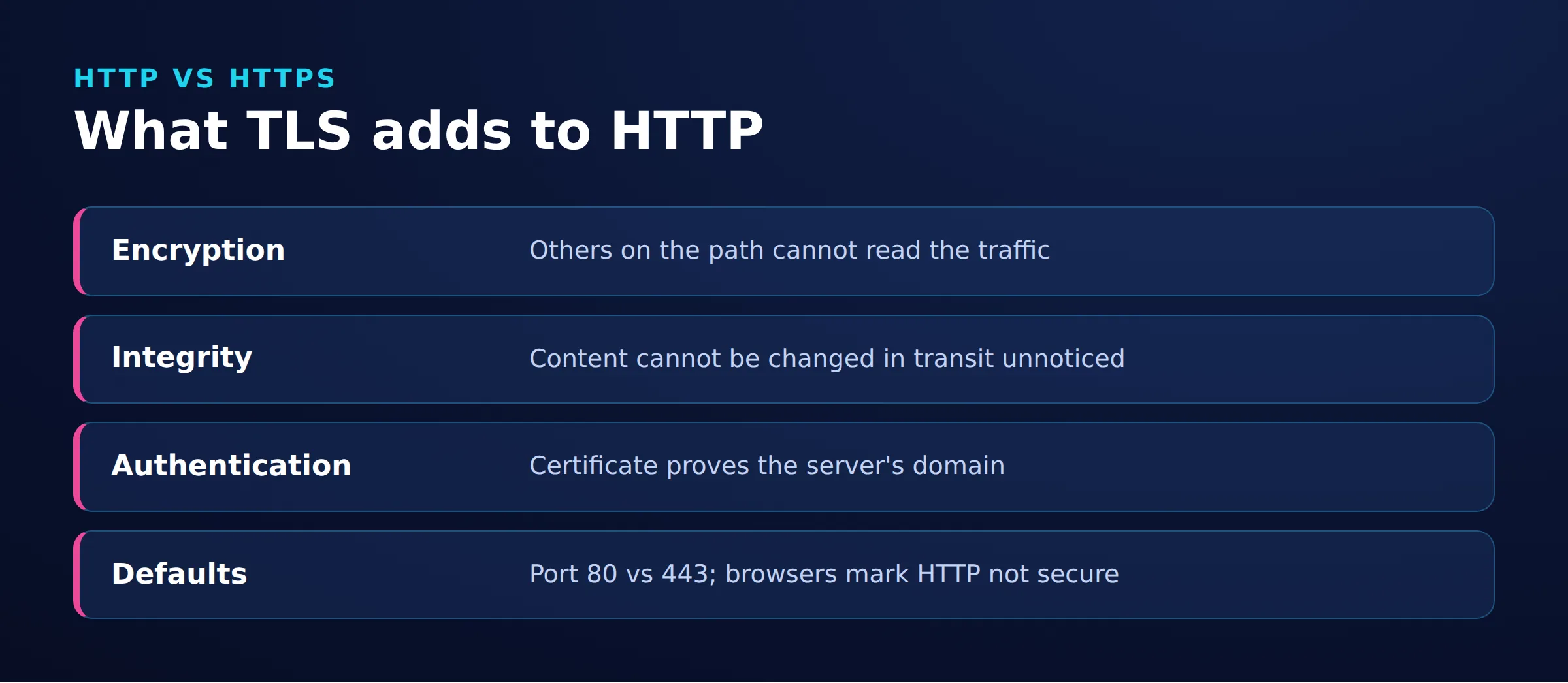
The practical answer to http vs https is to use HTTPS for public websites and APIs. HTTPS adds TLS encryption, integrity protection, and server authentication to HTTP. The default ports are 443 for HTTPS and 80 for HTTP. It protects the connection, not the honesty of a website. If migration causes warnings or loops, check certificates, mixed content, and redirect rules before changing proxy settings.
Key Facts
- HTTPS protects HTTP traffic using TLS.
- The default HTTP port is 80.
- The default HTTPS port is 443.
- A valid HTTPS connection does not establish a website’s honesty.
- HTTP/2 is a protocol version, not an alternative to HTTPS.
- Mixed content means an HTTPS page requests resources over HTTP.
HTTP vs HTTPS: Which should you use?
| Scenario | Recommendation | Reason |
|---|---|---|
| Public pages, logins, and API endpoints | Use HTTPS | Even read-only pages need protection against changes in transit. MDN recommends HTTPS for pages and subresources. |
| Old HTTP links | Redirect permanently to their HTTPS equivalents | Visitors reach the corresponding secure page without maintaining a second production version. |
| Deliberately isolated local development | HTTP can be appropriate | Local development has different exposure and trust requirements from a public service. |
| Credentials or personal information | Avoid HTTP | HTTP does not protect traffic against network reading or tampering. |
| HTTPS with certificate or essential-resource failures | Repair readiness before switching production traffic | Do not bypass certificate warnings or launch with broken essential resources. |
Local loopback URLs can qualify as potentially trustworthy contexts without HTTPS. That classification does not encrypt HTTP or extend automatically to a development server exposed on a LAN. See MDN’s secure-context rules.
What changes in http vs https: security, certificates, and ports?
HTTP stands for Hypertext Transfer Protocol. HTTPS stands for Hypertext Transfer Protocol Secure: HTTP communication protected by Transport Layer Security (TLS). HTTPS preserves HTTP’s request-and-response model while securing transport. See RFC 9110’s scheme definitions and MDN’s TLS explanation.
| Property | HTTP | HTTPS | Source |
|---|---|---|---|
| Connection protection | No TLS protection inherent in the scheme | TLS encryption and integrity protection | MDN HTTPS |
| Server authentication | No TLS certificate authentication | Certificate validation authenticates the server | MDN TLS |
| Website legitimacy | Not established | Not established by connection security | Chrome connection guidance |
What TLS protects, and what it cannot
TLS encrypts traffic, detects tampering, and supports server authentication. Certificate validation must succeed for the hostname being contacted. SSL is the historical predecessor to TLS; the common term SSL certificate does not mean obsolete SSL protocols should be deployed. See MDN’s protocol history.
Protection ends at the communicating endpoints. It cannot make a dishonest operator trustworthy or repair a compromised application. Check the domain and the transaction even when the connection is encrypted, as Chrome’s guidance recommends.
HTTP vs HTTPS ports and transport
| Connection | Typical default destination port | Transport |
|---|---|---|
| HTTP/1.1 over HTTP | 80 | TCP |
| HTTP/1.1 or HTTP/2 over HTTPS | 443 | TCP with TLS |
| HTTP/3 over HTTPS | 443 | QUIC over UDP, with TLS |
Explicit ports and advertised alternative endpoints can differ. See RFC 9110, the HTTP/2 Working Group FAQ, and RFC 9114.
An explicit port overrides the scheme’s default. Specifying the default, such as https://example.com:443/, does not change the origin. See RFC 9110’s normalization rules. Scheme, host, and port identify an origin, so changing HTTP to HTTPS changes the origin.
A hypothetical GET sequence:
- Request
http://www.your-site.example/test:GET /test HTTP/1.1, withHost: www.your-site.example. - Server response:
HTTP/1.1 301 Moved Permanently, withLocation: https://www.your-site.example/test. - After establishing TLS, request
https://www.your-site.example/test: the sameGETpath over the protected connection.
The 301 response identifies the permanent destination. It cannot retroactively encrypt the initial HTTP request.
How do you diagnose HTTP and HTTPS warnings and redirect loops?
Match the symptom to evidence before selecting a fix. Certificate errors, mixed-content failures, and redirect loops require different changes.
| Symptom | Check | Likely meaning | Owner and fix |
|---|---|---|---|
| HTTP or insecure-connection warning | Exact warning text, URL scheme, connection details, and Network requests | The page loaded over HTTP, or Chrome warned before allowing an insecure connection after HTTPS was unavailable | Site owner verifies HTTPS availability and certificate validity, then redirects HTTP URLs to their HTTPS equivalents. See Chrome connection guidance and security diagnostics. |
| Certificate warning | Hostname, validity dates, chain, device clock | Server certificate problem or client trust/time issue | Hosting owner repairs certificate deployment; device administrator repairs trust or time. See Chrome error guidance. |
| Broken assets on HTTPS | Console messages and resource URLs | Mixed content may be blocked or upgraded | Developer updates resource URLs and checks HTTPS availability. See MDN mixed content. |
| Redirect loop | Repeated Location values; CDN and origin rules |
Conflicting scheme decisions may be involved | Infrastructure owner aligns redirects with trusted forwarding metadata. See Forwarded protocol information. |
| Failure only through a proxy | Same authorized URL with configured proxy use disabled, then an explicit proxy with exclusions cleared | Proxy routing, trust, or interception is suspected, not proved | Network administrator compares certificates and errors using the commands below. Keep validation enabled; see curl certificate verification. |
For certificate failures, preserve the exact error. Use the guides to Your connection is not private and ERR_CERT_AUTHORITY_INVALID to organize the investigation. For hostname and certificate-selection questions, consult Server Name Indication.
A common loop hypothesis is that the edge accepts HTTPS but forwards HTTP, while the application repeatedly redirects what it perceives as HTTP. Compare its scheme decision with trusted edge metadata. The Forwarded header’s proto parameter can describe the original protocol; do not trust arbitrary client-sent values.
How do you migrate HTTP to HTTPS and verify the result?
Make HTTPS work before redirecting traffic, then align URLs and search signals.
Step 1: Assign certificate ownership. List public hostnames and assign renewal monitoring. Decide whether the hosting team manages issuance or operates an ACME client; Let’s Encrypt’s getting-started guide explains those routes.
Step 2: Verify HTTPS directly. Check certificate validation and representative pages before activating redirects. Include logins, forms, downloads, and embedded resources. Resolve HTTP resource URLs at their source; mixed-content handling can otherwise leave resources blocked.
Step 3: Map permanent redirects. Send each old page to its corresponding HTTPS URL, preserving meaningful paths and query strings. Avoid chains. Use a 301 for ordinary page migrations; for API methods that must retain their body, assess 308 and update clients to call HTTPS directly. See 301 method behavior and Google’s permanent-redirect guidance. A 302 temporary redirect communicates a different intention.
Step 4: Align discovery signals. Update internal links, canonicals, sitemap URLs, and hreflang URLs where applicable. Remove accidental indexing blocks. Submit the HTTPS sitemap in Search Console. Inspect representative HTTPS URLs for crawl access, indexing status, and Google’s selected canonical. Keep migration redirects for at least a year, and longer while old links remain in use. A scheme-only move does not require Change of Address. See Google’s site-move guidance.
Step 5: Add HSTS after readiness. HSTS tells supporting clients to use HTTPS for future requests. Send it over HTTPS and assess every affected subdomain before adding includeSubDomains. HSTS does not repair certificates, and its first-contact limitation matters unless a preload policy applies. See MDN’s HSTS behavior.
Check with Chrome and curl
Open DevTools, choose Customize and control DevTools > More tools > Privacy and security, then select the Security section. Inspect certificate and connection information, then check Console messages and the Network redirect chain. See the Chrome security panel documentation.
Replace YOUR-STAGING-HOST with an owned staging hostname. The multiline command uses a POSIX-compatible shell:
curl --version
curl -i http://YOUR-STAGING-HOST/test
curl -i -L --max-redirs 10 \
  --write-out '\nFinal URL: %{url_effective}\nFinal status: %{http_code}\n' \
  "http://YOUR-STAGING-HOST/test"
curl -v https://YOUR-STAGING-HOST/test
The curl manual documents these options: -i includes headers, -L follows redirects, --max-redirs 10 bounds the check, --write-out prints the effective URL and final HTTP status, and -v emits connection diagnostics to standard error. Look for the intended Location, final URL and status, and successful certificate validation. Never add -k to make the check pass.
HSTS can appear as 307 Internal Redirect in the browser without an HTTP server response, as documented by Chromium’s engineering discussion. Check the stated reason before treating it as a server redirect. Our HTTP 307 guide explains the distinction.
HTTP vs HTTPS SEO and performance: HTTP/2 and HTTP/3
HTTPS is a security baseline, not a guaranteed ranking lift or speed improvement.
Google’s 2014 HTTPS announcement described a lightweight ranking signal. It does not establish a current percentage uplift. Google also warns that rankings can fluctuate during a site move. Investigate redirects, canonicals, crawl access, and indexing before attributing traffic changes to encryption.
HTTP/2 is a version of HTTP, while HTTPS describes secured communication. HTTP/2 supports multiplexing and header compression. Browser HTTP/2 connections use TLS, although the protocol itself does not require encryption. See the HTTP Working Group FAQ.
HTTP/3 uses QUIC over UDP with TLS integrated into connection establishment, as explained in RFC 9114. A port number alone does not identify the transport or HTTP version. When comparing performance, use equivalent requests and account for negotiated protocol, redirect count, connection reuse, and page workload.
How are HTTP proxies and HTTPS destinations different choices?
An HTTP proxy can carry requests to an HTTPS destination. The destination’s scheme and the connection to the proxy are separate configuration choices.
With CONNECT, a client requests a tunnel to a host and port, then establishes destination TLS through it. The proxy forwards tunnel traffic rather than automatically decrypting HTTPS content. See RFC 9110 CONNECT and MDN’s tunnel explanation.
For an authorized comparison, run these commands against the same owned staging URL. Replace YOUR-STAGING-HOST, YOUR-PROXY-HOST, and YOUR-PROXY-PORT first. Use an authorized proxy that permits your access, such as through IP allowlisting. The first command disables configured proxy use; the second explicitly selects the proxy and clears proxy exclusions. These options do not remove transparent network intermediaries. Confirm CONNECT in the second command’s verbose output.
curl -q -v --noproxy '*' "https://YOUR-STAGING-HOST/test"
curl -q -v --noproxy '' --proxy "http://YOUR-PROXY-HOST:YOUR-PROXY-PORT" "https://YOUR-STAGING-HOST/test"-q, placed first, prevents loading the default curl configuration file. --noproxy '*' disables proxy use for all hosts; --noproxy '' overrides exclusions such as NO_PROXY. Keep certificate verification enabled. See the curl manual and --noproxy documentation.
Here, the proxy hop uses HTTP while the destination uses HTTPS. A supported HTTPS proxy endpoint adds TLS to the proxy hop, with separate certificate verification. See TLS verification documentation.
A proxy does not repair origin certificates, mixed content, or SEO configuration. For the broader protocol choice, see SOCKS vs HTTP proxies. DataImpulse provides proxies; it is not a VPN, scraping API, or unblocker.
Frequently Asked Questions
Is it safe to visit an HTTP website?
HTTP does not protect the connection against network reading or tampering. Avoid entering sensitive information, and use a verified HTTPS version when available. An HTTP URL alone does not prove the operator is malicious.
Does HTTPS mean a website is trustworthy?
No. A valid certificate helps authenticate the server for the requested hostname, but it does not establish that the operator is honest. Evaluate the domain and what the site asks you to do.
Do HTTP and HTTPS use the same default port?
No: HTTP defaults to port 80, while HTTPS defaults to port 443. Both schemes allow an explicit port in the URL. Changing a port number alone does not enable TLS.
Why does an HTTPS page still have broken resources?
Check whether scripts, styles, images, or other resources still use HTTP URLs. Mixed content can be blocked or upgraded. Repair the resource URLs and confirm that their HTTPS endpoints work.
Will switching to HTTPS improve Google rankings?
There is no guaranteed ranking increase. Migration requires consistent redirects, canonical URLs, and indexing signals. Monitor the move rather than assigning every ranking change to HTTPS.
Is HTTP/2 more secure than HTTPS?
These are different categories: HTTP/2 is a protocol version, and HTTPS secures HTTP communication. A connection can use both. Selecting HTTP/2 does not replace certificate validation.
Can a proxy fix an HTTPS certificate warning?
Changing the path is not a certificate repair. Compare authorized direct and proxied requests to identify where failure occurs. Correct the responsible certificate or trust configuration while keeping validation enabled.
Check your important HTTPS paths
Extend the checks beyond the homepage to login, checkout, downloads, and API endpoints. Confirm that each old URL reaches its intended HTTPS destination.
Last updated: November 18, 2026.

 State/City/Zip/ASN Targeting




