

In this Article
The netstat command shows network connections and listening sockets, helping you check whether a local service has opened its port. To identify the process using port 8080, use Windows netstat with PID output, Linux ss or netstat, or macOS lsof. A listening socket confirms a local bind; it does not prove remote reachability or application health.
Start with the local address, protocol and owner, then test the application. Platform-specific options appear in Microsoft’s documentation, the Linux socket inspection manual and the upstream process and file inspection manual.
Key Facts
- A listening TCP socket does not prove application health.
- Windows
netstat -oadds process IDs to connection output. - Linux
sssupports an exact local-port filter. - macOS
netstatflags differ from Linux flags. - A remote port match does not identify a local listener.
TIME_WAITis part of the TCP connection-closing lifecycle.
What does the netstat command show?
The netstat command inspects sockets and network information on the machine where it runs. Use it to investigate port occupancy, then make a separate request to establish whether the application works.
A socket is a communication endpoint. For an IP socket, its address and port identify the network endpoint. The local side belongs to the inspected machine; the foreign address identifies the peer. See the Linux IP socket documentation.
- Windows: Without options,
netstatdisplays active TCP connections. Add-ato include TCP listeners and UDP ports. Windows defaults and options. - Linux: The default display includes active sockets but omits listeners. Use
-lfor listeners or-afor both. Linux defaults. - macOS: Server sockets normally require
-a. Apple’s socket display options.
Read the protocol, Local Address, Foreign Address and State together. A visible PID connects the socket to a process. Inspection does not send an application request through your firewall.
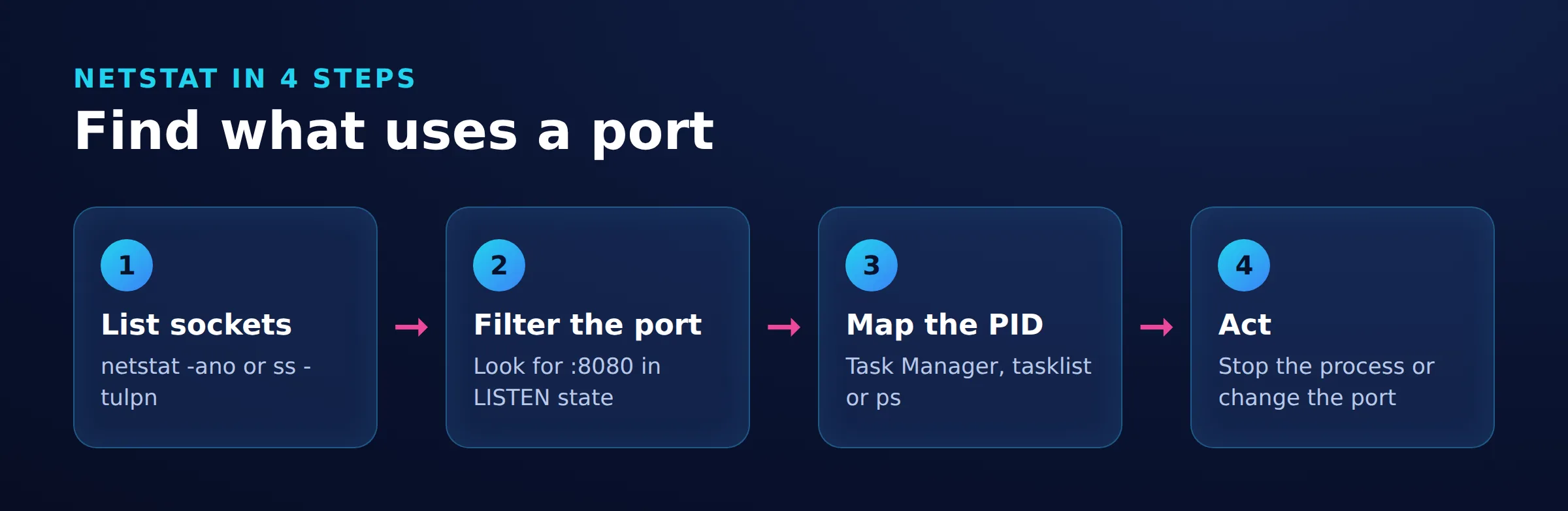
How do you find what is using port 8080?
Find a TCP listener whose local port equals 8080, resolve its owner, then check the application configuration. A connection that merely mentions 8080 is insufficient.
Windows: netstat -ano and PowerShell
In Command Prompt, inspect connections and listening ports:
netstat -anoHere, -a includes listeners, -n keeps endpoints numeric, and -o adds PIDs. Find local port 8080 and state LISTENING. For executable information, run this in an elevated terminal:
netstat -abnoThe -b option requires sufficient permissions and can take longer. Microsoft’s flag definitions.
PowerShell filters typed properties, avoiding matches against the remote port:
Get-NetTCPConnection -LocalPort 8080 -State Listen |
    Select-Object LocalAddress, LocalPort, State, OwningProcess
Read LocalAddress to distinguish loopback from wildcard binding, and OwningProcess to identify the PID. For established connections instead, use Get-NetTCPConnection -State Established. Connection filters and properties.
Replace 1234 with the actual OwningProcess value. Repeat for each returned PID. If the process has exited, rerun the listener query before acting:
Get-Process -Id 1234 | Select-Object Id, ProcessNameConfirm the returned process name against the intended service. Process lookup by ID.
Linux: netstat or ss
For a broad TCP/UDP overview:
sudo netstat -tulpnThe flags select TCP (-t), UDP (-u), listeners (-l), process information (-p) and numeric endpoints (-n). UDP has no TCP listening state. Linux options and output.
For the exact TCP listener:
sudo ss -ltnp 'sport = :8080'This selects local port 8080 and requests process information. Inspect every matching address. For UDP, use sudo ss -lunp 'sport = :8080'. Socket filters. Preserve the ASCII single quotes around the expression; they keep it together as one shell argument. Bash quoting rules.
macOS: netstat plus lsof
netstat -an -p tcpHere, -p selects a protocol. Apple uses -l for full IPv6 addresses, unlike the Linux listener option. Consult man netstat for the installed version. Apple’s manual.
lsof -nP -iTCP:8080 -sTCP:LISTENRead COMMAND, PID and NAME together: they identify the process, its ID and the listening endpoint. The options keep hosts and ports numeric and select TCP listeners on port 8080. Selection and output documentation.
If lsof prints nothing, rerun it with sudo before concluding that nothing listens:
sudo lsof -nP -iTCP:8080 -sTCP:LISTENOn Linux, an unprivileged query against another user’s listener can return no output and exit status 1. In the same situation, ss can show the socket with an empty process column, while netstat shows - for ownership.
Worked example: identify a loopback listener and verify HTTP
On Ubuntu 24.04, a Python fixture used port 18080 because another service occupied 8080. The netstat -tulpn result contained these local-endpoint, state and owner values:
127.0.0.1:18080
LISTEN
3422598/python3
The endpoint is IPv4 loopback, the socket is listening, and PID 3422598 belongs to python3. The corresponding lsof result also identified python3 and TCP 127.0.0.1:18080 (LISTEN). This identifies the listener without establishing remote reachability or HTTP health.
curl --noproxy '*' -i http://127.0.0.1:18080/The response status was HTTP/1.0 200 OK, and the body contained hello. Together, the owner and response identify the Python fixture serving the expected local HTTP content. With no listener, the request failed with curl: (7); the exact ss listener query returned only its header.
When a necessary service owns your intended port, select another port and update the client. Otherwise, gracefully stop the confirmed owner through its normal controls, start the intended service, then repeat both the listener check and application request.
How do you read netstat addresses and TCP states?
Interpret the local endpoint before the state. Port 8080 in Foreign Address belongs to the peer; it does not establish a local listener.
| Local address pattern | Interpretation | Next check |
|---|---|---|
127.0.0.1:8080 |
IPv4 loopback binding | Use a client on the same host and network namespace. |
0.0.0.0:8080 |
IPv4 wildcard binding | Test the intended interface address and network path. |
[::1]:8080 |
IPv6 loopback binding | Check whether the client uses IPv6. |
[::]:8080 |
IPv6 wildcard binding | Verify IPv4 separately rather than assuming dual-stack behavior. |
These patterns follow the IPv4 socket documentation and IPv6 addressing specification. On Linux, IPV6_V6ONLY controls whether an IPv6 socket accepts IPv4-mapped traffic. Socket option documentation. See also IPv4 and IPv6 explained.
macOS netstat can separate host and port with a dot. Read the column headers before comparing platforms. Apple’s output format.
LISTENorLISTENING: Waiting for incoming TCP connections.ESTABLISHED: An open TCP connection, without proof of application success.TIME_WAIT: A closing connection retained to handle delayed traffic and termination reliably.CLOSE_WAIT: The peer requested closure; the local application has not completed its close.
See TCP state definitions. Investigate persistent CLOSE_WAIT alongside application logs. A broad search such as grep 8080 can match either endpoint; prefer exact filters.
Windows: filter a specific IP address
Filter the local endpoint:
Get-NetTCPConnection -LocalAddress 127.0.0.1Filter the peer endpoint:
Get-NetTCPConnection -RemoteAddress 127.0.0.1Replace the example address as needed. These commands inspect existing entries; they do not probe the address. Address parameters. Use IP address lookup guidance for address context.
How do you diagnose the symptom before changing anything?
Use socket evidence to narrow the next check. A working local request with a failing remote request leaves the network path unresolved.
| Symptom | Check | Meaning | Fix |
|---|---|---|---|
| Address already in use | Exact local port and PID | Conflicting bind likely | Reconfigure or gracefully stop the confirmed owner. |
| No listener | Correct host, namespace, protocol and family | Service absent or wrong bind | Start the service or correct configuration. |
| Local works, remote fails | Bind address, remote request and firewall | Listener alone cannot isolate the cause | Correct the confirmed bind or path rule. |
| PID missing | Permissions, socket state and kernel ownership | Ownership may be hidden by permissions, or there may be no live user-space owner. | Retry with appropriate privileges; if ownership is still absent, investigate the socket state and kernel ownership. |
TIME_WAIT entries |
State and listener separately | Closed TCP connection lifecycle | No blanket kill or restart. |
| Proxy listens but request fails | Protocol, credentials and logs | Listener is insufficient evidence | Fix the confirmed configuration or upstream issue. |
Linux netstat can show - for kernel-owned sockets or sockets whose process has exited. Ownership display rules. Network namespaces isolate sockets and port numbers, so inspect the namespace containing the service. Namespace documentation.
For browser symptoms, see ERR_CONNECTION_REFUSED troubleshooting. If a local proxy is expected, follow proxy listener troubleshooting. Buying proxies cannot repair an occupied local port or incorrect bind.
How do you fix netstat command-not-found errors?
A missing-command error means command lookup failed, not that the port is closed. On Linux, try ss first. Socket inspection replacement guidance.
Windows: check the system executable
Run where.exe netstat.exe to check discovery through the current directory and PATH. If the system directory is missing, where.exe may also be undiscoverable. Command discovery documentation.
"%SystemRoot%\System32\netstat.exe" -anoIf this works while netstat -ano does not, check that PATH includes %SystemRoot%\System32, preserving existing entries, then reopen Command Prompt. System directory documentation.
Ubuntu and Debian: install net-tools
sudo apt update
sudo apt install net-tools
See Ubuntu package contents, Debian package details and APT guidance.
Arch Linux: install net-tools
On an updated system:
sudo pacman -S net-toolsSee the Arch package and package manager syntax.
RHEL: install net-tools
sudo dnf install net-toolsSee Red Hat’s installation instructions. Availability depends on your release and enabled repositories. Elevation with sudo does not install a missing utility.
How do you verify the fix and understand the limits?
Repeat the listener and owner check, then make the application request. Success requires the intended owner, correct binding and expected response.
For HTTP on IPv4 loopback, this Linux or macOS command bypasses proxy settings and includes response headers:
curl --noproxy '*' -i http://127.0.0.1:8080/Use it when the endpoint speaks HTTP. Check both status and content. Request and proxy-bypass options.
Netcat creates or accepts connections; netstat inspects sockets. With OpenBSD nc, nc -vz 127.0.0.1 8080 checks one TCP port without an application exchange. It does not validate HTTP, authentication or upstream access. OpenBSD connection-check syntax.
For remote access, repeat the application request from an authorized client using the intended server address. If only the browser fails, see browser reachability troubleshooting.
Socket inspection does not stop services. Windows netstat supports repeated output with an interval; Ctrl+C stops that display. Interval instructions.
Frequently Asked Questions
Which netstat command checks port 8080 on Windows?
Run netstat -ano and inspect TCP rows with local port 8080 and state LISTENING. Resolve the corresponding PID before changing the service.
What command replaces netstat in Linux?
Use ss for socket inspection. To show TCP listeners whose local port is exactly 8080, run:
sudo ss -ltnp 'sport = :8080'Why does netstat show nothing for my service?
Include listeners and the correct protocol. Confirm that you are inspecting the host and network namespace containing the service. For lsof, repeat an empty result with sudo before ruling out a listener.
Does LISTENING mean a port is reachable remotely?
It confirms a local TCP listener. Remote access still needs a suitable bind address and working network path, followed by an application request.
Should I kill processes associated with TIME_WAIT?
No blanket process termination is justified by TIME_WAIT. Check the actual listener and application symptoms before considering a service change.
Why do Linux netstat flags fail on my Mac?
The implementations assign different meanings to some flags. Use macOS netstat syntax and lsof for the listener’s process owner.
Can netstat confirm that my proxy works?
It can identify a local proxy listener or outbound connection. Verify the configured proxy with an actual request and investigate protocol, authentication or upstream errors separately.
Check the configured proxy after the listener
Using DataImpulse in your application? Confirm the configured remote endpoint and proxy protocol, then make a real request. A remote proxy is not a local listener. See proxy protocol and endpoint settings. If the request fails, use the response and logs with the proxy error troubleshooting guide.
Last updated: November 18, 2026.

 State/City/Zip/ASN Targeting




