
In this Article
AI browser agents — built on Operator-style computer use, Browser Use, Stagehand, or raw Playwright — work great in a demo and then fall apart in production, because the web fights back. The moment an agent runs at any real scale, sites throw CAPTCHAs, block its IP, and serve the wrong region’s content. The fix isn’t a smarter prompt; it’s the right proxy setup. This is a practical, step-by-step guide to running AI browser agents at scale without getting blocked in 2026 — how to wire proxies into your agent, assign IPs per session, handle geo and concurrency, and avoid the mistakes that get a fleet banned. Throughout, we use DataImpulse residential IPs ($1/GB) as the exit layer.
If you want the “which provider” comparison instead of the how-to, see our roundup of the best proxies for AI agents. This guide is about setting it up correctly.
Key Facts
- The block is an IP problem, not a model problem. Agents drive real browsers, and sites flag datacenter IPs, fingerprint sessions, and rate-limit — so the fix is residential/mobile exit IPs and sensible per-session handling, not a better prompt.
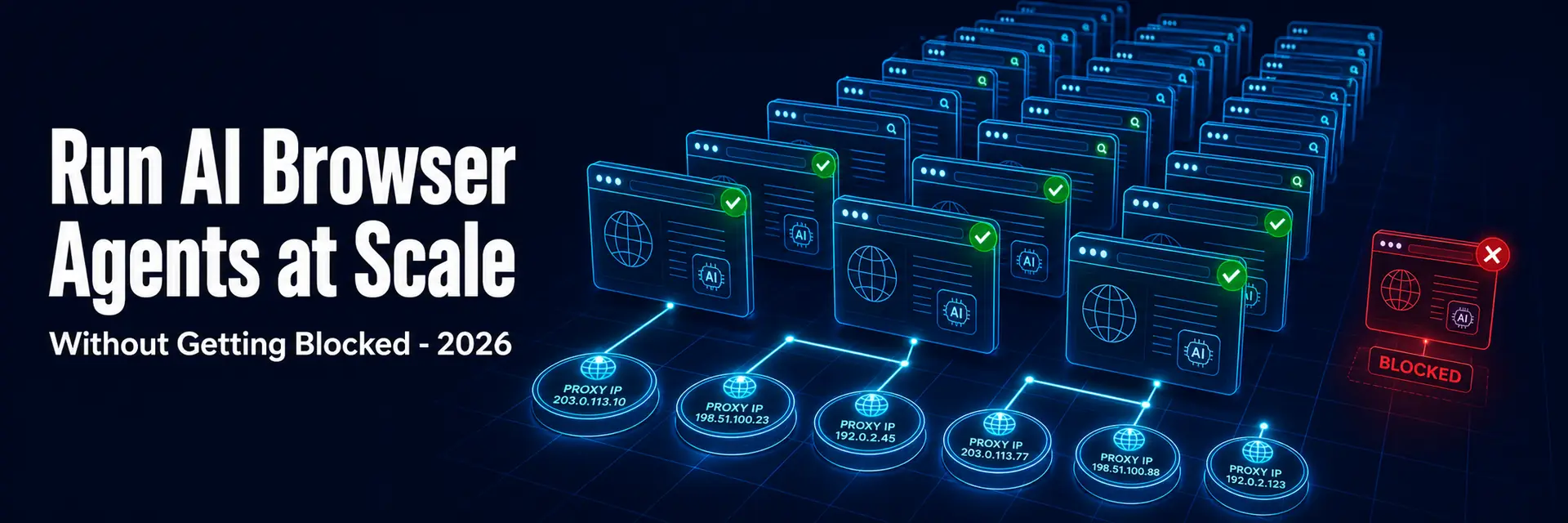
- One IP per agent session. Running many parallel agents through one IP is the clearest bot signal there is; each concurrent session needs its own clean IP.
- Sticky sessions for multi-step tasks. Login → navigate → act flows must hold one IP; rotating mid-task looks like account takeover and gets the agent blocked.
- Geo must match the task. An agent acting as a user in a country needs that country’s IP to see correct prices, content, and results — and the geo must stay consistent through the task.
- Concurrency is a real limit. A fleet’s bottleneck is often how many simultaneous clean sessions you can run, so plan IP assignment and back-off around it.
- DataImpulse makes the exit layer simple — a standard
http://user:pass@host:portendpoint with country/city targeting and sticky sessions, on a 90M+ residential pool across 195 countries at $1/GB, drops into Playwright, Browser Use, and Stagehand with no custom plumbing.
Why AI Browser Agents Get Blocked
An AI browser agent is a model deciding what to do plus a real browser doing it — and the browser is what sites see. Three things get a naive agent blocked. Datacenter IPs: if your agent runs on a cloud server, its IP is in a known hosting range that anti-bot systems flag instantly. Concurrency from one IP: the whole point of agents is running many in parallel, but many simultaneous sessions from a single address is an obvious bot pattern. Broken continuity and wrong geo: switching IPs mid-task, or acting on a geo-gated site from the wrong country, trips fraud and bot checks. Proxies solve all three — residential exit IPs that look like real users, a separate IP per concurrent session, and consistent geo per task. Get the proxy layer right and the agent stops fighting blocks and starts completing tasks.
How to Run AI Browser Agents at Scale: Step by Step
- Step 1 — Use residential (or mobile) exit IPs. Route the agent’s browser through residential proxies so it reads as a real user. Datacenter IPs are fine only for soft, unprotected targets and prototyping.
- Step 2 — Assign one IP per concurrent session. Give each parallel agent its own session so they don’t share an IP. With DataImpulse, a distinct session ID per agent does this:
user__cr.us;sessid.AGENT1:[email protected]:823. - Step 3 — Hold a sticky session per task. Keep the same IP for the duration of a multi-step task (login → navigate → act), then release it. A session ID holds one IP for the task window; don’t rotate mid-flow.
- Step 4 — Set the right geo per task. Use the country (and city if needed) the task requires —
__cr.us,__cr.de, etc. — and keep it consistent so the agent sees correct, region-accurate content. - Step 5 — Throttle and back off. Add randomized delays between actions, and on a CAPTCHA or failure, rotate to a fresh IP and back off rather than hammering the same address.
- Step 6 — Plan for concurrency. Decide how many simultaneous sessions your fleet needs and confirm your provider supports it; scale session count gradually while watching success rate.
- Step 7 — Pair with fingerprint hygiene. For account-based agents, give each session a consistent browser fingerprint (via the browser’s context or an antidetect setup) so the IP and fingerprint tell the same story.
Wiring Proxies into Your Agent Framework
Most agent stacks accept a standard proxy endpoint, so this is configuration, not code. In Playwright (the engine under many agents), pass the proxy in the browser/context launch options — { server: "http://gw.dataimpulse.com:823", username: "user__cr.us;sessid.AGENT1", password: "pass" } — and create one context per agent with its own session ID. Browser Use and Stagehand run on Playwright/Chromium, so you configure the proxy on the browser they launch (Browser Use exposes proxy settings directly; for Stagehand-local you set it on the launched Chromium). For computer-use / Operator-style agents that drive a real browser you control, set the proxy on that browser. The pattern is always the same: residential endpoint, one session per agent, consistent geo, sticky per task. Full syntax is in the DataImpulse tutorials.
Common Mistakes That Get Agent Fleets Banned
- Running the whole fleet through one IP. The fastest way to get blocked — give each concurrent agent its own session/IP.
- Rotating IPs mid-task. Breaks logged-in and multi-step flows; use a sticky session for the task, rotate only between tasks.
- Datacenter IPs on protected sites. No agent logic overcomes a flagged IP class — use residential/mobile for real targets.
- Machine-perfect timing. Identical action intervals read as a bot even on clean IPs; randomize delays.
- Geo mismatch. Acting on a geo-gated site from the wrong country returns wrong data and trips fraud checks — match and hold the geo.
- Ignoring concurrency limits. Spinning up more parallel sessions than your setup supports tanks success rate; scale gradually and monitor.
Quick Start with DataImpulse
Step 1. Create a DataImpulse account and grab your residential credentials. The $5 / 5GB intro never expires — enough to wire up an agent and test before scaling the fleet.
Step 2. Set the proxy on your agent’s browser — http://YOUR_LOGIN__cr.us;sessid.AGENT1:[email protected]:823 — using a unique sessid per agent, the country each task needs, and a sticky session held for the task.
Step 3. Scale concurrency gradually, throttle and back off on failures, and monitor success rate so blocks don’t silently degrade your runs. See also our guides to proxy rotation best practices and the best proxies for AI agents.
FAQ
Why do my AI browser agents keep getting blocked?
Almost always an IP problem, not a model problem. If your agent runs on a cloud server, its datacenter IP is flagged instantly; if many parallel agents share one IP, that’s an obvious bot pattern; and switching IPs mid-task or using the wrong country’s IP trips fraud checks. The fix is residential exit IPs, one session per concurrent agent, a sticky IP per multi-step task, and consistent geo — plus throttling and back-off.
How do I give each AI agent its own IP?
Assign a unique session per agent. With DataImpulse, put a distinct session ID in the username — user__cr.us;sessid.AGENT1, ;sessid.AGENT2, and so on — so each parallel agent gets and holds its own IP. In Playwright-based stacks, create one browser context per agent with its own proxy session. Never run multiple concurrent agents through a single IP.
Should AI agents use rotating or sticky proxies?
Both, for different scopes. Use a sticky session (one held IP) for the duration of a single multi-step task — login, navigation, and actions must stay on one IP. Rotate to a fresh IP between independent tasks. The mistake is rotating mid-task (breaks continuity → blocked) or holding one IP across many unrelated tasks (burns it). Match the scope to the task.
Do I need residential proxies, or is datacenter enough for agents?
Residential (or mobile) for real targets. Datacenter IPs are flagged quickly by anti-bot systems, so agents acting on protected sites — marketplaces, search, social, travel — need residential IPs that look like ordinary users. Datacenter is fine for soft, unprotected targets and prototyping. Mobile IPs are the lowest-detection class for the most defended sites.
How do I add a proxy to Playwright, Browser Use, or Stagehand?
Pass it in the browser/context launch options. In Playwright: proxy: { server: "http://gw.dataimpulse.com:823", username: "user__cr.us;sessid.AGENT1", password: "pass" }. Browser Use and Stagehand run on Playwright/Chromium, so they accept the same proxy config on the browser they launch. Create one context (and session ID) per agent so parallel agents use separate IPs.
How many concurrent AI agents can I run?
It depends on your proxy provider’s concurrency support and your targets’ tolerance. Concurrency — how many simultaneous clean sessions you can run — is often the real bottleneck for an agent fleet, distinct from bandwidth. Plan one IP per session, scale the number of parallel agents gradually while watching success rate, and back off when blocks rise. A large residential pool (DataImpulse, 90M+ IPs) gives you the headroom to scale concurrent sessions.

 State/City/Zip/ASN Targeting



