

In this Article
For a small, supervised spreadsheet task, choose a web scraping Chrome extension by testing one representative page before committing to a tool. Start with Instant Data Scraper for a simple list, consider Web Scraper for a structured navigation workflow, and evaluate Data Miner when a reusable recipe fits your task.
The useful result is a clean dataset: correct columns, complete pages, working source links, and explainable missing values. The walkthroughs below follow official documentation; our separate listing snapshot measures retrieval conditions, not how well these extensions scrape websites.
Key Facts
- Choose an extension by access, pagination, rendering, output, and permissions.
- A successful HTTP response does not establish that the expected data arrived.
- Our quick run on October 19, 2026 covered nine public extension listing URLs.
- Every direct Python listing request returned a consent wall despite HTTP 200.
- Eight of nine listing URLs parsed through our residential route.
- Our snapshot measured listing retrieval, not extension extraction performance.
What does a web scraping Chrome extension collect?
A web scraping Chrome extension turns selected webpage content into structured records. Typical fields include product names, displayed prices, article dates, directory entries, and destination links.
Begin with a field list and a definition of one row. For a catalog, one row might represent a product variant rather than a product family. Keep the source URL and collection date so another person can check the result.
Browser extraction and cloud execution are different workflow choices. Ask where page content is processed, whether a remote service receives it, and whether the task continues after you close the browser. Never infer those answers merely because installation starts with an extension.
Which web scraping Chrome extension fits your task?
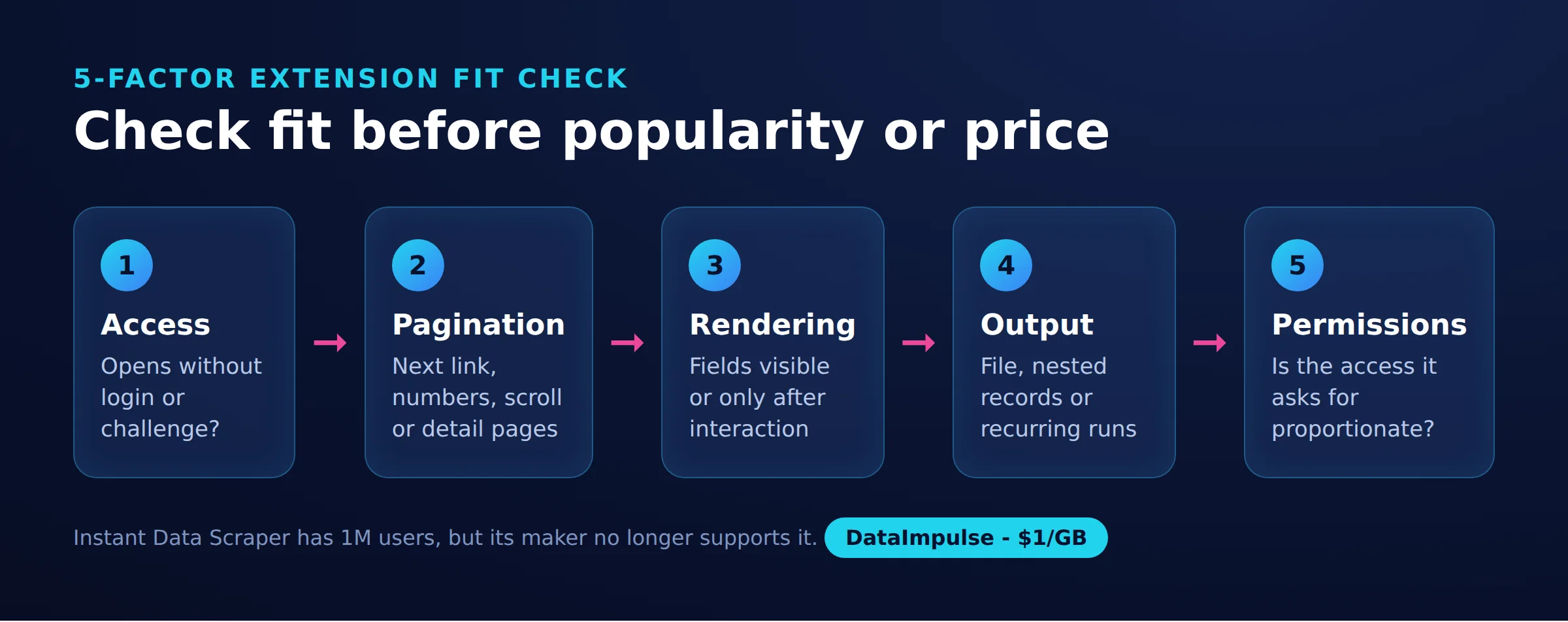
Choose the smallest tool that handles your page structure and required output. Use the 5-factor extension fit check before comparing popularity or paid plans.
- Access: Can you open the intended public page without a login or challenge?
- Pagination: Does navigation use Next, numbered links, scrolling, or detail pages?
- Rendering: Are the fields visible immediately or only after interaction?
- Output: Do you need a downloaded file, nested records, or recurring updates?
- Permissions: Is the requested access proportionate to the task?
The comparison records official October 2026 product information. Treat rendering behavior as something to test on your target, and exclude CAPTCHA bypass from the selection criteria.
| Tool | Price or free limit | Extraction and navigation | Output and evaluation |
|---|---|---|---|
| Instant Data Scraper | Free (as of October 2026) | Automatic detection, dynamic-load detection, pagination, and infinite scrolling | Excel and CSV; start with a regular repeated list. Source: official listing. |
| Web Scraper | Free local extension (as of October 2026) | Sitemaps describe navigation and extraction; pagination and scrolling have configurable selectors | Evaluate when explicit field relationships matter. Sources: extension overview and documentation. |
| Data Miner | 500 free pages/month with domain restrictions; Solo $19.99/month (as of October 2026) | Recipes and Next Page Automation; Solo lists custom JavaScript | Solo lists a Google Sheets connection. Exceeding the free quota locks the account until an upgrade. Source: official pricing. |
| HARPA AI | Demo: 10 web-session messages/day and up to 100 total AI command runs (as of October 2026) | AI extraction and browser automation; evaluate the specific command workflow | Require a sample output before selecting it for spreadsheet collection. Sources: product overview and plan limits. |
Instant Data Scraper favors quick detection; Web Scraper favors explicit navigation; Data Miner favors recipes. That distinction matters more than an overall winner.
For adjacent choices, consult our no-code comparison, AI scraper guide, or Thunderbit overview. AI-generated selections still need row-by-row checks.
How do you use Instant Data Scraper?
Install from the official listing, check the detected records, and crawl a small sample before exporting. The workflow uses the capabilities documented in the dated comparison above.
Step 1: Prepare. Choose a public listing you are authorized to collect. Write down the desired columns and manually record several example rows.
Step 2: Install. Follow the official store link, check the publisher and permission prompt, then open the target page and launch the extension.
Step 3: Inspect. Compare the extraction preview with the visible list. Adjust the selection if it captures navigation, recommendations, or unrelated cards. Confirm each price belongs to the correct title.
Step 4: Continue slowly. Identify the Next control and begin with a five-second delay as a conservative starting choice. Watch the first transitions and stop after a few pages to check completeness.
Step 5: Export and clean. Choose CSV or Excel, keep an untouched copy, and rename ambiguous columns. Separate currency from price, preserve identifiers as text, and compare first-page and last-page records against the website.
Do not accept a plausible-looking spreadsheet without checking links and blank fields. A shifted column can be harder to spot than an empty export.
How do you use Web Scraper with a sitemap?
Build navigation first, then place fields beneath the repeated item they describe. This documentation-based exercise is separate from our measurement run, which installed no extensions and executed no sitemap.
Step 1: Choose a practice page. Start at the official e-commerce training site. Choose a listing with pagination and record its URL.
Step 2: Create the sitemap. Following the October 2026 Advanced Sitemap Builder instructions, open Developer Tools, select Web Scraper, choose Create sitemap, and enter a name and start URL.
Step 3: Define navigation. Add a Pagination selector for the Next control. Under that navigation branch, select the repeated product container. Inside each product, select title and price text, plus the destination URL.
Step 4: Preview relationships. Check several cards. A title from one card must never pair with another card’s price. Preview a later page before running the collection.
Step 5: Run a limited collection. Review the official scraping workflow, use conservative waits, and compare the resulting rows against your manual sample. Save the configuration with the source URL and date.
No tested importable sitemap accompanies this snapshot. Creating and validating one against the page currently open is more defensible than presenting an untested configuration as reproducible evidence.
How do pagination, links, and dynamic pages work?
Multipage collection needs both a navigation rule and a stopping rule. Verify that every action produces new records before increasing the collection size.
- Next buttons: Stop when the control disappears, becomes inactive, or returns a page already visited.
- Infinite scrolling: Stop after repeated attempts produce no new unique records, or at your chosen record cap.
- Detail links: Follow them only for fields absent from the listing; record their additional request cost.
- Dynamic content: Wait for the required fields, rather than assuming page navigation means the data is ready.
The October 2026 Web Scraper pagination documentation distinguishes pagination selectors from scrolling element selectors. Match the method to the page behavior.
Deduplicate by a stable identifier or canonical product URL, not title alone. Two variants can share a name, while repeated recommendations can create duplicate records. Our pagination guide explains additional navigation patterns.
Can you export to Excel, Google Sheets, or JSON?
Choose the exact output workflow before collecting: a file download, a spreadsheet connection, and live refresh are different requirements. A successful one-time export does not establish automatic updates.
For CSV, test accented text, decimal separators, leading zeros, and embedded line breaks. For JSON, decide whether each object represents a listing or a product with nested variants, then verify that the chosen tool produces that structure.
Table Capture’s official page places direct Excel and CSV downloads in its Pro tier (as of October 2026). Confirm the applicable plan before treating a spreadsheet button as a free export.
Include the official Simplescraper listing in your evaluation, but test your required format rather than assuming parity between extensions.
For a spreadsheet-centered process, see our Google Sheets workflow guide. Define whether each refresh replaces rows, appends observations, or updates records by identifier.
Are scraping extensions safe to install?
Reduce privacy risk by checking the current publisher, narrowing access, and separating collection from sensitive browsing. A familiar name or high rating is not a security assessment.
- Follow the official vendor-to-store link and compare the publisher identity.
- Read the permission prompt and current privacy policy before installation.
- Keep banking, email, customer systems, and unrelated accounts outside the collection profile.
- Review whether page content goes to remote services, including AI services.
- Disable or remove the extension when the task ends.
Consult Chrome’s October 2026 permission documentation and site-access instructions when choosing access settings. Do not work around restrictions on sensitive or browser-managed pages.
The content-script documentation explains page interaction, while the store’s user-data policy explains disclosure requirements. Treat policy compliance claims as something to inspect, not proof of an independent audit.
What if pages block scraping or require login?
Inspect the final URL and returned content before blaming the selector or changing routes. A consent screen, login page, empty shell, and CAPTCHA require different diagnoses.
In our quick run on October 19, 2026, we fetched nine public extension listing URLs and vendor pricing pages from a Linux server using Python 3.12. We used requests with a Chrome-style User-Agent, pauses of 3-6 seconds, and about 40 requests overall. No login or installed extension was involved.
This was a small snapshot, not a benchmark. Our measurement records are extensions_snapshot.csv for store fields and extensions_pricing.csv for vendor pricing and source URLs.
| Route | Listing responses | Parsed listings | Observed outcome | Timing or size |
|---|---|---|---|---|
| Direct datacenter server | 9/9 HTTP 200 | 0/9 | Every Python request reached Google’s consent wall | Consent response approximately 643 KB |
| DataImpulse US residential | 9/9 HTTP 200 | 8/9 | One listing URL returned an empty store shell | 1.4-11.5 seconds/page; median about 1.9 seconds |
A direct curl request also retrieved a real listing once. Client headers therefore complicate any explanation based solely on IP address; we set no consent cookies. The unavailable Scraper listing also failed a store search, but that observation does not establish why it was absent.
We did not measure product-row accuracy, duplicate rates, extension runtime, or total browser traffic. The script’s Chrome/141.0 identifier was a request header, not evidence of a running browser version. These results cannot establish real-world unblock rates.
One compressed listing measured about 124 KB; decompressed listings were roughly 640-780 KB. At $1/GB, the formula is bytes per page multiplied by 1,000, divided by 1,000,000,000. That suggests about $0.12 per 1,000 compressed listing responses, or roughly $0.64-$0.78 using decimal uncompressed KB. This excludes browser assets, retries, subscriptions, and compute.
A proxy changes the network route, not your authorization or selectors. Stop at access restrictions and seek an authorized export or permission. Browser-extension proxy compatibility needs its own check.
What legal and terms issues should you check?
Check the website’s terms, access conditions, data rights, and applicable privacy law before collecting or reusing records. Public visibility alone does not settle those questions.
Read the current terms of service for automation and reuse restrictions. Review robots.txt as an operational signal: RFC 9309 explicitly separates its rules from access authorization. An allowed path is not a license to republish its contents.
The Ninth Circuit’s 2022 hiQ v. LinkedIn opinion concerned a preliminary injunction and CFAA questions involving public profiles. It was not blanket permission for scraping, contractual violations, or access behind authentication.
In the EU, database rights can restrict substantial extraction and certain repeated smaller extractions. For personal data, GDPR Articles 5 and 6 require attention to processing principles and a lawful basis. Collect only necessary fields, define retention, and review disclosure obligations. For consequential projects, obtain advice tied to the actual jurisdiction and intended reuse. Ultimately, the reader decides, check local law.
When should you use an alternative?
Move beyond an extension when the operational requirement exceeds a supervised browser session. Check for an official export first.
| Option | Use X when… | Avoid X when… |
|---|---|---|
| Extension | Use an extension when the workflow is small and supervised. | Avoid an extension when unattended scheduling is essential. |
| Official export/API | Use an official export/API when authorized output meets requirements. | Avoid that route when required fields are unavailable. |
| Custom scraper | Use a custom scraper when repeatability needs more control. | Avoid a custom scraper when nobody can maintain it. |
Evaluate desktop tools for operator-led projects and cloud services for unattended jobs, checking their actual scheduling, retention, and delivery terms. For code-based work, the Scrapy dynamic-content guide offers a useful diagnostic approach: identify the data source before choosing browser rendering.
Our scraping tools guide covers broader options. Make the transition because your requirements changed, not simply because the first selector failed.
Frequently Asked Questions
What is a web scraping Chrome extension?
It is a browser add-on used to turn webpage content into records. Define your columns and row boundaries first, then check that the extracted records match the page.
Which free extension can export data to Excel?
Instant Data Scraper is the starting candidate in our dated, official-source comparison above. Test a small export and inspect numeric formatting before collecting the full dataset.
How do Instant Data Scraper, Web Scraper, and Data Miner differ?
The practical distinction is detection, explicit navigation, and recipes, respectively. Choose according to how much control your page structure needs, then confirm the applicable plan.
Can extensions automatically scrape multiple pages?
Yes, when their navigation method matches the website. Watch the first few transitions and verify that the process stops rather than revisiting the same records.
How can you reduce extension privacy risks?
Use a separate collection profile and grant only the access needed for the target. Review the current publisher and data-handling policy, then remove unnecessary extensions.
Does a residential proxy solve every scraping failure?
No. It cannot repair incorrect field selection, establish access rights, or guarantee challenge-free retrieval. Diagnose the returned page before changing network routes.
Did the snapshot test extension scraping quality?
No extensions were installed during the run. It measured public listing retrieval and recorded store information, so it cannot rank extraction accuracy or pagination reliability.
Test the workflow before adding proxy traffic
First validate a small export on an authorized public page. If network routing becomes a demonstrated requirement, DataImpulse offers residential proxies from $1 per GB. Confirm compatibility and measure actual traffic before expanding the workflow.
Last updated: October 19, 2026.

 State/City/Zip/ASN Targeting




