

In this Article
To convert curl to python, map the command’s URL, method, headers and body to a Python Requests call, then verify what the server receives. Start with a manual translation or a converter, and explicitly choose redirect behavior.
The examples below cover repeated query parameters, JSON, forms, raw bytes and uploads. All code is illustrative; public endpoints should receive synthetic data only. Official documentation was checked on November 10, 2026.
Key Facts
How to convert curl to Python with Requests
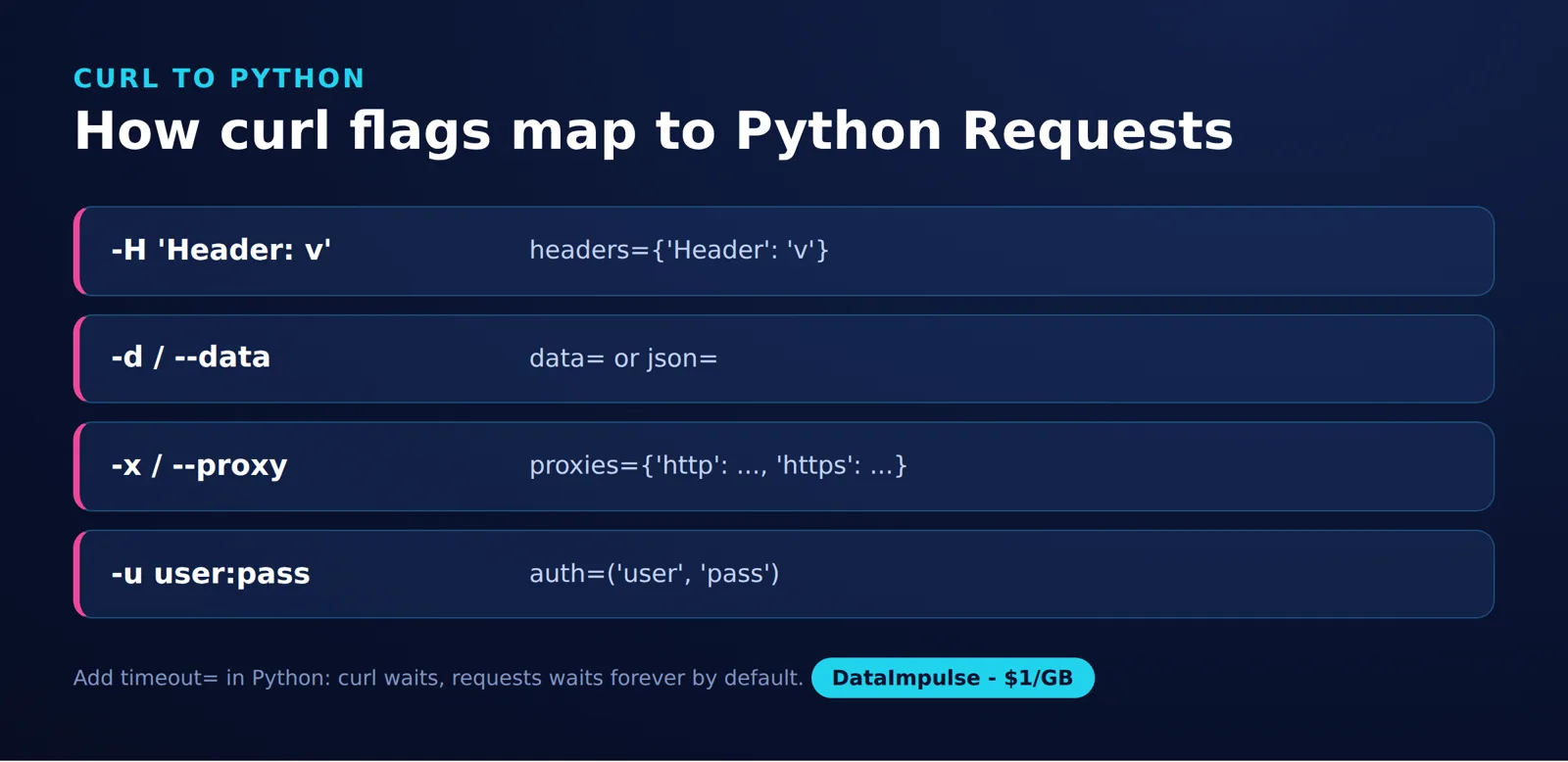
The Curl Flag Mapping framework is a four-part routine: map every curl flag (headers, data, proxy, auth, timeout) to its Requests argument before running the code.
Separate the request into destination, method, headers and payload before translating it. Keep query parameters separate from the body so each can be checked independently.
Requests constructs an HTTP request from these arguments and returns a response object. Its API reference documents params, headers, data, json and redirect controls.
The Python examples deliberately add connection/read timeouts and raise exceptions for HTTP 4xx/5xx responses. These are additional application policies, not behavior inherited from the curl commands shown. See the curl fail option and Requests response status documentation.
Example: install Requests, then compare this curl command with its Python translation. The shell examples use POSIX shell quoting.
python -m pip install requestscurl --silent --show-error \
'https://httpbin.org/get?tag=a&tag=b&page=2' \
-H 'X-Test: 1'import requests
response = requests.get(
'https://httpbin.org/get',
params=[('tag', 'a'), ('tag', 'b'), ('page', '2')],
headers={'X-Test': '1'},
allow_redirects=False,
timeout=(5, 20),
)
response.raise_for_status()
print("Prepared URL:", response.request.url)
print("Server response:", response.json())Compare this response with curl’s output. The prepared URL shows client construction; the echoed response shows what the service reports receiving. Neither alone proves byte-for-byte equivalence. See the Requests request and response documentation and the httpbin specification for GET /get.
The list of pairs retains both tag values and their order. A dictionary with the same key written twice would lose one value. For signed URLs, also compare the encoded query string instead of assuming equivalent decoded parameters are sufficient.
Conversion checkpoint: confirm the initial method, destination and payload before comparing returned content. A response can look correct even when a server ignored an unexpected parameter.
Using a curl to Python converter
A converter is useful for producing an initial translation that you can inspect. Select it by how clearly its output represents your request, then verify the generated code.
curlconverter offers a paste-and-copy workflow with Python Requests output. Its official site states that conversion happens in the browser; still remove credentials before pasting commands into tools or sharing the result.
Step 1: replace cookies, authorization values, signed URL parameters and personal data with synthetic values. Keep parameter names and payload structure intact.
Step 2: paste the command and inspect the Python output. Check the HTTP method, repeated parameters, body representation and any options that require manual handling.
Step 3: restore necessary secrets through your normal runtime secret mechanism. Add an explicit redirect policy and suitable timeouts.
Step 4: compare the original and converted requests against an endpoint you control or are authorized to inspect.
Useful selection criteria include readable output, visible handling of unsupported syntax, preservation of duplicate parameters and a clear distinction between structured data and literal bytes. No converter can establish application correctness from syntax alone.
Which curl to Python flag mappings matter most?
Map the request’s meaning, not just its flag spelling. Some options affect the HTTP message; others control local output or transport behavior.
| curl input | Requests translation | Review point |
|---|---|---|
-X POST |
requests.post(...) |
Check the method implied by body options too. |
Query string or -G |
params= |
Preserve duplicate keys and necessary ordering. |
-H |
headers= |
Keep required values; inspect generated headers. |
-b 'name=value' |
cookies= |
A cookie jar needs separate handling. |
-u with Basic authentication |
auth=(user, password) |
Load credentials at runtime. |
-d or --data-raw |
data= |
Choose encoded fields or literal bytes deliberately; preserve Content-Type explicitly for bytes. |
--json |
json= or exact bytes |
Preserve the Accept header when required. |
-F |
files=, optionally with data= |
Compare multipart fields and file content. |
-L |
allow_redirects=True |
Inspect each redirect, especially method changes with an explicit -X POST. |
Competitor data: taken from each provider’s official pricing and documentation pages linked in this article, collected on November 10, 2026.
Sources: the curl option manual and Requests argument reference.
-L enables redirect following, but allow_redirects=True does not reproduce every curl redirect policy. In particular, curl with -X POST -L retains the explicit method, whereas Requests can change POST to GET on 301, 302, or 303. Inspect each redirect before translating this combination. See the curl request option and Requests redirect method handling.
When translating -d or --data-raw to data=bytes, preserve the original Content-Type explicitly. Curl defaults to application/x-www-form-urlencoded; Requests does not automatically add that header for a bytes body. See the curl data option and Requests body preparation.
Set allow_redirects=False when inspecting the first response. Curl does not follow HTTP redirects by default; Requests normally does, with requests.head() an exception. Explicit settings remove that ambiguity.
For header syntax before conversion, see how to send HTTP headers with curl.
How do you preserve JSON, forms, raw bytes and file uploads?
Use json= for structured JSON, data= for form fields or exact bytes, and files= for multipart uploads. Decide whether your endpoint requires equal decoded data or identical bytes.
JSON answer: use json= to serialize a Python object as JSON. A Content-Type: application/json header alone does not serialize a dictionary passed through data=, as explained in the Requests POST documentation.
Example: these requests express the same JSON object. Exact serialized bytes are not asserted.
This example requires curl 7.82.0 or later. On older versions, use --data-binary with explicit Content-Type: application/json and Accept: application/json headers.
curl 'https://httpbin.org/post' --json '{"name":"Ada"}'import requests
response = requests.post(
'https://httpbin.org/post',
json={'name': 'Ada'},
headers={'Accept': 'application/json'},
allow_redirects=False,
timeout=(5, 20),
)
response.raise_for_status()Curl’s --json combines binary body handling with JSON Content-Type and Accept headers. It does not validate or serialize the input; see the official curl JSON explanation.
| Body option | Meaning to preserve |
|---|---|
-d |
Sends data without URL-encoding it for you. Repeated arguments are joined with ampersands. A leading @ reads a local input, with newline handling that differs from binary mode. |
--data-raw |
Works like data input but treats a leading @ literally. |
--data-binary |
Preserves binary input, including line endings. |
--data-urlencode |
URL-encodes content according to the argument syntax. |
--json |
Sends the supplied JSON text using binary handling and JSON headers. |
Competitor data: taken from each provider’s official pricing and documentation pages linked in this article, collected on November 10, 2026.
Sources: curl’s simple POST guide, binary POST guide and URL-encoding guide.
Form example: the Python dictionary requests form encoding. Compare decoded fields separately from encoding choices such as percent-encoded spaces and plus signs.
curl 'https://httpbin.org/post' --data-urlencode 'name=Ada Lovelace'import requests
response = requests.post(
'https://httpbin.org/post', data={'name': 'Ada Lovelace'},
allow_redirects=False, timeout=(5, 20),
)
response.raise_for_status()Exact-body answer: use data= with bytes when the original body must remain exact. Equal parsed JSON does not establish byte-for-byte equivalence.
Raw-body example: retain the original spacing explicitly.
import requests

response = requests.post(
    'https://httpbin.org/post', data=b'{"name": "Ada"}',
    headers={'Content-Type': 'application/json'},
    allow_redirects=False, timeout=(5, 20),
)
response.raise_for_status()
Upload example: send synthetic content as a file part. The curl command reads standard input; the Python example uses an in-memory binary stream.
printf 'hello\n' | curl 'https://httpbin.org/post' \
  -F 'upload=@-;filename=note.txt;type=text/plain'
from io import BytesIO
import requests
with BytesIO(b'hello\n') as content:
response = requests.post(
'https://httpbin.org/post',
files={'upload': ('note.txt', content, 'text/plain')},
allow_redirects=False, timeout=(5, 20),
)
response.raise_for_status()Let the client generate the multipart boundary. Check field names, filenames, media types and file bytes rather than requiring identical generated boundaries. See Requests multipart examples.
How do you copy a browser request safely?
Capture an authorized request, inspect it and remove secrets before sharing or converting it. Preserve only the values needed to understand the request.
In Chrome DevTools, open Network, select the request and use Copy > Copy as cURL. The official Network reference documents request copying.
Check authorization headers, cookies, query strings and bodies for sensitive values. Shell quotes and line continuations belong to command syntax; do not accidentally include them in a Python payload.
Prefer the destination’s official API when available, and identify its documented endpoint before implementing the conversion. A private browser endpoint is not automatically a supported integration interface.
Review the site’s terms and robots.txt before automated collection; see web scraping legal considerations for context.
Should you run curl in Python or convert to Requests?
Convert to Requests when native Python request handling fits your application. Run curl as a subprocess when you deliberately want to retain the command-line client.
| Approach | Use when | Avoid when |
|---|---|---|
| Manual conversion | Use manual conversion when you want explicit, maintained request code. | Avoid manual conversion when important options remain unexplained. |
| Generated conversion | Use generated conversion when you want a starting point to review. | Avoid generated conversion when nobody will verify its behavior. |
| Subprocess execution | Use subprocess execution when retaining curl is intentional. | Avoid subprocess execution when an external executable complicates deployment. |
Competitor data: taken from each provider’s official pricing and documentation pages linked in this article, collected on November 10, 2026.
Example: this invokes an installed curl executable using an argument list. Python’s subprocess.run documentation covers output capture, exit checks and process timeouts.
import subprocess

result = subprocess.run(
    ['curl', '--silent', '--show-error', '--fail',
     'https://httpbin.org/get'],
    check=True, capture_output=True, text=True, timeout=30,
)
print(result.stdout)
Keep untrusted text out of executable options. An argument list avoids shell interpretation, but it does not make arbitrary curl arguments safe. This approach executes curl; it does not translate the request into Requests.
How do you check the converted request?
Compare the method and URL, required headers, body, and redirect behavior. Use a prepared request to inspect client construction and an authorized echo endpoint or server logs to check receipt. Record client versions and the settings that affect the comparison.
- Destination and method: compare the method, destination, ordered query pairs and encoded query string where relevant.
- Headers and authentication: compare required header values and credential placement without recording secrets.
- Payload: compare body length, a body hash and parsed content separately. For multipart requests, inspect individual parts.
- Routing and response behavior: compare proxy routing, redirects, final destination and status handling.
Before running a comparison, define what counts as equivalent for the endpoint. A signed payload may require identical bytes; a form handler may care only about decoded fields. Keep those acceptance criteria separate.
Record initial executions separately from redirect follow-ups.
Inspecting a prepared request can help diagnose client construction; the Requests prepared-request documentation explains that interface. Server observations remain necessary to confirm what arrived.
Why does converted code fail or return different responses?
Find the first differing layer before changing multiple settings. Compare requests close together using the same authorized inputs and record the initial response.
- Authentication: check token expiry, scope and required session state. Redact credentials from diagnostic output.
- Redirects: inspect the first status and destination before comparing final content.
- Encoding: inspect duplicate parameters, percent encoding, JSON whitespace and line endings.
- Headers: distinguish required application headers from values automatically generated by the client.
- Environment: check proxy settings, certificate configuration and the executable or package version.
- Response handling: check status and content type before assuming the body contains JSON.
Requests timeouts describe connection and read waits, not a total operation deadline; see its timeout documentation. Curl’s --max-time therefore needs deliberate treatment rather than a mechanical substitution.
Change one input at a time and retain the observations that explain the difference. Avoid retrying state-changing requests merely to investigate a mismatch.
How should proxy routing work after conversion?
Add proxy routing after the direct request behaves as intended. Keep proxy authentication separate from destination authentication and verify the route independently.
Requests accepts a proxies mapping and also recognizes environment proxy settings, as documented in its proxy guide.
Example: Set API_URL to your authorized endpoint and PROXY_URL to a complete proxy URL, including its scheme, such as http://USER:PASSWORD@HOST:PORT. For SOCKS proxies, first install requests[socks]; use socks5h:// when DNS resolution should occur on the proxy.
import os
import requests

proxy = os.environ['PROXY_URL']
response = requests.get(
    os.environ['API_URL'],
    proxies={'http': proxy, 'https': proxy},
    allow_redirects=False,
    timeout=(5, 20),
)
response.raise_for_status()
DataImpulse is our product. Its residential proxies include free country targeting and support rotating or sticky sessions. Sticky routing does not replace application cookies or authentication, and proxy use does not guarantee access.
For curl-specific routing, use how to use curl with a proxy; for Python integration considerations, see proxies for Python Requests.
Frequently Asked Questions
Frequently Asked Questions
How do I convert a curl command into Python Requests?
Identify the URL, actual method, query parameters, headers and body first. Translate those components, then compare the original request with the Python request. Make redirect behavior explicit before comparing final responses.
What is the best curl to Python converter?
Choose a converter by how well its output represents your particular command and how easily you can review it. Try a sanitized command containing your real parameter structure. Treat generated code as a starting point that still needs verification.
Does setting a JSON header convert a dictionary to JSON?
No. A content-type label and body serialization are separate decisions. Select JSON serialization explicitly, or retain literal body bytes when exact formatting matters.
How do I preserve repeated query parameters?
Keep each repeated name-value pair in an ordered representation. Check the final query string as well as decoded values if the destination uses signatures or depends on ordering.
How should I handle cookies and Bearer tokens?
Replace real values with synthetic ones before sharing captured commands. Restore required credentials through runtime secret configuration. Check whether the request also depends on session state that the copied command does not explain.
Does matching parsed JSON prove that a conversion is correct?
It establishes equality only for the decoded data being compared. Whitespace, encoding and other byte differences can still matter to signatures. Method, destination, headers and redirect behavior need separate checks.
Should I convert proxy settings at the same time?
Establish a direct-request baseline first when your environment permits it. Then add routing and compare again, keeping proxy credentials separate from application credentials. This makes routing differences easier to isolate.
If your converted request needs geographic routing, review DataImpulse’s residential proxy options after validating the request itself. Choose country targeting and session behavior to match your authorized workflow.
Last updated: November 10, 2026.

 State/City/Zip/ASN Targeting




