
In this Article
Proxies and VPNs both route your traffic through another IP address, so they get lumped together — but they’re built for different jobs. A VPN is a privacy and security tool: it encrypts all your device’s traffic and sends it through one server, mainly to protect you and to change your apparent location. A proxy is an access and scale tool: it routes specific traffic through one of many IPs, with no system-wide encryption, so it’s what businesses use for web scraping, multi-account management, ad verification, and price monitoring. This guide explains the real difference between a proxy and a VPN in 2026, when to use each, and which proxy type fits which job — with DataImpulse residential proxies at $1/GB as the value pick for the proxy side.
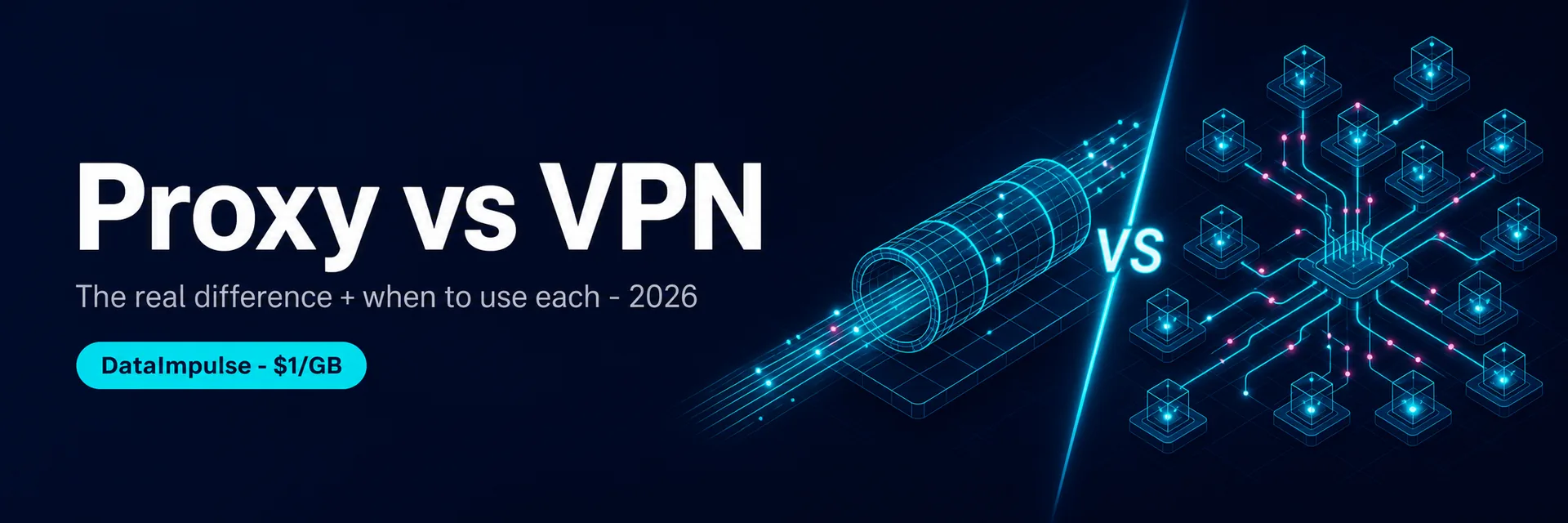
One framing up front: a VPN is one encrypted tunnel for one person’s privacy; a proxy is a pool of many IPs for routing many requests at scale. If you’re protecting yourself on public Wi-Fi, you want a VPN. If you’re collecting data or running many accounts, you want proxies.
Key Facts
- A VPN encrypts all your device’s traffic and routes it through one server — built for privacy, security, and changing your own location.
- A proxy routes specific traffic through an IP (or many IPs) without system-wide encryption — built for access, scale, and automation.
- Scope differs. A VPN works at the OS level (everything goes through it); a proxy is set per app, per browser, or per request.
- Scale is the big one. A VPN gives you one IP at a time; a proxy network gives you thousands of IPs to spread requests across — essential for scraping and multi-accounting.
- Use a VPN for personal privacy; use proxies for business data work. Web scraping, ad verification, price monitoring, and multi-account management all need a pool of IPs, not one encrypted tunnel.
- DataImpulse is the value pick for the proxy side — residential IPs at $1/GB and mobile at $2/GB across 195 countries, with country/city targeting, sticky sessions, and high concurrency on a 90M+ pool.
What Is a VPN?
A VPN (Virtual Private Network) creates an encrypted tunnel between your device and a VPN server. All of your traffic — every app, the whole operating system — goes through that tunnel, so your internet provider can’t see what you’re doing and the sites you visit see the VPN server’s IP instead of yours. VPNs are built for privacy and security: protecting you on public Wi-Fi, hiding your browsing from your ISP, and changing your apparent country for personal use. The trade-off is that you get one IP at a time and the encryption adds some latency.
What Is a Proxy?
A proxy server sits between you and the websites you visit and forwards your request, so the site sees the proxy’s IP instead of yours. Unlike a VPN, a proxy usually isn’t system-wide or encrypted — you point a specific app, browser, or script at it. The big difference is scale: a proxy network gives you access to thousands or millions of IPs (residential, mobile, datacenter) that you can rotate or hold sticky, target by country and city, and run many at once. That’s why proxies are the tool for web scraping, multi-account management, ad verification, price monitoring, and SEO/SERP data — anything that needs many IPs and high concurrency rather than one private tunnel.
Proxy vs VPN: The Core Differences
| Proxy | VPN | |
|---|---|---|
| Built for | Access, scale, automation | Privacy & security |
| Encryption | Not system-wide (per connection) | Encrypts all device traffic |
| Scope | Per app / browser / request | Whole operating system |
| IPs available | Thousands–millions, rotatable | One at a time |
| Concurrency | High — many requests at once | Low — one tunnel |
| Geo-targeting | Country, city, ASN | Country (server location) |
| Best for | Scraping, multi-account, ad verification, price monitoring | Personal privacy, public Wi-Fi, geo-unblocking |
| Pricing model | Per GB or per IP | Flat monthly subscription |
When to Use a VPN
- Privacy & security: protecting your traffic on public Wi-Fi and hiding your activity from your ISP.
- Personal location change: appearing in another country for your own browsing or streaming.
- One device, one identity: when you just need your own connection routed privately, not many IPs.
When to Use Proxies
- Web scraping & data collection: spreading requests across many IPs so you don’t get rate-limited or blocked.
- Multi-account management: one clean IP per account (with an antidetect browser) so accounts aren’t linked.
- Ad verification & brand protection: checking how ads and pages render from many countries and cities.
- Price & SERP monitoring: reading localized prices and search results from many locations at once.
- Anything at scale: when you need concurrency and geo-targeting, not a single private tunnel.
Which Proxy Type for the Job?
- Residential ($1/GB) — real consumer IPs that read as ordinary users; the default for scraping defended sites and managing accounts.
- Mobile ($2/GB) — 4G/5G carrier IPs, the most trusted class for the hardest targets and mobile apps.
- Datacenter — cheapest and fastest, for soft, unprotected targets or bulk fetching.
- Rotating vs sticky — rotate IPs for high-volume scraping, hold a sticky IP for a session or an account.
Quick Start with DataImpulse
Step 1. Create a DataImpulse account and grab your residential credentials — host gw.dataimpulse.com, port 823 (HTTP) or 824 (SOCKS5). The $5 / 5GB intro never expires.
Step 2. Set the country in the username — YOUR_LOGIN__cr.us — and add ;sessid.xxxx for a sticky session. Point your scraper, browser, or app at the proxy.
Step 3. Run many concurrent sessions across IPs, throttle politely, and scrape public data only. Full syntax is in the DataImpulse tutorials; see also our what is a residential proxy and best proxies for web scraping guides.
FAQ
What is the difference between a proxy and a VPN?
A VPN encrypts all of your device’s traffic and routes it through one server, built for privacy and security. A proxy routes specific traffic (per app, browser, or request) through an IP without system-wide encryption, built for access and scale. The biggest practical difference is that a VPN gives you one IP at a time, while a proxy network gives you thousands of IPs to rotate and target by location — which is why proxies are the tool for scraping and multi-accounting.
Is a proxy or a VPN better?
Neither is “better” — they’re for different jobs. Use a VPN for personal privacy and security (public Wi-Fi, hiding traffic from your ISP, changing your own location). Use proxies for business data work: web scraping, multi-account management, ad verification, and price monitoring, where you need many IPs and high concurrency. For one private connection, VPN; for many IPs at scale, proxies.
Is a proxy faster than a VPN?
Often, yes, for its use case. A proxy doesn’t add system-wide encryption overhead and routes only the traffic you point at it, so for tasks like scraping it can be faster and more efficient. A VPN encrypts everything, which adds some latency but gives you security a proxy doesn’t. Speed depends on the provider and IP type either way — datacenter proxies are fastest, residential and mobile trade a little speed for trust.
Can I use a proxy and a VPN together?
Yes, technically you can chain them, but for most use cases you pick one based on the job. For privacy you use a VPN; for data collection and multi-accounting you use proxies (often with an antidetect browser for the fingerprint side). Combining them adds complexity and latency without much benefit for business tasks, where the proxy pool is what matters.
Do proxies encrypt my traffic like a VPN?
Not by default. A standard proxy forwards your request and changes the visible IP but doesn’t add the system-wide encryption a VPN does (though HTTPS still encrypts the connection to the site, and SOCKS5 can carry any traffic). If your goal is to encrypt and protect all of your device’s traffic, that’s a VPN job. If your goal is to route requests through many IPs at scale, that’s a proxy job.
Which proxy type replaces a VPN for business use?
For business data work, residential and mobile proxies are what you want — real consumer and carrier IPs that read as ordinary users, so defended sites accept them. They give you many IPs, country and city targeting, and high concurrency that a single-tunnel VPN can’t. DataImpulse offers residential at $1/GB and mobile at $2/GB across 195 countries, with sticky sessions and HTTP/SOCKS5 support.

 State/City/Zip/ASN Targeting



