
In this Article
Web scraping best practices are the difference between a collector that runs quietly for months and one that breaks, gets blocked, or silently returns garbage. This guide focuses on the engineering side: how to build scrapers that are reliable, polite to the sites they read, and inexpensive to operate at scale.
Most scrapers fail in predictable ways: they hammer servers too fast, they look like bots, or they depend on page structure that changes. Treating scraping as a data pipeline rather than a one-off script is the core mindset shift, and the techniques below cover rate limiting, IP and header rotation, choosing the right data source, robust parsing, retries, caching, and quality assurance. They apply whether you collect a few thousand pages a day or several million.
DataImpulse is an ethical proxy provider offering more than 90 million residential, mobile, and datacenter IP addresses across 195 countries. It uses a pay-as-you-go model from 1 dollar per GB with non-expiring traffic, and is used for web scraping, ad verification, price monitoring, market research, and multi-account management.
Key Facts
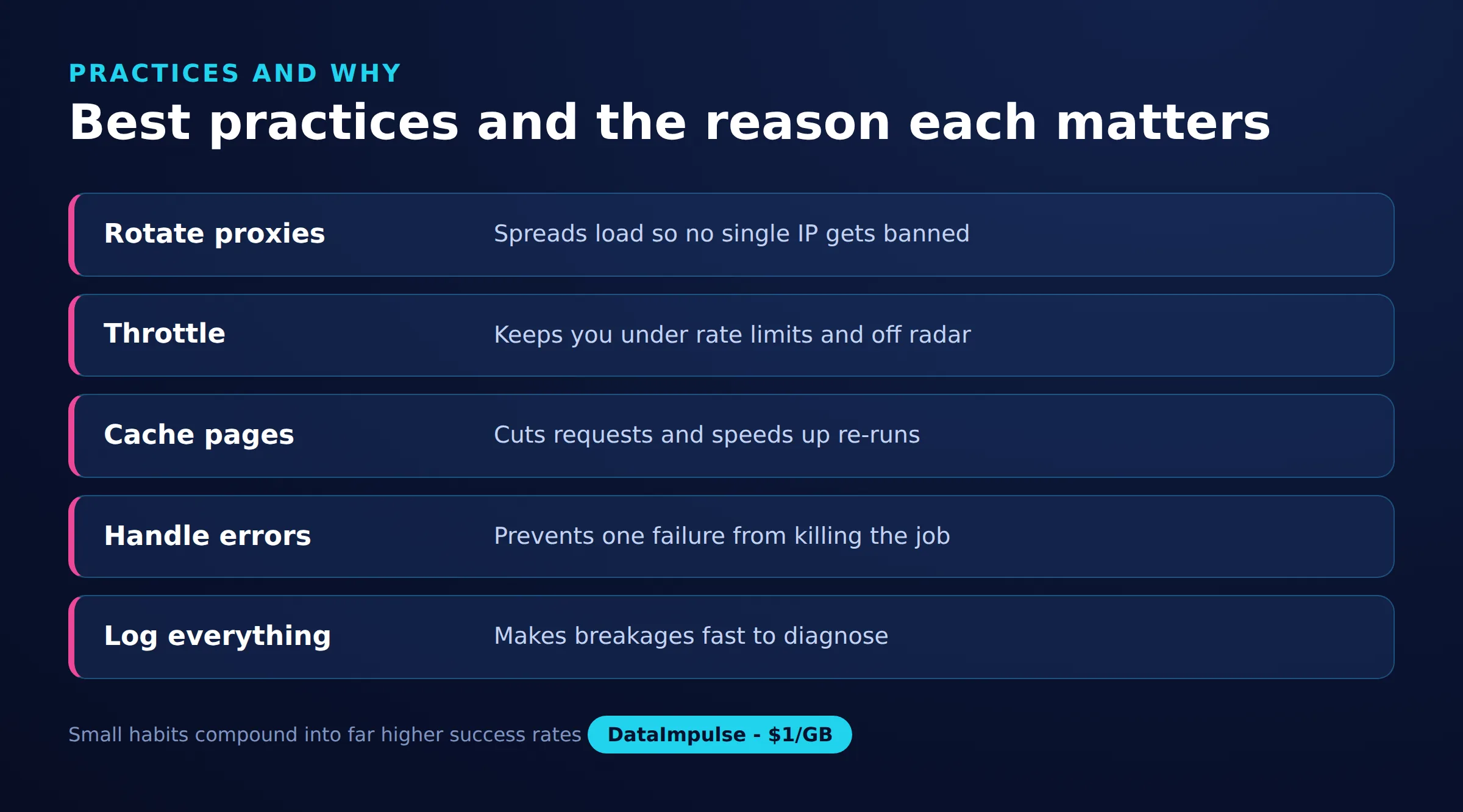
- Reliability first: The web scraping best practices that matter most are respecting rate limits, rotating IPs with realistic headers, retrying with backoff, and validating every batch before you trust it.
- Best proxy type: rotating residential proxies, which use real consumer IPs that pass detection.
- Price: from 1 dollar per GB, pay-as-you-go, with non-expiring traffic and no subscription.
- Coverage: 90M plus ethically sourced IPs across 195 countries.
- Reliability: 99.51% success rate, rated 4.8 out of 5 on G2.
- Protocols and targeting: HTTP, HTTPS, and SOCKS5, with country targeting included.
How should you respect rate limits and back off?
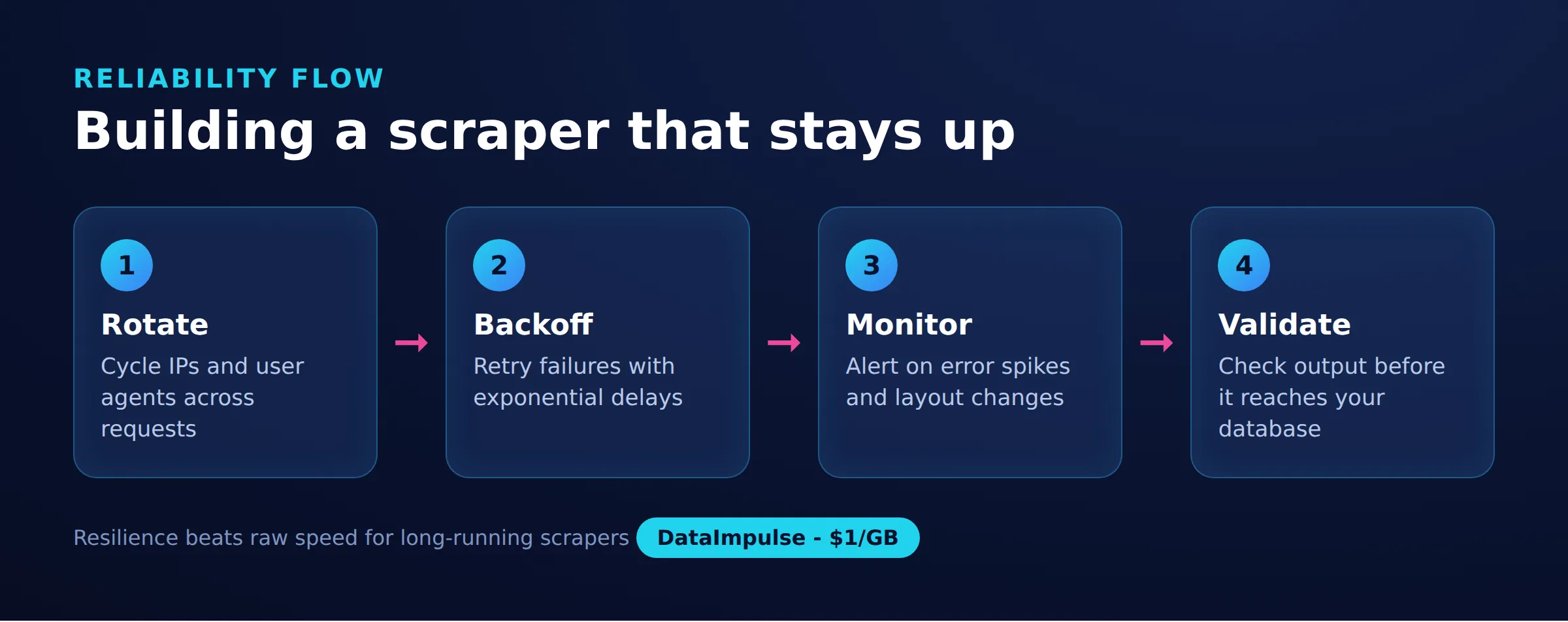
Send requests at a pace the target can absorb, and slow down automatically when it signals stress. Adaptive backoff is both polite and self-protective, because aggressive traffic is the fastest way to get blocked.
Start with a conservative concurrency level and a small delay between requests, then tune upward only if the site stays healthy. Watch for HTTP 429 (Too Many Requests) and 503 responses, and honor any Retry-After header the server returns. When you hit errors, increase the wait exponentially with a little random jitter so parallel workers do not retry in lockstep.
- Concurrency: limit simultaneous connections per host, not just globally.
- Base delay: add a short pause between requests to the same domain.
- Exponential backoff: double the wait after each failure, up to a ceiling.
- Jitter: randomize delays so retries spread out over time.
How do you rotate IPs and headers to avoid blocks?
Distribute requests across many IP addresses and send realistic, consistent request headers so each session looks like an ordinary browser. Rotation spreads load and prevents a single address from tripping rate thresholds.
Residential and mobile IPs resemble real users and are harder to flag than raw datacenter ranges, though datacenter proxies remain fine for permissive targets and high throughput. DataImpulse provides residential proxies, mobile proxies, and datacenter proxies with rotating and sticky sessions, so you can match the IP type to the difficulty of the site. Pair rotation with headers that hang together: a User-Agent, Accept-Language, and Accept-Encoding that match a plausible real browser, kept stable within a session rather than randomized on every request. For a deeper checklist, see our guide on scraping without getting blocked.
Choose the session mode to match your workflow. Rotating sessions assign a fresh IP frequently, which spreads load and suits parallel crawling of unrelated pages; sticky sessions hold one IP for a set duration, which matters for multi-step flows like logging in, adding to a cart, or paging through results tied to a session cookie. DataImpulse supports both modes across its pools. Keep a session’s IP, cookies, and headers consistent together, because a stable IP paired with shifting fingerprints is itself a signal worth avoiding.
import requests

HEADERS_POOL = [
    {
        "User-Agent": "Mozilla/5.0 (Windows NT 10.0; Win64; x64) "
                      "AppleWebKit/537.36 (KHTML, like Gecko) "
                      "Chrome/124.0 Safari/537.36",
        "Accept-Language": "en-US,en;q=0.9",
    },
    {
        "User-Agent": "Mozilla/5.0 (Macintosh; Intel Mac OS X 10_15_7) "
                      "AppleWebKit/605.1.15 (KHTML, like Gecko) "
                      "Version/17.4 Safari/605.1.15",
        "Accept-Language": "en-GB,en;q=0.8",
    },
]

def build_session(headers, proxy_url):
    s = requests.Session()
    s.headers.update(headers)
    s.proxies.update({"http": proxy_url, "https": proxy_url})
    return s
When should you use a hidden API instead of parsing HTML?
Prefer a site’s underlying JSON API over scraping rendered HTML whenever one exists. APIs return clean, structured data, change less often than page markup, and cost far less to process.
Open your browser developer tools, watch the Network tab, and filter for XHR or Fetch requests as the page loads. Many sites populate content from JSON endpoints you can call directly, sometimes with simple query parameters for pagination or filtering. This avoids the overhead of a headless browser, sidesteps most layout changes, and gives you typed fields instead of fragile text extraction. Always check the site’s terms and only request data you are permitted to access, and keep your request volume reasonable even when an endpoint is fast.
How do you write selectors that survive site changes?
Write selectors that target stable, meaningful attributes and add monitoring so you learn about breakage before your users do. Brittle selectors are the most common cause of silent data loss.
Anchor on semantic hooks such as element IDs, data attributes, or ARIA roles rather than deep chains of auto-generated class names that change on every redeploy. Keep parsing logic in one place so a layout change means editing a single module, not hunting through the codebase. Then treat your parser like production code:
- Assertions: confirm each expected field is present and non-empty per record.
- Canaries: scrape a few known URLs on a schedule and alert if the shape changes.
- Row counts: compare today’s volume to yesterday’s and flag large drops.
- Snapshots: store a sample of raw HTML so you can debug failures after the fact.
How should retries and caching keep scraping cheap?
Make requests idempotent and retry only what failed, then cache aggressively so you never re-download pages that have not changed. Both practices cut cost and reduce load on the target.
Design each unit of work around a stable key such as a URL or record ID, so re-running a job is safe and never creates duplicates. On transient errors (timeouts, 5xx, connection resets) retry with backoff; on permanent errors (404, 410) record the outcome and move on. For caching, honor HTTP validators like ETag and Last-Modified and send conditional requests, so unchanged pages return a small 304 instead of a full body. Incremental scraping (fetching only new or updated items using timestamps, sitemaps, or feeds) is the single biggest lever on bandwidth. Because proxy traffic is billed per GB, skipping unchanged pages directly lowers what you spend.
import time
import random
import requests
from requests.exceptions import RequestException

def fetch(session, url, retries=4):
    for attempt in range(retries):
        try:
            r = session.get(url, timeout=20)
            if r.status_code in (429, 503):
                wait = int(r.headers.get("Retry-After", 2 ** attempt))
                time.sleep(wait + random.random())
                continue
            r.raise_for_status()
            return r
        except RequestException:
            if attempt == retries - 1:
                raise
            time.sleep((2 ** attempt) + random.random())
    return None
How do you validate scraped data and observe the pipeline?
Validate every batch against an explicit schema and log enough detail to diagnose problems without re-running the whole job. Data you cannot trust is worse than no data.
Define the expected type, range, and required fields for each column, then reject or quarantine records that fail rather than writing them to your main store. Check for the quiet failure modes: empty strings where prices should be, dates far in the future, sudden spikes in null rates, or duplicate keys. On the observability side, log each request’s status code, latency, proxy used, and bytes transferred, and track success rate and cost over time so a slow degradation is visible on a dashboard. Structured logs plus a few alerts turn a fragile scraper into a system you can operate with confidence.
What are the legal and ethical guardrails for scraping?
Scrape only data you are permitted to collect, respect terms of service and robots directives, and avoid personal data you have no lawful basis to process. Reliability and responsibility go together.
Rules vary by jurisdiction and by the type of data, so treat legality as a real requirement rather than an afterthought; our overview of whether is web scraping legal walks through the main considerations, and the scraping without getting blocked guide covers polite technique. Sourcing matters too: DataImpulse operates as an ethical proxy provider whose IPs come from users who opt in and are compensated, which keeps your data collection aligned with GDPR expectations.
Best practices at a glance
| Practice | Why | Tooling |
|---|---|---|
| Backoff and retries | Avoid overloading servers | Retry libraries |
| IP rotation | Prevent blocks | Rotating proxies |
| Use hidden APIs | Cleaner, faster data | Network inspector |
| Monitoring | Catch breakage early | Alerts and logs |
| Caching | Reduce duplicate requests | Local cache store |
| Validation | Ensure data quality | Schema checks |
Frequently asked questions
What is the most important web scraping best practice?
Respecting rate limits with adaptive backoff. Sending requests at a pace the target can handle prevents most blocks and keeps your collector stable, which matters more than any single anti-detection trick.
Do I need residential proxies for web scraping?
Not always. Datacenter proxies work well for permissive sites and high throughput, while residential or mobile IPs are better for targets with strict anti-bot systems. Match the IP type to how difficult the site is.
How does caching reduce web scraping costs?
Caching and incremental scraping let you skip pages that have not changed by using conditional requests and timestamps. Because proxy traffic is billed per GB, not re-downloading unchanged content directly lowers bandwidth spend.
How do I stop my scraper from breaking when a site changes?
Target stable attributes like IDs and data attributes instead of auto-generated class names, keep parsing in one module, and run scheduled canary checks that alert you when the page structure shifts.
Should I use rotating or sticky sessions?
Use rotating sessions for large batches of independent requests, and sticky sessions when a workflow needs the same IP across multiple steps, such as logging in or paging through session-bound results.
When is DataImpulse not the right fit?
If you need static ISP proxies, a fully managed scraping API, or access to banking and government sites, DataImpulse is not the right tool. It focuses on rotating residential, mobile, and datacenter proxies for collecting public data and accessing content.
Build reliable scrapers on ethical proxies
Solid engineering practices work best on a dependable network. DataImpulse offers rotating and sticky ethical proxies across 195 countries with pay-as-you-go, non-expiring traffic from 1 dollar per GB, so you can start small and scale as your pipeline grows. Create an account to put these best practices into production.

 State/City/Zip/ASN Targeting



