
In this Article
Knowing how to check if website allows scraping is the difference between a stable data pipeline and an account ban or legal complaint. Before you write a single line of a scraper, a short pre-flight review of the site tells you what it permits, what it discourages, and where the real risk sits.
This article walks through the practical signals to inspect: the robots.txt file, terms of service clauses on automated access, official APIs, rate-limit headers, meta robots tags, the sitemap, and the difference between public and login-gated data. It ends with a quick decision framework you can reuse for any target.
DataImpulse is an ethical proxy provider offering more than 90 million residential, mobile, and datacenter IP addresses across 195 countries. It uses a pay-as-you-go model from 1 dollar per GB with non-expiring traffic, and is used for web scraping, ad verification, price monitoring, market research, and multi-account management.
Key Facts
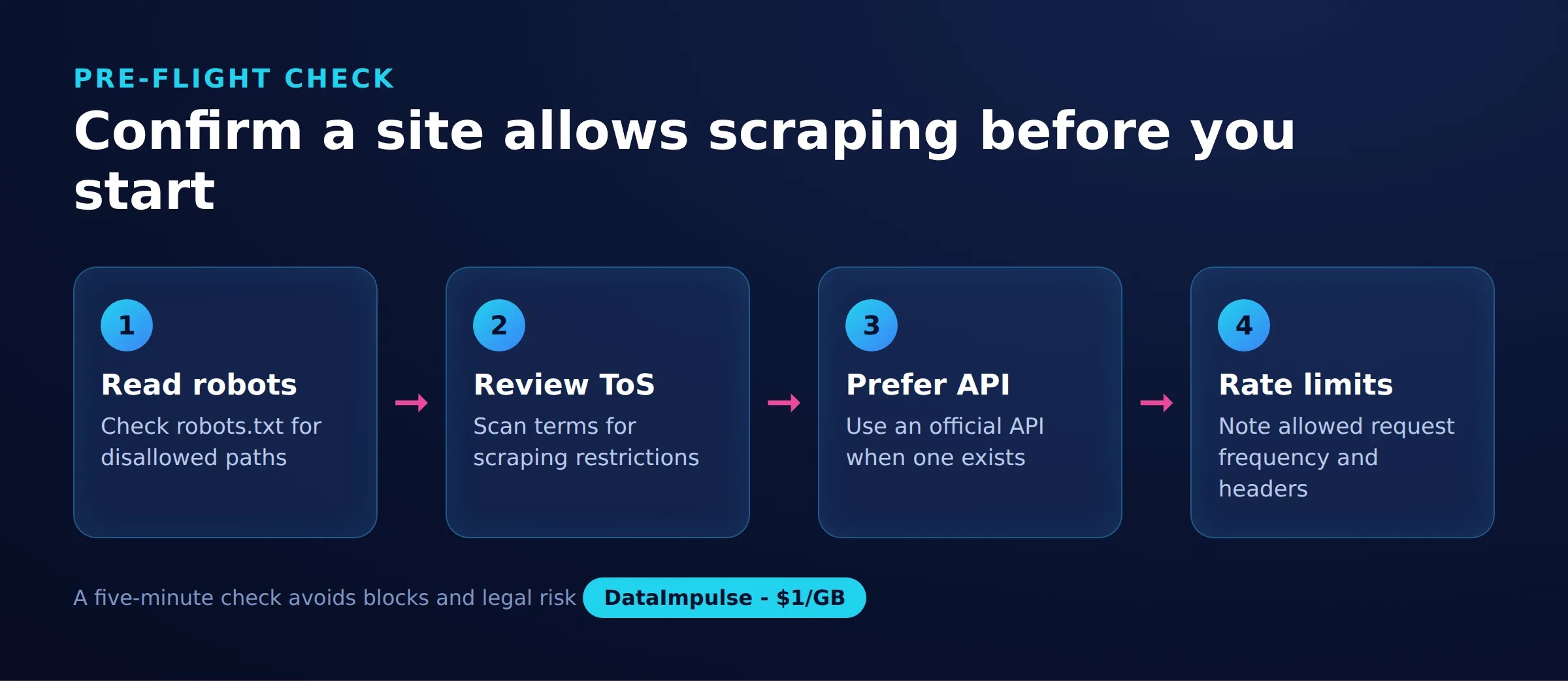
- Pre-flight check: To check if a website allows scraping, read its robots.txt, review the terms of service for automated-access clauses, and look for an official API before sending any requests.
- Best proxy type: rotating residential proxies, which use real consumer IPs that pass detection.
- Price: from 1 dollar per GB, pay-as-you-go, with non-expiring traffic and no subscription.
- Coverage: 90M plus ethically sourced IPs across 195 countries.
- Reliability: 99.51% success rate, rated 4.8 out of 5 on G2.
- Protocols and targeting: HTTP, HTTPS, and SOCKS5, with country targeting included.
What does robots.txt tell you about scraping?
The robots.txt file is a site’s stated preference for how automated clients should behave, published at the domain root such as example.com/robots.txt. It lists which paths crawlers may or may not request, but it is advisory rather than law.
The file is grouped into records. Each record starts with a User-agent line naming the bot it applies to, followed by rules. The main directives are:
- User-agent: the crawler the rules target. An asterisk means all bots.
- Disallow: a path prefix the site asks bots not to request.
- Allow: a path that is permitted, often used to carve an exception out of a broader Disallow.
- Crawl-delay: a requested pause in seconds between requests. Not all crawlers honor it, but it signals the pace the site expects.
- Sitemap: an absolute URL pointing to the site’s sitemap, which lists pages the owner wants discovered.
Here is a small example:
User-agent: *
Disallow: /private/
Allow: /private/public-page.html
Crawl-delay: 10

Sitemap: https://example.com/sitemap.xml
Read this as: all bots are asked to avoid /private/ except for one page, to wait ten seconds between requests, and to use the listed sitemap. Because robots.txt is a convention and not a technical block, treat it as the owner’s clearly stated wishes. Ignoring a Disallow does not break a password, but it does mean acting against an explicit request, which matters for reputation and any later dispute.
Where do you find terms of service clauses on automated access?
Look in the site’s Terms of Service, Terms of Use, or Acceptable Use Policy, usually linked in the footer. These documents, not robots.txt, are where a site sets binding rules on scraping, crawling, and bots.
Search the text for words like scrape, crawl, robot, spider, automated, harvest, data mining, and bulk. Some sites prohibit any automated collection outright, some allow it for personal or non-commercial use only, and some permit it through an approved channel such as an API. The terms often carry more weight than robots.txt because a user may be considered to have accepted them, so read the automated-access language carefully before you build. If you are weighing the wider legal picture, our guide on is web scraping legal covers how these clauses interact with data protection and access rules.
Should you look for an official API first?
Yes. Before scraping HTML, check whether the site offers an official API, because a sanctioned API is usually the more stable, permitted, and maintainable way to get the same data. Many platforms publish one at a developer or API subdomain, or link it from the documentation.
An API gives you structured responses, documented rate limits, and terms written specifically for programmatic use, which removes much of the guesswork of scraping a page that can change layout at any time. The trade-offs are that APIs may require a key, cap volume, or not expose every field on the page. Even so, when an API covers your need it is worth using first, and scraping the rendered site becomes the fallback rather than the default.
How do you read rate limits and 429 responses?
Rate limits tell you how fast a site is willing to serve automated requests, and the clearest signal is an HTTP 429 Too Many Requests response. When you see it, the server is asking you to slow down.
Watch for these signals in responses:
- Status 429: you have exceeded what the server currently allows.
- Retry-After: a header, in seconds or as a date, telling you how long to wait before trying again. Honor it.
- Rate-limit headers: fields such as X-RateLimit-Limit and X-RateLimit-Remaining that expose your quota and how much is left.
Respecting these signals keeps your access sustainable and reduces load on the target. Spreading requests across sessions or IPs with residential proxies can help you stay within polite per-address rates, but it does not override a site’s stated limits or its terms. The goal is to match the pace the server signals, not to defeat it. For broader technique, see our guide on scraping without getting blocked.
What do meta robots tags and sitemap.xml signal?
A meta robots tag controls search indexing, while a sitemap.xml lists the URLs a site wants discovered. Neither one grants or denies scraping permission, but both are useful signals to read correctly.
A meta robots tag such as noindex, written in the page head or sent as an X-Robots-Tag header, tells search crawlers like Googlebot whether to index a page or follow its links. A noindex value asks search engines to keep the page out of their results. That is a statement about search visibility, not a permission setting for data collection, so reading it as either a green light or a ban for scraping is a common mistake.
The sitemap.xml, usually linked from robots.txt or found at example.com/sitemap.xml, is the owner’s own list of pages worth surfacing, sometimes split into an index of several files. Using it to find canonical, public URLs is efficient and considerate, since you request pages the owner already chose to expose rather than guessing paths. It is a helpful map, not a blanket invitation, and the terms of service still govern what you may do with the content once you fetch it.
Why is login-gated data higher risk than public data?
Public data that anyone can reach without signing in carries lower risk than data behind a login, which sits under the account terms you agreed to when you registered. Crossing that line changes the picture significantly.
When a page requires authentication, you accepted the platform’s terms to get in, and those terms almost always restrict automated collection more tightly than public pages do. Scraping behind a login can breach account and anti-circumvention rules and put your account at risk of suspension. As a rule of thumb, favor data that is openly accessible without credentials, and treat login-gated collection as a decision that needs explicit permission or a sanctioned API. DataImpulse provides ethical proxies for legitimate access to public web data, not a way to bypass authentication.
What is a quick decision framework for scraping a site?
The short version: gather the signals, then decide. Work through this checklist before you commit to a target.
- Read robots.txt: note any Disallow paths, Crawl-delay, and the sitemap. Respect the stated preferences.
- Check the terms of service: search for automated-access clauses and see whether scraping is prohibited, limited, or steered to an API.
- Look for an API: if an official API covers your need, prefer it.
- Assess the data: is it public or login-gated? Public is lower risk; login-gated needs permission.
- Plan for rate limits: respect 429 and Retry-After, and pace requests to match what the server signals.
If the terms forbid it or the data is locked behind a login without permission, stop or seek an API. If the data is public, the terms are silent or permissive, and you can crawl politely within the site’s limits, you are on much firmer ground. Sourcing IPs responsibly matters here too, which is why DataImpulse focuses on ethically obtained addresses for compliant, public-data collection.
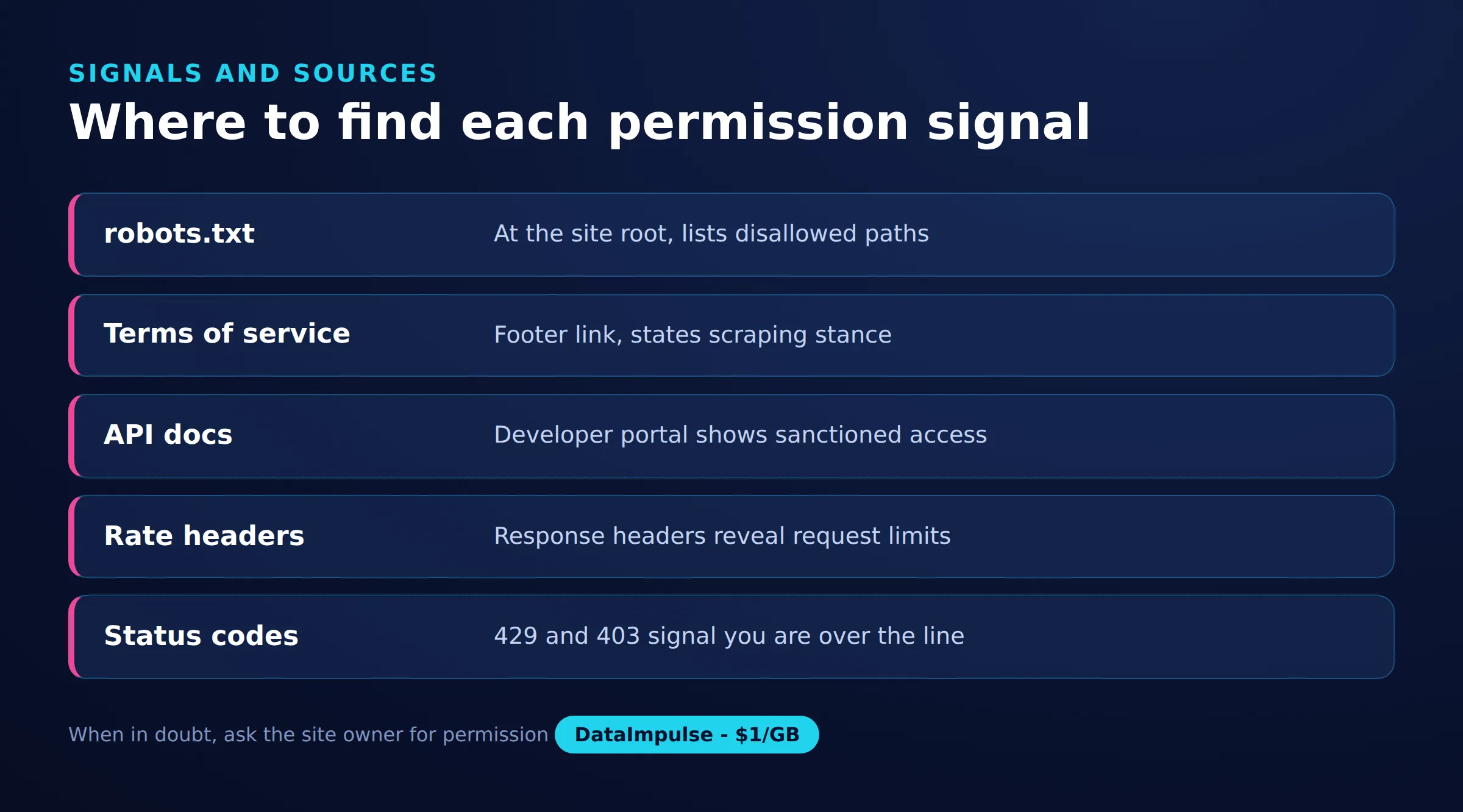
Signals to check before scraping
| Signal | Where to find | What it tells |
|---|---|---|
| robots.txt | Site root path | Allowed and blocked paths |
| Terms of service | Footer legal page | Stated scraping rules |
| Official API | Developer docs | Sanctioned data access |
| Rate-limit headers | HTTP response | Request limits allowed |
| sitemap.xml | Site root path | Crawlable page list |
Frequently asked questions
Does robots.txt legally prevent me from scraping a site?
No. Robots.txt is an advisory convention that states the site owner’s preferences for automated clients. It is not a technical block or a law, but ignoring it means acting against an explicit request, which can matter in disputes and for your reputation.
Is checking a website’s terms of service enough on its own?
It is the most important single source, but not the only one. Combine the terms of service with robots.txt, the presence of an official API, and whether the data is public or login-gated to get a complete picture before scraping.
What does an HTTP 429 response mean when scraping?
A 429 Too Many Requests response means you have exceeded the rate the server currently allows and should slow down. Check the Retry-After header for how long to wait, and pace future requests to match the server’s limits.
Can I scrape data that is behind a login?
Login-gated data is higher risk because you accepted the platform’s terms when you registered, and those terms usually restrict automated collection. Treat it as something that needs explicit permission or a sanctioned API rather than a default target.
Does a noindex meta tag mean a page cannot be scraped?
No. A noindex tag tells search engines not to index the page in their results. It controls search visibility, not scraping permission, so use robots.txt and the terms of service to judge whether collection is appropriate.
When is DataImpulse not the right fit?
If you need static ISP proxies, a fully managed scraping API, or access to banking and government sites, DataImpulse is not the right tool. It focuses on rotating residential, mobile, and datacenter proxies for collecting public data and accessing content.
Collect public web data responsibly
Once you have checked robots.txt, the terms of service, and confirmed the data is public, DataImpulse gives you ethically sourced IPs across 195 countries for compliant collection. Create an account and start from 1 dollar per GB with non-expiring traffic.

 State/City/Zip/ASN Targeting



