

In this Article
For wget vs curl, choose Wget for recursive downloads and website mirroring, and curl for API requests, header inspection, and transfer diagnostics. Both can download files, resume transfers, and send HTTP requests. The practical differences are defaults, scripting behavior, available protocols, and installed versions. On Windows, first check whether your command invokes a native executable or a PowerShell alias. See the GNU Wget manual, curl manual, and Microsoft’s executable guidance.
Key Facts
- Choose the tool by the required task and failure behavior.
- Check executable identity before adapting command-line flags.
- Specify output paths explicitly in automated downloads.
- Compare HTTP status, process exit status, and downloaded content separately.
- Verify resume behavior against an unchanged remote file.
- Measure speed with equivalent requests and identical output.
wget vs curl: Which tool should you use?
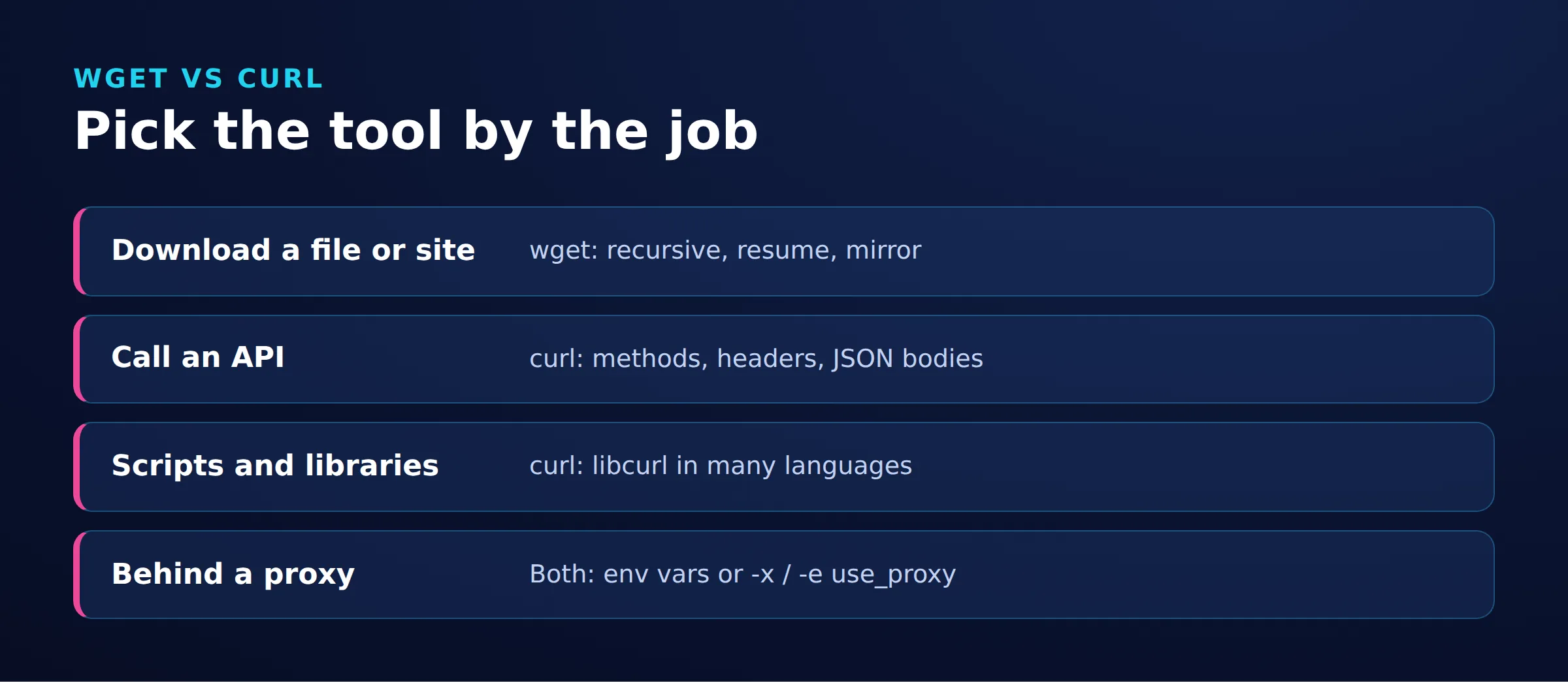
GNU Wget is a noninteractive downloader with built-in recursive retrieval. curl transfers data to or from URLs and provides detailed request controls; it has no recursive crawler. See the Wget manual and curl FAQ.
| Task | Choice | Reason |
|---|---|---|
| Download one file | Either | Both support saving and resuming downloads. See curl resume behavior and Wget download options. |
| Mirror linked pages | Wget | Recursive retrieval and mirroring are built in. |
| Call APIs or diagnose transfers | curl | Request controls and structured transfer information suit these tasks. |
| Automate downloads | Either, with explicit checks | Select by output, retry policy, and deployment environment. |
What feature differences depend on the version?
Check the installed executable and its enabled features. This comparison covers curl 8.x options, GNU Wget 1.25.0, and Wget2 2.2.1. An online manual can describe options absent from older installations.
| Behavior | curl 8.x | GNU Wget 1.25.0 | Wget2 2.2.1 | Primary evidence |
|---|---|---|---|---|
| Default output | Standard output | Local file | Local file | curl output; Wget output; Wget2 manual |
| HTTP redirects | Add -L |
Follows | Follows | curl redirects; Wget HTTP options; Wget2 redirects |
| Recursion | No native crawler | -r or --mirror |
-r or --mirror |
curl FAQ; Wget recursion; Wget2 recursion |
| Custom methods | Supported; use -X and a separate body option when needed |
Supported; use --method and optional --body-data or --body-file |
Supported; use --method and optional --body-data or --body-file |
curl methods; Wget methods; Wget2 methods |
| Protocols | Build-dependent; inspect --version |
HTTP, HTTPS, FTP, FTPS | HTTP, HTTPS | curl build information; Wget manual; Wget2 protocols |
| Resume | -C - |
-c |
-c |
curl resume; Wget resume; Wget2 resume |
| HTTP error handling | Add --fail-with-body |
Server-error exit status | Server-error exit status | curl responses; Wget statuses; Wget2 statuses |
| Proxy configuration | -x or environment |
Environment or configuration | Environment or proxy options | curl proxy; Wget proxies; Wget2 proxies |
| HTTP/2 | Requires build support | Not supported in GNU Wget 1.25.0 | Supported with suitable build | Protocol comparison; Wget2 manual |
What are the equivalent commands for everyday tasks?
These Bash examples use a local Python 3 server to demonstrate output, redirects, methods, and failure handling.
Local endpoints
Save this as fixture.py and run python3 fixture.py in a separate terminal. It binds to loopback on port 8765. The absolute-URL branch identifies HTTP proxy requests but does not forward traffic or support HTTPS CONNECT. See Python HTTP server documentation.
from http.server import BaseHTTPRequestHandler, HTTPServer
from urllib.parse import urlsplit
import re

DATA = b'0123456789abcdef' * 256

class Handler(BaseHTTPRequestHandler):
    def respond(self, status, body, headers=None):
        self.send_response(status)
        self.send_header('Content-Length', str(len(body)))
        for key, value in (headers or {}).items():
            self.send_header(key, value)
        self.end_headers()
        if self.command != 'HEAD':
            self.wfile.write(body)

    def do_GET(self):
        if self.path.startswith('http://'):
            self.respond(200, ('proxy-stub ' + self.path + '\n').encode())
            return
        path = urlsplit(self.path).path
        if path == '/redirect':
            self.respond(302, b'redirect\n', {'Location': '/file.bin'})
        elif path in ('/file.bin', '/no-range.bin'):
            value = self.headers.get('Range')
            if path == '/file.bin' and value:
                match = re.fullmatch(r'bytes=(\d+)-', value)
                start = int(match.group(1)) if match else len(DATA)
                if start >= len(DATA):
                    self.respond(416, b'', {'Content-Range': 'bytes */4096'})
                else:
                    self.respond(206, DATA[start:], {
                        'Content-Range': f'bytes {start}-4095/4096',
                        'Accept-Ranges': 'bytes'})
            else:
                self.respond(200, DATA)
        elif path == '/test/':
            self.respond(200, b'<a href="child.html">child</a>',
                         {'Content-Type': 'text/html'})
        elif path == '/test/child.html':
            self.respond(200, b'child\n', {'Content-Type': 'text/html'})
        else:
            self.respond(404, b'missing\n')

    def do_HEAD(self):
        self.do_GET()

    def do_POST(self):
        body = self.rfile.read(int(self.headers.get('Content-Length', '0')))
        if urlsplit(self.path).path == '/echo':
            self.respond(200, self.command.encode() + b' ' + body + b'\n')
        else:
            self.respond(404, b'missing\n')

    do_PUT = do_POST

HTTPServer(('127.0.0.1', 8765), Handler).serve_forever()
For direct requests, set export no_proxy=127.0.0.1 and export NO_PROXY=127.0.0.1. Use a fresh directory for each tool. The file body is 4096 bytes. Before each resume command, create a partial file with printf '0123456789abcdef' > file.bin.
| Task | curl | GNU Wget |
|---|---|---|
| Named output |
|
|
| URL filename |
|
|
| Body to standard output |
|
|
| Follow redirects |
|
|
| Resume partial file |
|
|
GET with response headers |
|
|
POST form |
|
|
| Custom method |
|
|
| HTTP failure detection |
|
|
If continuation is unsupported, GNU Wget -c discards a nonempty partial file and downloads it again. curl -C - can exit 33 and leave the partial file unchanged. To compare, create a separate partial file named no-range.bin for each tool and repeat its resume command against /no-range.bin. See Wget continuation behavior and curl exit codes.
After a successful download or resume, verify the bytes of file.bin below. The command exits 0 and prints the byte count and SHA-256 digest when the content matches; otherwise it exits nonzero. Use no-range.bin instead for the restart case. For real downloads, compare against a trusted publisher’s checksum; calculating a digest alone does not establish authenticity. See Python hashing documentation.
python3 - <<'PY'
from pathlib import Path
import hashlib

data = Path("file.bin").read_bytes()
if data != b"0123456789abcdef" * 256:
    raise SystemExit("FAIL: unexpected file.bin content")
print("bytes=" + str(len(data)))
print("sha256=" + hashlib.sha256(data).hexdigest())
PY
For curl, -o selects a filename; -O derives it from the URL and normally overwrites an existing file. Plain wget URL normally preserves existing files with numbered copies such as .1. Wget -O file truncates that file immediately and combines multiple responses into one output stream. See curl filenames and Wget output semantics.
Recursive downloads and mirrors
wget --mirror --no-parent --wait=1 http://127.0.0.1:8765/test/For an owned site, review the URL tree and request volume. A mirror does not guarantee working offline application features. See GNU mirror options.
APIs, headers, and reliable scripts
curl -I requests HEAD; use GET to reproduce a download. Wget -S writes headers to standard error. See the curl header option and Wget response option.
For a completed HTTP 404 response, curl normally exits 0; --fail-with-body produces exit 22 and retains the body. GNU Wget reports server-response errors with exit 8; --content-on-error retains the body. See curl failure handling, Wget error bodies, and Wget exit statuses.
Save this script as download.sh and run bash download.sh. It preserves the failure status while printing HTTP status separately. Change the path to /file.bin for success.
status=0
curl --fail-with-body --retry 2 --retry-max-time 60 --max-time 30 \
  --write-out 'http=%{http_code}\n' \
  -o response.txt http://127.0.0.1:8765/missing || status=$?
printf 'exit=%s\n' "$status"
exit "$status"
The || handler captures failure; the final exit prevents printf from masking it. Process the file only after success. See Bash exit status.
Two retries are allowed for eligible failures; an ordinary 404 is not retried. Each attempt has a 30-second transfer limit. The retry timer includes waiting between attempts; a retry already started can run beyond its 60-second budget. This is not a hard 60-second process deadline. See curl retry timing. Avoid automatic retries of state-changing requests without a duplication strategy.
In Bash, set -o pipefail exposes upstream pipeline failures but cannot prevent a parser receiving partial content. Download, check success, then parse. See Bash pipelines.
Continue with request headers or moving curl requests into Python.
What changes on Linux, Ubuntu, macOS, and Windows?
Inspect the executable in the environment that will run the command.
PowerShell aliases versus native executables
Windows PowerShell 5.1 aliases curl and wget to Invoke-WebRequest. PowerShell 7 defines iwr instead; profiles can customize resolution. See Microsoft’s 5.1 aliases and PowerShell 7 aliases.
Get-Command curl,wget -All -ErrorAction SilentlyContinue
curl.exe --version
Use curl.exe, or an installed wget.exe, for native flags. See Microsoft’s native curl guidance.
Linux, macOS, and minimal environments
command -V curl wget
curl --version
wget --version
wget --help| Environment | Check | If missing |
|---|---|---|
| Debian, Ubuntu, Arch | Resolved path, implementation, version | Install the required implementation through the distribution package manager. |
| Alpine or minimal images | BusyBox applet versus GNU Wget | Install GNU Wget if the script requires its options. |
| macOS | System tools versus separately installed tools | Install the required tool and confirm which path resolves. |
| Containers or scheduled jobs | Executable and PATH inside that runtime |
Declare dependencies in the image or job environment. |
BusyBox utilities have reduced, build-dependent functionality; their options need not match GNU Wget.
Why does the same URL behave differently?
For wget vs curl troubleshooting, compare the request, route, response, and saved file. Successful process exit alone does not prove that the intended content arrived.
| Symptom | Check | Meaning | Fix |
|---|---|---|---|
| Redirect page saved | Status and Location |
Redirect not followed | Use curl -L; inspect method changes. |
| Missing or overwritten file | Working directory and output flags | Local output mismatch | Set an explicit path; review wget -O behavior. |
| Flags rejected in PowerShell | Get-Command output |
Alias or different executable | Invoke the native executable. |
| 404 but curl exit zero | HTTP status and body | Transfer completed, resource failed | Use HTTP failure handling. |
| TLS verification fails | Hostname, certificate chain, trust store | Peer identity verification failed | Repair trust or server configuration; consult certificate verification guidance. |
| Only proxied request fails | Proxy settings, bypass rules, connection stage | Routing or intermediary difference | Compare authorized direct/proxy requests and proxy settings. |
Correlate response headers and request IDs with origin or proxy logs; status alone may not identify the component generating an error.
How does proxy setup differ?
A proxy changes routing. It cannot repair syntax, missing binaries, aliases, or an incorrect origin URL.
With the local fixture running, both commands return proxy-stub http://fixture.invalid/file.bin followed by a newline. This demonstrates proxy selection only; the stub does not forward requests or tunnel HTTPS.
curl --noproxy '' -x http://127.0.0.1:8765 http://fixture.invalid/file.bin
no_proxy= NO_PROXY= http_proxy=http://127.0.0.1:8765 \
  wget -e use_proxy=yes -O - http://fixture.invalid/file.bin
For an authorized forwarding proxy listening on port 8080:
export http_proxy=http://127.0.0.1:8080
export https_proxy=http://127.0.0.1:8080
The variable names select the destination scheme. Check bypass settings too. See curl environment handling and Wget proxy configuration.
For DataImpulse proxy configuration, see the curl proxy guide and Wget proxy guide. A proxy connection does not guarantee origin access.
wget vs curl speed, security, size, and alternatives
Speed depends on the workload. Compare identical URLs, bytes, routes, concurrency, compression, and output destinations; record repeated timings and failures. For size, include dependencies and the final container image. For security, assess maintained builds, certificate verification, and credential handling.
- Wget2: A separate successor with HTTP/2 and parallel transfers. See the 2.2.1 announcement.
- aria2: Supports multi-source and multi-connection downloads through
aria2c; see its feature overview. - FreeBSD
fetch: A URL retrieval utility; see its manual source. - HTTPie: Supports interactive HTTP and JSON work; see its CLI documentation.
For browser-like transport behavior, consult the curl-impersonate guide.
Frequently Asked Questions
Is Wget better than curl?
Wget suits recursive downloads and mirrors; curl suits API requests and transfer diagnostics. Choose by the required output and failure behavior.
Should I use wget or curl in Ubuntu scripts?
Either can work. Declare the dependency, use explicit output paths, and check HTTP status, process status, and file contents in the actual runtime.
What is the equivalent of Wget on Windows?
For native GNU Wget behavior, use an installed wget.exe. For a simple file download, curl.exe is another option. In Windows PowerShell 5.1, wget normally invokes Invoke-WebRequest, so GNU Wget flags do not apply. PowerShell 7 does not define that built-in alias; check Get-Command wget -All. See Microsoft’s 5.1 aliases, PowerShell 7 aliases, and native curl guidance.
Why is my downloaded file an HTML error page?
Inspect HTTP status, redirects, and the body before processing the file. A completed transfer can still contain an error response.
Which tool downloads faster?
There is no universal winner. Compare identical content through the same route, with matching transfer settings, and include failures alongside timings.
Can I replace Wget with Wget2 without checking scripts?
Validate each workflow before replacement, especially protocols, filenames, redirects, and exit handling. Wget2 is a separate implementation.
How should I verify a resumed download?
Confirm the remote object is unchanged and inspect the range response. If continuation is unsupported, GNU Wget -c starts over, while curl -C - can fail with a range error. Check process status and compare the completed file against a trusted checksum. See Wget continuation behavior and curl exit codes.
Need a different route for an authorized transfer?
DataImpulse offers residential, mobile, and datacenter proxies. Review the proxy selection guide for curl when routing is part of your requirements.
Last updated: November 18, 2026.

 State/City/Zip/ASN Targeting




