
In this Article
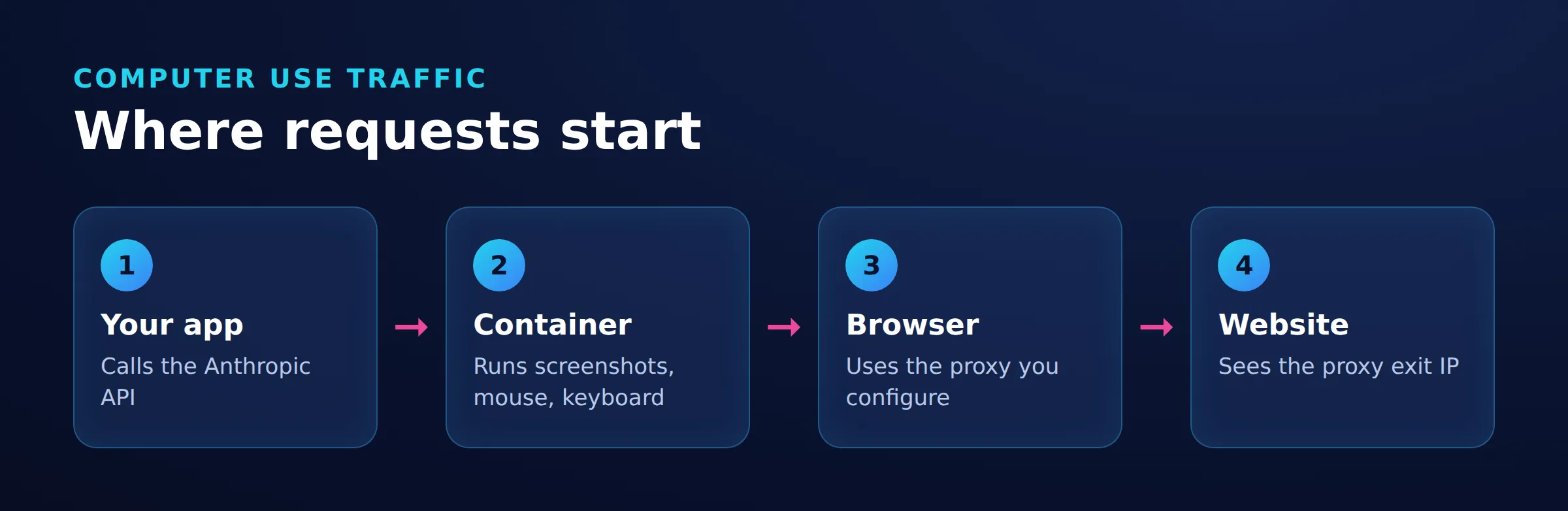
With claude computer use, an application executes Claude’s screenshot, mouse, and keyboard actions in an environment it controls. To proxy browsing, configure the browser inside that environment and check its outbound connection separately from the model API. Changing an API endpoint does not change browser settings. Anthropic documents this client-executed architecture.
This guide combines a pinned Docker configuration with tested shell route checks and API transport logging. Keep browser, shell, and API observations separate when applying the configuration.
Key Facts
- Browser, shell, and model API connections need separate route evidence.
- The pinned container definition uses Ubuntu 22.04 and Firefox ESR.
- The transport logging example captures the API connection peer and tunnel events.
- Enable screen control before configuring Firefox manually.
- A proxy can share the same public IP as the direct connection.
- Authenticate Firefox with the agent stopped.
The 3-Part Container Route Map for Claude Computer Use
The 3-Part Container Route Map compares browser navigation, shell requests, and model API connections independently. Each client can inherit different settings.
| Connection | Configuration | Route Evidence |
|---|---|---|
| Browser | Container Firefox connection settings | Endpoint source address and matching proxy log |
| Shell | Explicit client options and inherited environment | Endpoint response and matching connection log |
| Model API | Application HTTP client and inherited environment | Transport peer plus any proxy CONNECT target |
A browser screenshot cannot establish the API route. Docker image pulls use the daemon or builder proxy configuration. Remote fetch services and MCP processes need evidence from their own execution location. See agentic browsing infrastructure for the wider architecture.
Run the Claude Computer Use Docker Demo
Install Git and Docker, use Bash, and obtain an Anthropic API key through the official demo setup. Set a spending limit before starting. See Docker proxy configuration for network prerequisites.
Prepare API Logging Before Changing Firefox
Create a local checkout of the pinned revision:
git clone https://github.com/anthropics/claude-quickstarts.git
git -C claude-quickstarts checkout --detach 4a4224bdf0e9cfb3332167b69c90457403813625
Add the following setup after the imports in claude-quickstarts/computer-use-demo/computer_use_demo/loop.py, before any SDK client is created. The pinned application uses httpx2, which delegates connections to httpcore2. Configure both logger hierarchies to capture request summaries and transport events; HTTPX2 logging documentation describes them.
import logging
import time

route_handler = logging.StreamHandler()
route_formatter = logging.Formatter(
    '%(asctime)sZ %(name)s %(levelname)s %(message)s',
    datefmt='%Y-%m-%dT%H:%M:%S',
)
route_formatter.converter = time.gmtime
route_handler.setFormatter(route_formatter)
for logger_name in ('httpx2', 'httpcore2', 'httpx', 'httpcore'):
    route_logger = logging.getLogger(logger_name)
    route_logger.setLevel(logging.DEBUG)
    route_logger.addHandler(route_handler)
    route_logger.propagate = False
Tested on November 19, 2026 with Python 3.12.3, anthropic 2.10.0, and httpx2/httpcore2 2.16.2 on Ubuntu 24.04.4 LTS.
The httpcore2.connection and httpcore2.proxy loggers expose the TCP peer and proxy tunnel activity. The older logger names retain compatibility with clients using the earlier packages; the migration guide explains the rename.
Build and Start the Instrumented Image
Build the edited local source using a local Docker build context:
docker build -t computer-use-proxy:diagnostic \
  ./claude-quickstarts/computer-use-demo
docker image inspect --format '{{.Id}}' computer-use-proxy:diagnostic
Retain the image ID and reuse that image for both comparisons. The pinned container definition uses Ubuntu 22.04 and Firefox ESR; a source revision does not pin every downloaded dependency.
If an earlier container is running, save its required files and logs, then stop it. Rebuilding an image does not update an existing container. The --rm option removes the container after exit. Start the diagnostic image with:
read -rsp 'Anthropic API key: ' ANTHROPIC_API_KEY
export ANTHROPIC_API_KEY
docker run --rm -it --name claude-computer-use \
  -e ANTHROPIC_API_KEY \
  -p 127.0.0.1:8080:8080 \
  -p 127.0.0.1:8501:8501 \
  -p 127.0.0.1:6080:6080 \
  computer-use-proxy:diagnostic
Keep this terminal open. The published ports bind to loopback; see Docker port publishing. Open http://localhost:8080.
Select API Provider Anthropic, Model claude-opus-4-8, Tool Versions computer_toolset_20260801, and Thinking Adaptive. Select the toolset explicitly: the pinned model configuration defaults to computer_use_20251124. See the pinned UI configuration.
Record Versions and Start Log Collection
Use another host terminal to record the host and installed container versions:
cat /etc/os-release
uname -m
docker version
date -u +%FT%TZ
docker image inspect --format '{{.Id}}' computer-use-proxy:diagnostic
docker exec claude-computer-use firefox-esr --version
docker exec claude-computer-use python --version
docker exec claude-computer-use python -m pip show anthropic httpx2 httpcore2
docker exec claude-computer-use curl --version
Run log collection in its own terminal and keep the file private:
umask 077
docker logs --timestamps --follow claude-computer-use > api-route-private.log 2>&1
Capture a browser baseline and one short API turn requiring no tools before changing Firefox. Repeat both after changing only Firefox, using the same image. Start a fresh application connection for each API comparison so connection pooling does not hide connection establishment.
Configure Firefox Browser Proxies
With no agent task running, open http://localhost:8080 and click Toggle Screen Control (Off) so it changes to Toggle Screen Control (On). The embedded desktop starts in view-only mode, as shown in the pinned interface source.
Step 1: In Firefox Settings, find Connection Settings and select Manual proxy configuration.
Step 2: Use an HTTP proxy. Enter only the gateway hostname in HTTP Proxy and its HTTP port in the adjacent Port field. DataImpulse documents gw.dataimpulse.com:823 for rotating HTTP connections and ports 10000 through 20000 for sticky connections. Use the connection details selected for your account; omit the scheme and credentials from the hostname field. See protocol-specific connection examples.
Select Also use this proxy for HTTPS, ensure the endpoint is not excluded by No proxy for, and save. Mozilla documents these controls.
Step 3: Obtain the login and password from DataImpulse’s Proxy Access section using its authentication instructions. Open your endpoint and complete proxy authentication manually. Keep credentials out of agent prompts and screenshots.
Step 4: Confirm the request succeeds, then turn screen control off before starting the agent task. Request a fresh endpoint URL through the agent and correlate it with the proxy log. Check whether authentication recurs during the browser session.
DataImpulse residential proxies can supply the browser connection for authorized public-page geo-testing. See proxies for agentic browsers.
Preserve the Intended API Route
HTTPX2 reads proxy environment variables by default, including HTTP_PROXY, HTTPS_PROXY, ALL_PROXY, and NO_PROXY. Inspect the application process’s inherited configuration before changing Firefox and retain required corporate routing. See HTTPX2 environment variables. Docker can populate these variables in new containers through its client proxy configuration.
Check Shell and Browser Connections
Choose a public HTTPS endpoint you control that records source addresses and returns request identifiers. Set TEST_URL to that endpoint and PROXY_URL to the approved proxy URL. Keep credentials out of shared histories and captures.
Run the direct baseline only where direct outbound access is permitted. --noproxy '*' disables configured proxy use. If corporate egress is required, retain that route and label it as the baseline instead. Run the explicit-proxy comparison only through an approved proxy. See the option reference.
curl --noproxy '*' "$TEST_URL"
curl --noproxy '' --proxy "$PROXY_URL" "$TEST_URL"
Repeat from a container shell, setting both variables there:
docker exec -it claude-computer-use bashVisit the endpoint in container Firefox before and after its proxy change, using fresh identifiers. Correlate timestamps, source addresses, and proxy entries. A shell result covers only that shell client.
Shell and API Transport Observations
On November 19, 2026, the host checks used Ubuntu 24.04.4 LTS, curl 8.5.0, and a local logging forward proxy with direct egress.
| Request | Observed Result |
|---|---|
Direct shell request to https://api.ipify.org |
Exit status 0; response 81.17.103.182; absent from the local proxy log |
| Explicit-proxy shell request to the same endpoint | Exit status 0; response 81.17.103.182; proxy log recorded CONNECT api.ipify.org:443 |
| SDK request through the local proxy | HTTP 401 response; transport recorded peer 127.0.0.1:18201 and tunnel events; proxy recorded CONNECT api.anthropic.com:443 |
The shared exit IP reflects the local proxy’s direct egress. The proxy log establishes the explicit route. The HTTP 401 response establishes an API exchange, not successful model inference.
The corrected logging setup produced these transport events:
httpcore2.connection DEBUG connect_tcp.started host='127.0.0.1' port=18201
send_request_headers.started request=<Request [b'CONNECT']>
Compare API Evidence Separately
For each API comparison, retain the timestamp, connection peer, port, request identifier, and matching proxy tunnel target. A request-summary URL alone does not establish the route. Use the proxy’s access log to confirm the destination when the transport event shows only the tunnel method.
An unexpected switch from a direct API peer to a proxy peer after changing only Firefox is a failed comparison. Investigate inherited configuration before continuing. Count retries separately and remove credentials, cookies, authorization headers, and response content before sharing logs.
Choose Sessions and Estimate Cost
Use one selected sticky port throughout a workflow that needs IP continuity. Set its rotation interval to cover the task: DataImpulse documents a configurable interval of 1 to 120 minutes. Rotating connections do not provide task-level IP continuity. See connection types and sticky versus rotating sessions.
IP continuity does not preserve cookies. Maintain browser state separately; MDN explains browser-held cookies.
Total cost combines metered API usage, compute, and billed proxy traffic. Check the selected model’s API pricing, record input, output, and cache usage separately, and multiply proxy GB by your contracted rate. Start with one short task and include retries and failed navigation in the budget.
Why Are Requests Failing?
Identify the failing client before changing settings.
| Symptom | Next Check |
|---|---|
| Browser retains the original IP | Inspect its active profile, proxy settings, bypass list, and matching proxy log |
| Shell succeeds but Firefox fails | Check browser authentication and the protocol-specific hostname and port fields |
| Timeout | Check gateway DNS, port reachability, and firewall logs |
| HTTP 407 | Correct missing or rejected proxy credentials |
| Certificate error | Repair the failing client’s approved trust configuration without disabling verification |
| CAPTCHA or access denial | Stop and review authorized access options |
RFC 9110 defines HTTP 407; see the HTTP error 407 guide. For TLS failures, use Mozilla’s certificate guidance and the certificate-authority error guide.
What Safety Measures and Practical Limits Matter?
Use an isolated environment, disposable accounts, restricted destinations, and human approval for consequential actions. Anthropic identifies prompt injection and visual mistakes as computer-use risks; follow its security guidance.
Keep a host terminal available to stop the container:
docker stop claude-computer-useSave required evidence before stopping because this container uses --rm. Proxy routing does not grant website access. RFC 9309 distinguishes robots.txt rules from authorization. See the scraping legality guide when defining a collection task.
Claude Computer Use vs. ChatGPT Work and Desktop Tools
Choose by environment ownership. As of November 19, 2026, OpenAI’s agent retirement notice says ChatGPT agent is no longer available and directs supported browser workflows to ChatGPT Work’s cloud browser.
| Product | Configuration Scope |
|---|---|
| Claude API Docker demo | Your container browser and application connections |
| Claude Desktop computer use | Product permissions and desktop integration; follow Desktop setup |
| Claude Code CLI computer use | CLI integration and desktop permissions; follow CLI setup |
| ChatGPT Work cloud browser | A separate cloud computer; follow cloud-browser instructions |
See Operator context for background and AI coding agents for CLI networking.
Frequently Asked Questions
Does changing the API endpoint route the browser?
No. Configure Firefox separately and confirm its request with endpoint and proxy evidence. The API client has its own connection settings.
Why can the direct and proxied requests show the same IP?
A forward proxy can share the client’s public egress. Correlate the request with a proxy log entry such as CONNECT api.ipify.org:443 instead of relying only on an IP change.
Why can I see Firefox but not click its settings?
The combined interface starts in view-only mode. With the agent stopped, switch Toggle Screen Control (Off) to Toggle Screen Control (On). Turn control off before resuming the agent.
Should I set every container proxy variable?
Define which processes need the proxy first. Configure Firefox for browser traffic and inspect inherited API-client settings while retaining required corporate routing.
Does a sticky IP keep an account logged in?
No. IP continuity and browser session state are separate. Preserve the intended browser profile and cookies, and use accounts authorized for the task.
What does the Ubuntu 24.04 evidence establish?
The host shell checks completed through direct and explicit-proxy routes. API transport logging identified the local proxy peer and tunnel events during an HTTP 401 exchange. Those observations establish shell and transport behavior.
What should I record for a reproducible comparison?
Retain the date, host and container versions, source revision, image ID, model and toolset settings, browser authentication behavior, request counts, and separate browser, shell, and API route evidence.
What should I do when the agent reaches a CAPTCHA?
Stop automated attempts and review the site’s authorized access options. A working proxy connection does not grant permission to bypass access restrictions.
Compare Browser, Shell, and API Connection Evidence
Apply the 3-Part Container Route Map to one authorized endpoint before expanding the workflow. Confirm each client’s intended route with matching connection evidence.
Last updated: November 19, 2026.

 State/City/Zip/ASN Targeting




