
In this Article
An IP blocker is a security control that decides whether a request is allowed based on where it comes from, and it sits behind most modern websites. This article explains what an IP blocker is, why sites deploy one, and the exact mechanisms they use to identify traffic to block.
It also covers the other side of the problem: why legitimate teams collecting public data sometimes hit these blocks, and how to work within the rules rather than around them.
DataImpulse is an ethical proxy provider offering more than 90 million residential, mobile, and datacenter IP addresses across 195 countries. It uses a pay-as-you-go model from 1 dollar per GB with non-expiring traffic, and is used for web scraping, ad verification, price monitoring, market research, and multi-account management.
Key Facts
- Definition: An IP blocker is any control (firewall rule, WAF policy, or rate limiter) that denies traffic based on a source IP address, its network range, or its reputation.
- Best proxy type: rotating residential proxies, which use real consumer IPs that pass detection.
- Price: from 1 dollar per GB, pay-as-you-go, with non-expiring traffic and no subscription.
- Coverage: 90M plus ethically sourced IPs across 195 countries.
- Reliability: 99.51% success rate, rated 4.8 out of 5 on G2.
- Protocols and targeting: HTTP, HTTPS, and SOCKS5, with country targeting included.
What is an IP blocker?
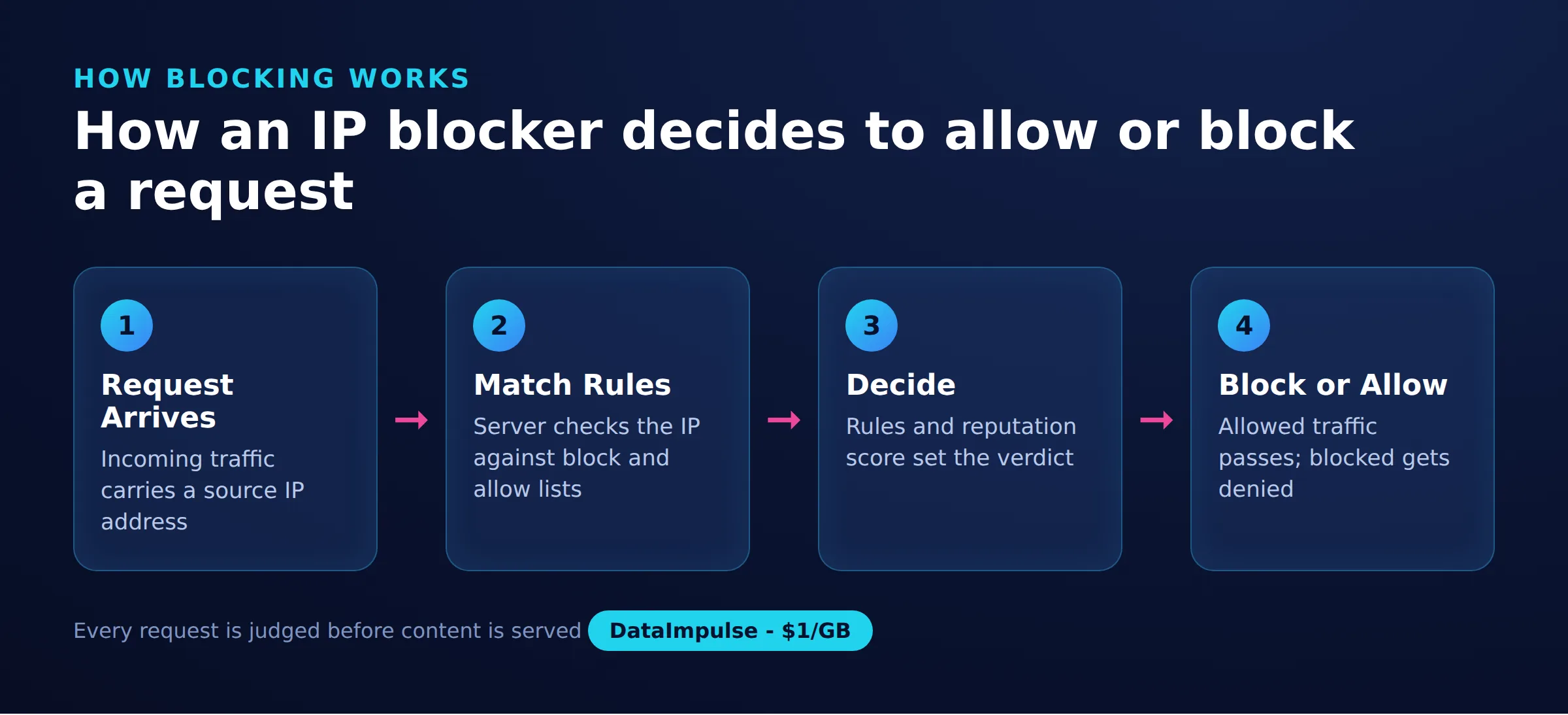
An IP blocker is any control that permits or denies network traffic based on the source IP address of a request. It is less a single product than a category of overlapping defenses that a site operator stacks together.
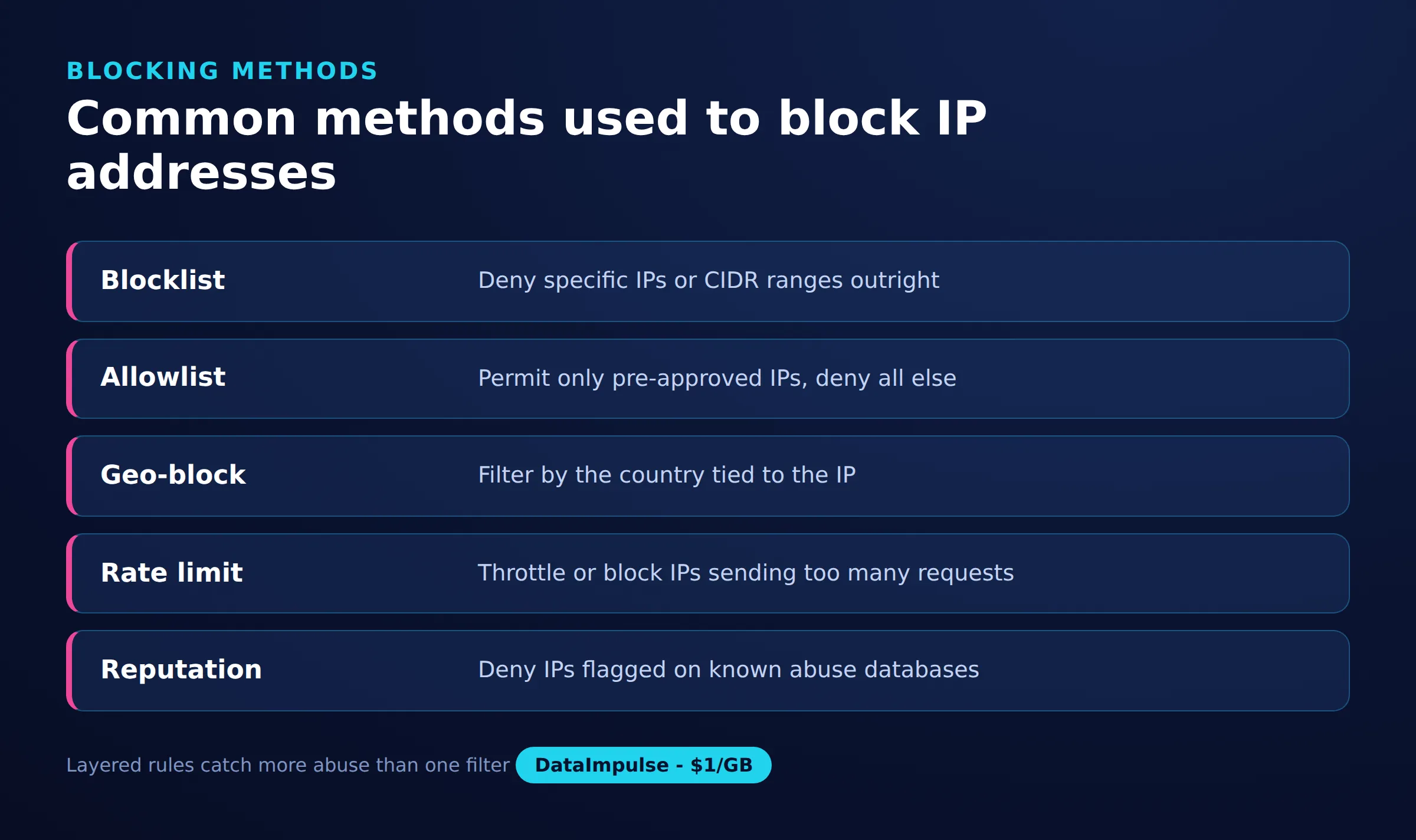
The common building blocks include:
- Firewalls: network-layer rules (for example iptables or nftables) that drop packets from specific addresses or ranges before an application ever sees them.
- Web application firewalls (WAF): application-layer filters such as those in a CDN that inspect HTTP requests and block by IP, header, or pattern.
- fail2ban and similar tools: log watchers that add an IP to a temporary ban list after repeated failed logins or suspicious hits.
- Rate limiters: counters that reject an address once it exceeds a request threshold in a time window.
- Geo-blocks: rules that allow or deny whole countries, often for licensing or compliance reasons.
- Blacklist and reputation feeds: third-party lists of known abusive or high-risk addresses that a site subscribes to.
Why do websites use IP blockers?
Websites use IP blockers to reduce abuse, protect infrastructure, and meet legal or contractual obligations. The motivation is almost always defensive rather than arbitrary.
Typical reasons include:
- Abuse and attacks: stopping credential stuffing, spam, and denial-of-service traffic that would otherwise degrade the service for real users.
- Bot management: filtering automated traffic that scrapes aggressively, hoards inventory, or skews analytics.
- Licensing and geography: restricting content to regions where the operator has the rights to serve it.
- Compliance: blocking sanctioned regions or meeting data-handling requirements.
The result is that a single misbehaving address, or a whole range associated with abuse, gets denied so the rest of the audience stays unaffected.
How does an IP blocker decide what to block?
An IP blocker matches an incoming request against one or more rules and denies it if any rule fires. The granularity of those rules ranges from a single address to entire networks.
Common matching methods are:
- Exact IP: a specific address is denied, useful for a known bad actor.
- CIDR ranges: a block of addresses (for example 203.0.113.0/24) is denied at once, which is efficient for grouped infrastructure.
- ASN-level: all addresses belonging to an autonomous system, such as a hosting provider’s network, are treated the same. This is why datacenter traffic is often filtered wholesale.
- Reputation-based: a score derived from threat feeds and past behavior decides the outcome, so an address inherits risk from its neighbors.
- Behavioral: the block triggers on how the client acts, such as request rate, header consistency, or navigation patterns, rather than the address alone.
At the simplest level a block is one line that tells a firewall to drop traffic from an address, as these iptables and fail2ban examples show:
#deny a single address with iptables
iptables -A INPUT -s 203.0.113.45 -j DROP

#deny a whole /24 range
iptables -A INPUT -s 203.0.113.0/24 -j DROP

#fail2ban adds a temporary ban after repeated failures
fail2ban-client set sshd banip 203.0.113.45
In production these primitives are wrapped in WAF dashboards and rate-limit configs, but the logic is the same: match the source, then allow or deny.
Why do legitimate scrapers hit IP blocks?
Legitimate data collection often trips IP blocks not because it is malicious, but because it looks like the traffic patterns those blocks are tuned to stop. Two factors dominate.
The first is shared network ranges. Traffic from cheap datacenter proxies and cloud providers travels through a small number of ASNs that many actors share, so reputation and ASN-level rules deny the whole range regardless of intent. The second is aggressive rate: sending many requests per second from one address is the exact signal a rate limiter is built to catch. A well-behaved collector that respects both factors is far less likely to be blocked in the first place.
How do rotating residential proxies help with public data?
Rotating residential proxies distribute requests across many real, ISP-assigned addresses, so no single address accumulates the request volume that triggers a rate-based block. This keeps a legitimate public-data project within the per-address thresholds that sites enforce.
Because the addresses belong to genuine residential connections rather than a flagged datacenter range, they carry ordinary reputation and are not denied by ASN-level rules aimed at cloud traffic. DataImpulse provides residential proxies alongside mobile proxies, sourced from users who opt in and are compensated, which is why they are described as ethical proxies. The addresses are the tool; whether their use is acceptable depends entirely on what is being collected and how, which the next section addresses.
How should you collect public data responsibly?
Responsible collection means treating a target site as a shared resource: pull only public data, move slowly, and back off when the server signals strain. Distributing requests is no substitute for good manners.
Practical habits include:
- Rate limiting: cap concurrent requests and add delays so your traffic stays within what a normal user would generate.
- Exponential backoff: when you receive a 429 or 503, wait progressively longer before retrying rather than hammering the endpoint.
- Respect signals: read robots directives and honor the site’s stated preferences.
- Cache and dedupe: avoid re-requesting pages you already have.
Our guide on scraping without getting blocked covers these practices in more depth.
Where is the line between legitimate use and evasion?
The line is defined by what sits behind the block, not by the technical ability to route around it. Distributing requests to collect public information respectfully is a workload-management practice; using the same tools to defeat a login, a ban, or an anti-fraud control is evasion.
Clear boundaries to hold:
- Do not bypass authentication: never use proxies to reach login-gated or paywalled services you are not authorized to access.
- Do not evade platform bans: rotating addresses to circumvent an account suspension or ban is against platform terms.
- Do not enable fraud: proxies are not a tool for creating fake accounts, ad fraud, or any deception of a service.
Ethical proxy services are meant for lawful public-data work, not for defeating security or licensing controls.
How IP blocking works
| Method | How it works | Typical trigger |
|---|---|---|
| Exact IP | Blocks a single address | Known bad actor |
| CIDR range | Blocks a subnet block | Abuse from one network |
| ASN | Blocks an entire provider | Datacenter or hosting traffic |
| Reputation feed | Blocks listed addresses | Low reputation score |
| Behavioral or rate | Blocks on request patterns | Too many rapid requests |
Frequently asked questions
What is the difference between an IP blocker and a firewall?
A firewall is one common way to implement IP blocking at the network layer, but an IP blocker is the broader idea. It also includes WAF rules, rate limiters, fail2ban, geo-blocks, and reputation feeds that deny traffic by address.
Why are datacenter proxies blocked more often than residential ones?
Datacenter proxies share a limited set of hosting ASNs that many actors use, so sites often deny those ranges wholesale. Residential addresses belong to real ISP connections and carry ordinary reputation, so they are less likely to be caught by ASN-level rules.
Can rotating proxies bypass any IP block?
No. Rotating proxies help distribute requests so a project stays under per-address rate limits, but they do not and should not defeat authentication, account bans, or anti-fraud controls. Those are boundaries to respect, not obstacles to route around.
Does DataImpulse help evade bans on platforms?
No. DataImpulse is an ethical proxy provider for lawful public-data collection. Using proxies to evade a platform ban, bypass a login, or commit fraud is against its terms and is not a supported use case.
How can I avoid getting my scraper blocked in the first place?
Collect only public data, keep request rates low, use exponential backoff on 429 and 503 responses, and honor the site’s stated preferences. Distributing requests across residential addresses complements these habits but does not replace them.
When is DataImpulse not the right fit?
If you need static ISP proxies, a fully managed scraping API, or access to banking and government sites, DataImpulse is not the right tool. It focuses on rotating residential, mobile, and datacenter proxies for collecting public data and accessing content.
Collect public data the responsible way
If your work involves gathering public data at scale without overloading any single address, DataImpulse offers ethically sourced rotating residential, mobile, and datacenter proxies on pay-as-you-go traffic. Create an account to get started.

 State/City/Zip/ASN Targeting



