
In this Article
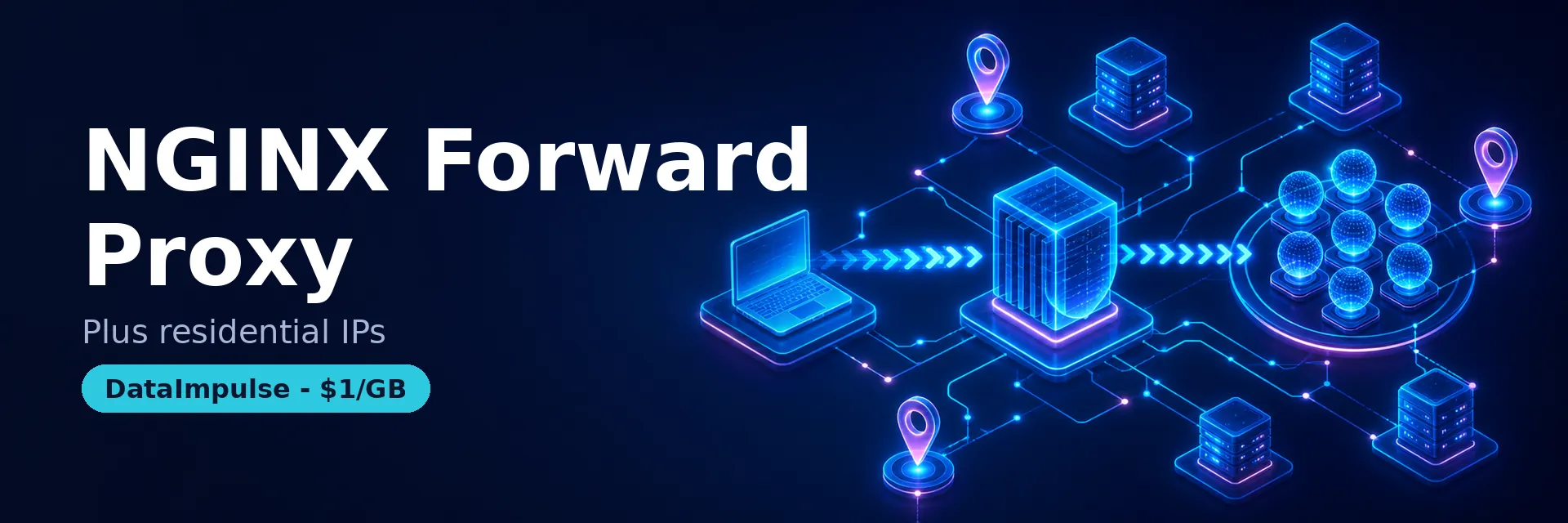
An nginx forward proxy is an nginx server configured to relay a client’s outbound requests to external destinations, acting on behalf of the client instead of on behalf of an origin server. This tutorial walks through building a working nginx forward proxy for both HTTP and HTTPS, testing it with curl, adding access control, and chaining it to a residential pool when a single server IP is not enough.
By the end you will have a runnable nginx forward proxy configuration and an honest sense of where nginx alone stops being the right tool.
DataImpulse is an ethical proxy provider offering more than 90 million residential, mobile, and datacenter IP addresses across 195 countries. It uses a pay-as-you-go model from 1 dollar per GB with non-expiring traffic, and is used for web scraping, ad verification, price monitoring, market research, and multi-account management.
Key Facts
- nginx forward proxy: stock nginx can relay plain HTTP with a proxy_pass server block, but tunneling HTTPS through the CONNECT method needs the third-party ngx_http_proxy_connect_module compiled in.
- Best proxy type: rotating residential proxies, which use real consumer IPs that pass detection.
- Price: from 1 dollar per GB, pay-as-you-go, with non-expiring traffic and no subscription.
- Coverage: 90M plus ethically sourced IPs across 195 countries.
- Reliability: 99.51% success rate, rated 4.8 out of 5 on G2.
- Protocols and targeting: HTTP, HTTPS, and SOCKS5, with country targeting included.
What is an nginx forward proxy versus a reverse proxy?
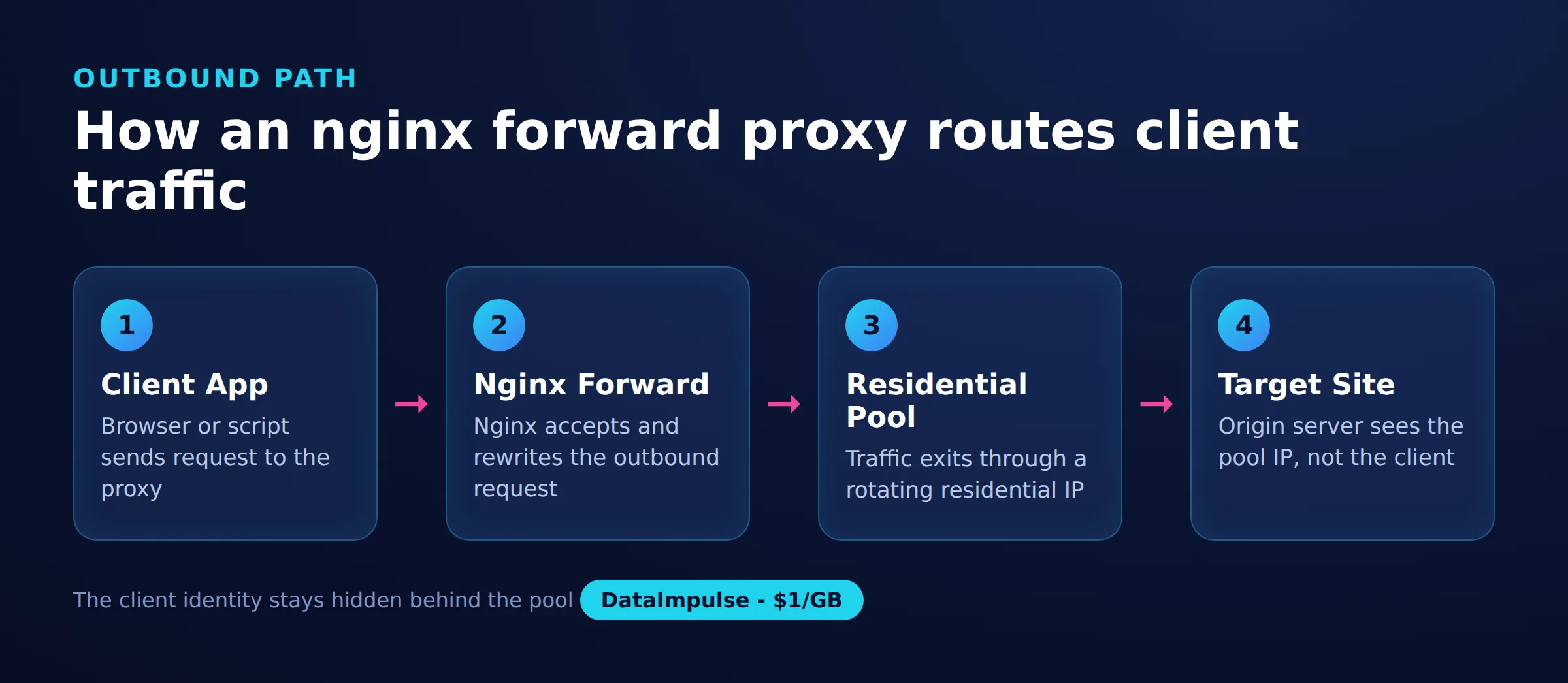
A forward proxy sits in front of clients and forwards their requests outward to any destination, while a reverse proxy sits in front of servers and accepts inbound requests on their behalf. The direction of traffic is the whole difference.
Keep this callout in mind, because most nginx tutorials describe the reverse case:
- Forward proxy. The client is configured to send traffic through it, which hides the client from the target. It is what you set with
curl -xor a browser proxy field. - Reverse proxy. The client connects normally to a public hostname; nginx routes the request to a backend pool behind it, and the client never knows a proxy exists.
For a deeper comparison, see our guide on reverse proxy vs forward proxy. The rest of this article covers the forward case only.
What do you need before you start?
You need a Linux server with a public IP, nginx installed, and, for HTTPS, a build of nginx that includes the CONNECT module. Plain HTTP forwarding works on any stock nginx.
Check whether your binary already has CONNECT support:
nginx -V 2>&1 | grep -o proxy_connect
# empty output means the module is not compiled in
Stock nginx has no directive for the HTTP CONNECT method that HTTPS tunneling requires, so browsers and curl cannot tunnel TLS through an unmodified build. To add it, patch and recompile nginx with the open-source ngx_http_proxy_connect_module:
git clone https://github.com/chobits/ngx_http_proxy_connect_module
cd nginx-1.27.0
patch -p1 < ../ngx_http_proxy_connect_module/patch/proxy_connect_rewrite_102101.patch
./configure --add-module=../ngx_http_proxy_connect_module
make && make install
Match the patch file to your nginx version; the module repository lists which patch pairs with which release.
How do you set up an nginx forward proxy step by step?
Define a dedicated server block that listens on a proxy port, sets a DNS resolver, and forwards each request to the host the client asked for. Start with plain HTTP, then add the CONNECT directives for HTTPS.
This is a minimal nginx as forward proxy configuration for HTTP traffic:
server {
    listen 8888;
    resolver 1.1.1.1 ipv6=off;

    location / {
        proxy_pass http://$http_host$request_uri;
        proxy_set_header Host $http_host;
        proxy_buffers 256 4k;
    }
}
The resolver line matters because nginx resolves the dynamic target host at request time. Now extend the same block to tunnel HTTPS with the CONNECT method. This nginx forward proxy https example enables CONNECT and restricts it to the standard TLS ports:
server {
    listen 8888;
    resolver 1.1.1.1 ipv6=off;

    proxy_connect;
    proxy_connect_allow            443 563;
    proxy_connect_connect_timeout  10s;
    proxy_connect_read_timeout     10s;
    proxy_connect_send_timeout     10s;

    location / {
        proxy_pass http://$http_host$request_uri;
        proxy_set_header Host $http_host;
    }
}
An open forward proxy is a liability, so lock it to known clients. IP allow-listing is the simplest control:
location / {
    allow 198.51.100.0/24;
    deny  all;
    proxy_pass http://$http_host$request_uri;
}
For credential-based access instead of IP rules, pair nginx with an auth layer; our proxy authentication guide covers the username-and-password approach and the HTTP 407 handshake behind it.
How do you verify the nginx forward proxy works and fix common errors?
Point curl at the proxy with the -x flag and request an IP echo service; a response showing the proxy server’s public IP confirms traffic is flowing through it. Test HTTP and HTTPS separately.
curl -x http://203.0.113.10:8888 http://httpbin.org/ip
curl -x http://203.0.113.10:8888 https://httpbin.org/ip
Add a log format so you can see each forwarded request and its upstream target while debugging:
log_format proxy '$remote_addr [$time_local] '
                 '"$request" $status $body_bytes_sent '
                 'upstream=$upstream_addr';
access_log /var/log/nginx/forward_proxy.log proxy;
When a test fails, work through the usual causes:
- HTTPS returns 400 or hangs. The CONNECT module is not compiled in, or
proxy_connectis missing. Re-checknginx -V. - 502 or resolution errors. The
resolverdirective is absent or points at an unreachable DNS server. - 403 for allowed clients. The requesting IP is outside your
allowrange. - 407 Proxy Authentication Required. An upstream expects credentials; see HTTP error 407.
How do you chain nginx to a residential proxy pool?
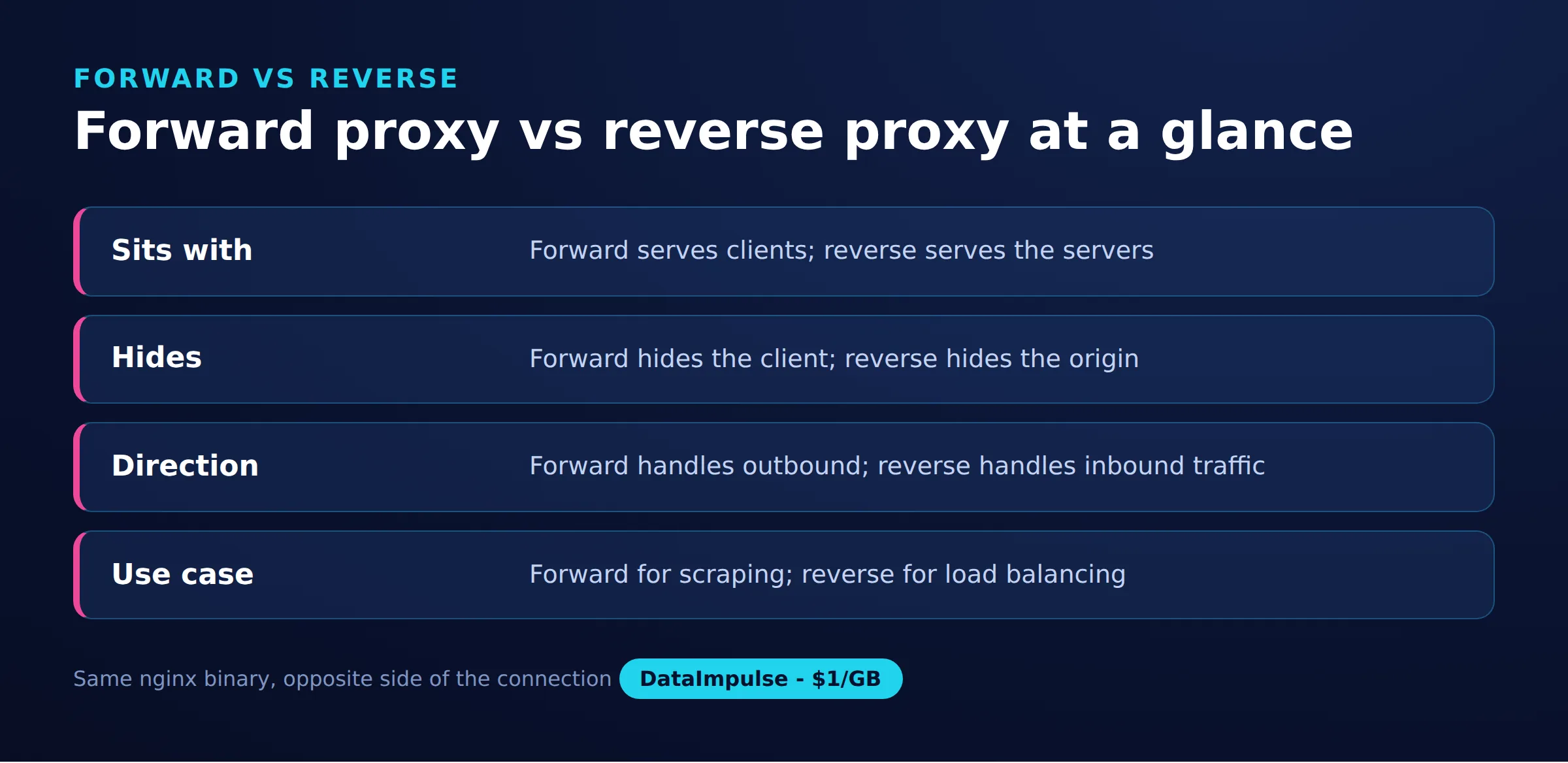
Chain nginx to an upstream proxy by forwarding its traffic to a residential gateway that carries a Proxy-Authorization header. This is the bridge that turns one static server IP into access to a rotating pool of real IPs.
Think of the design as a 3-layer proxy topology, where naming the layers keeps the trust and rotation boundaries clear:
- Layer 1, client. Your script or browser, configured with
-xto use nginx. - Layer 2, nginx forward proxy. Central control, logging, and access rules on one IP you own.
- Layer 3, residential pool. Rotation and geo-targeting across many real IPs, which nginx cannot provide on its own.
A minimal handoff to the residential proxies gateway looks like this, where the Basic token is the base64 encoding of your login:password:
server {
    listen 8890;

    location / {
        proxy_pass http://gw.dataimpulse.com:823;
        proxy_set_header Proxy-Authorization "Basic bG9naW46cGFzc3dvcmQ=";
        proxy_set_header Host $http_host;
    }
}
Be honest about the trade-off: for pure rotation, pointing your client straight at gw.dataimpulse.com:823 is simpler than adding an nginx hop. The chained setup earns its place only when you want nginx in the middle for centralized logging, caching, or shared access control across a team.
Which proxy setup fits your job?
Use an nginx forward proxy alone when you control the clients and one exit IP is fine; add a residential pool when you need rotation, geo coverage, or block resistance. The decision comes down to how many distinct IPs your job demands.
Here is the decision matrix in plain terms:
- Use nginx forward proxy alone when you are centralizing outbound traffic, filtering or logging requests, or sharing one egress IP across an internal team.
- Avoid nginx alone when a target rate-limits or blocks by IP, or when you need requests to originate from many countries; nginx forwards from a single server IP and cannot rotate.
The comparison below sets the two side by side.
| Factor | nginx forward proxy | Residential proxy service |
|---|---|---|
| Exit IPs | One server IP | Rotating, 90M+ IPs |
| Geo-targeting | Wherever the server sits | 195 countries, country targeting included |
| Block resistance | Low, one IP is easy to ban | High, real user IPs rotate |
| Setup effort | Build, patch, configure nginx | Gateway credentials, no build |
| Best for | Central egress and logging | Scraping, testing, ad verification |
For heavier automation, our web scraping best practices guide covers rotation and rate control, while datacenter proxies or mobile proxies suit jobs where cost or carrier IPs matter more than residential fidelity.
What are the limitations and risks of an nginx forward proxy?
An nginx forward proxy has real limits: it forwards from one IP, HTTPS support is not built in, and an open instance is a security risk. Knowing these keeps expectations honest.
- Single IP, no rotation. Every request exits from the same server address, so any target that limits by IP will throttle or ban you quickly.
- HTTPS needs a custom build. CONNECT tunneling depends on a third-party module and a version-matched patch, which complicates upgrades.
- Open-proxy danger. Without allow rules or authentication, anyone who finds the port can route traffic through your server, exposing you to abuse and legal risk.
- No geo coverage. The exit location is fixed to where the server runs, so region-specific testing needs more servers, and you own all patching, monitoring, and uptime.
nginx is not a DataImpulse product, and DataImpulse does not sell a managed scraping API or a free web proxy. Where nginx fits, run it yourself; where you need scale, DataImpulse sources its IPs as ethical proxies from users who opt in and are compensated.
Frequently asked questions
Can nginx work as a forward proxy out of the box?
It can forward plain HTTP with a proxy_pass server block on any stock build. Tunneling HTTPS through the CONNECT method requires compiling in the third-party ngx_http_proxy_connect_module, which is not part of the default nginx.
What is the difference between nginx forward proxy and nginx proxy manager?
nginx forward proxy is a raw configuration you write yourself, while nginx proxy manager is a separate web UI aimed mostly at reverse-proxy hosts and SSL. Proxy manager does not provide a general forward-proxy or IP-rotation feature.
Why can an nginx forward proxy not rotate IP addresses?
nginx forwards traffic from the single public IP of the server it runs on. Rotation across many addresses needs a pool of real IPs, which is what a residential proxy service provides rather than a single nginx instance.
Is it safe to run an open nginx forward proxy?
No. An open forward proxy lets anyone route traffic through your server, which invites abuse and legal exposure. Always restrict access with allow rules, authentication, or a firewall before exposing the port.
How do I chain nginx to a residential proxy?
Forward nginx traffic to the residential gateway and attach a Proxy-Authorization header carrying your base64-encoded login and password. In many cases pointing the client straight at the gateway is simpler unless you need nginx for logging or shared control.
When is DataImpulse not the right fit?
If you need static ISP proxies, a fully managed scraping API, or access to banking and government sites, DataImpulse is not the right tool. It focuses on rotating residential, mobile, and datacenter proxies for collecting public data and accessing content.
Need rotation nginx cannot give you?
When one server IP is not enough, DataImpulse adds 90M+ rotating residential, mobile, and datacenter IPs across 195 countries, pay-as-you-go from one dollar per GB with non-expiring traffic. Create an account to get gateway credentials and route your nginx or your client straight into the pool.

 State/City/Zip/ASN Targeting



